

cancel
Showing results for 
Search instead for 
Did you mean: 

Get Fabric Certified for FREE during Fabric Data Days. Don't miss your chance! Request now

Reply
Saksh
Frequent Visitor

Power BI : not working offline

Hi All,

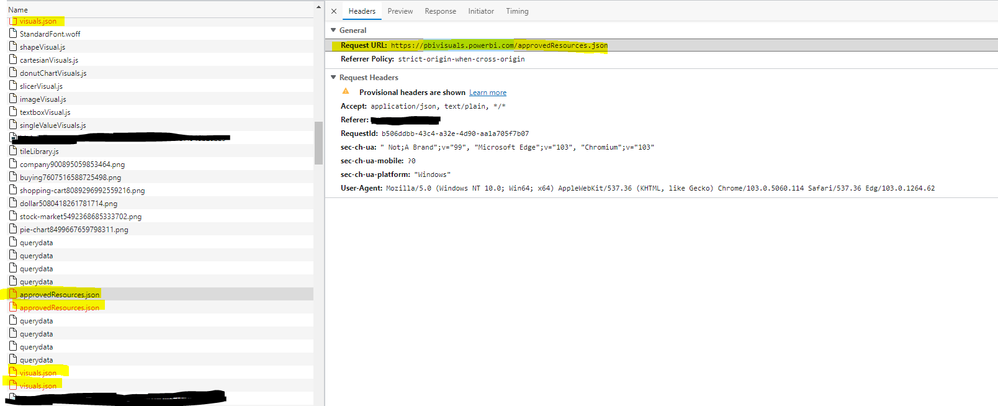
I have hosted Power BI report on report server which while accessing in offline mode showing below errors-

I have decompiled pbix files to check if any of these links are referred in any js or json file but there's no such links are defined.


Saksh_0-1658322383400.png

Saksh_1-1658322456256.png


Saksh_2-1658322481128.png


2 REPLIES 2
v-henryk-mstf
Community Support
Community Support

Hi @Saksh ,


Based on your description, I am unable to reproduce a similar problem at the moment. Can you provide some information about pbix, what type of data source is connected, and which way is it hosted to the report server.


Looking forward to your reply.


Best Regards,
Henry


Hi Henry,


I have connected the API links pointed to the database hosted on my local machine and hosted the PBIX file on the report server installed on the same machine.  And trired to browse the power BI report hosted on the report server in offline mode(i.e.: without LAN).


I hope the information provided will be sufficient to reproduce the same errors.

Looking forward to your reply.


Best regards,

Saksh.

Helpful resources

Announcements
November Power BI Update Carousel

Power BI Monthly Update - November 2025

Check out the November 2025 Power BI update to learn about new features.

Fabric Data Days Carousel

Fabric Data Days

Advance your Data & AI career with 50 days of live learning, contests, hands-on challenges, study groups & certifications and more!

FabCon Atlanta 2026 carousel

FabCon Atlanta 2026

Join us at FabCon Atlanta, March 16-20, for the ultimate Fabric, Power BI, AI and SQL community-led event. Save $200 with code FABCOMM.