cancel
Showing results for 
Search instead for 
Did you mean: 

The Power BI Data Visualization World Championships is back! Get ahead of the game and start preparing now! Learn more

Reply
JWolmanSymplr
Resolver I
Resolver I

Power BI Subscriptions Status is randomly being set to OFF

Power BI Subscriptions Status is randomly being set to OFF. We has this happen again today, but we have been noticing that sometime it seems like our Power BI Subscriptions that I have setup are being updated to Status = OFF. Is there a way to know or look at a history or log to see why Power BI Subscriptions are being set to OFF.


For example today, we noticed that 4 out of the 5 subscriptions for the same report was sent out as expected, but the 1 did not. I looked at the Status was OFF. The 5 subscriptions are all for the same report, just that they send out a different page to a different user. I am not seeing any Alert or failure, but this is not the first time we've seen this, just that it happened today. Thanks.

1 ACCEPTED SOLUTION
Anonymous
Not applicable

Hi @JWolmanSymplr ,

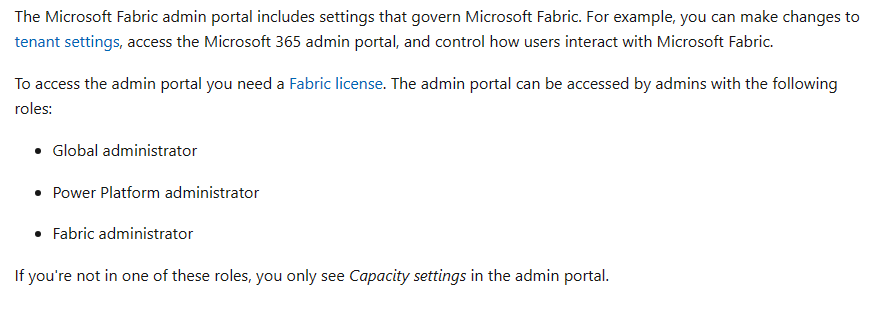
vbinbinyumsft_0-1705282707088.png

For more details, you could read related document: What is the Microsoft Fabric admin portal? - Microsoft Fabric | Microsoft Learn


Best regards,
Community Support Team_Binbin Yu
If this post helps, then please consider Accept it as the solution to help the other members find it more quickly.

View solution in original post

3 REPLIES 3
Anonymous
Not applicable

Hi @JWolmanSymplr ,

Please try to view audit logs.

The administrator or user with access to audit log is able to obtain information about all subscriptions operations such as create, update and delete subscription with configuration detail from the audit log. Each log entry recorded for activity:

Created Power BI email subscription
Updated Power BI email subscription
Deleted Power BI email subscription


For more details, you could read related document: 

View audit logs - Microsoft Fabric | Microsoft Learn,

Audit and usage admin settings - Microsoft Fabric | Microsoft Learn


Best regards,
Community Support Team_Binbin Yu
If this post helps, then please consider Accept it as the solution to help the other members find it more quickly.

I am an Admin for my workspaces, but when I go to the Admin Portal I only see Capacity Settings and Refresh Summary. I not see Audit Logs which is what I think you are asking me to review. I will have to research a little bit of who in my company has access to review these logs. Thanks.

Anonymous
Not applicable

Hi @JWolmanSymplr ,

vbinbinyumsft_0-1705282707088.png

For more details, you could read related document: What is the Microsoft Fabric admin portal? - Microsoft Fabric | Microsoft Learn


Best regards,
Community Support Team_Binbin Yu
If this post helps, then please consider Accept it as the solution to help the other members find it more quickly.

Helpful resources

Announcements
Power BI DataViz World Championships

Power BI Dataviz World Championships

The Power BI Data Visualization World Championships is back! Get ahead of the game and start preparing now!

December 2025 Power BI Update Carousel

Power BI Monthly Update - December 2025

Check out the December 2025 Power BI Holiday Recap!

FabCon Atlanta 2026 carousel

FabCon Atlanta 2026

Join us at FabCon Atlanta, March 16-20, for the ultimate Fabric, Power BI, AI and SQL community-led event. Save $200 with code FABCOMM.