Join us at FabCon Atlanta from March 16 - 20, 2026, for the ultimate Fabric, Power BI, AI and SQL community-led event. Save $200 with code FABCOMM.
Register now!Learn from the best! Meet the four finalists headed to the FINALS of the Power BI Dataviz World Championships! Register now
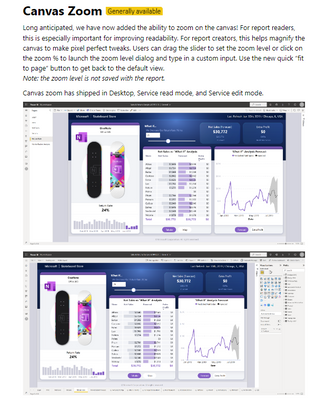
In the May 2022 Power BI Feature Summary, it states, "Long anticipated, we have now added the ability to zoom on the canvas! For report readers, this is especially important for improving readability."
I see it available in the Report Server version of Power BI Desktop, but I don't see it available in the report once it is released to report server where readers would actually access the report.
Do I need to enable this feature somehow?
Thanks,
Ken
Solved! Go to Solution.
Hi @KenCBowman ,
It seems not support on Report Server.
Canvas zoom has shipped in Desktop, Service read mode, and Service edit mode.
Refer:
https://powerbi.microsoft.com/en-ca/blog/power-bi-may-2022-feature-summary/
Best Regards
Lucien
Okay. This is the Power Bi Report Server Feature Summary where it appeared to claim that it was released...
Power BI Report Server May 2022 Feature Summary | Microsoft Power BI Blog | Microsoft Power BI
Hi @KenCBowman ,
It seems not support on Report Server.
Canvas zoom has shipped in Desktop, Service read mode, and Service edit mode.
Refer:
https://powerbi.microsoft.com/en-ca/blog/power-bi-may-2022-feature-summary/
Best Regards
Lucien
Share feedback directly with Fabric product managers, participate in targeted research studies and influence the Fabric roadmap.
Check out the February 2026 Power BI update to learn about new features.
| User | Count |
|---|---|
| 2 | |
| 2 | |
| 1 | |
| 1 | |
| 1 |
| User | Count |
|---|---|
| 6 | |
| 5 | |
| 4 | |
| 3 | |
| 3 |