Join us at FabCon Atlanta from March 16 - 20, 2026, for the ultimate Fabric, Power BI, AI and SQL community-led event. Save $200 with code FABCOMM.
Register now!The Power BI Data Visualization World Championships is back! Get ahead of the game and start preparing now! Learn more
Good afternoon everyody.
I'm using Mapbox Visual and it works in Power BI desktop, but not Power BI Web. It also works on my cell phone.
What happens is that the map is blank, for 02 days.
Does anyone know the solution?
Solved! Go to Solution.
Hi @Bladimir ,
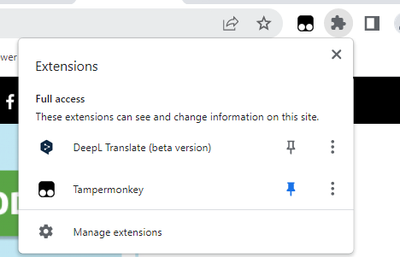
chrome browser extensions refer the below,and you could test to create a new incognito windows to test if it could view the visual.
And refer:
Best Regards
Lucien
Hi @Bladimir ,
Has your problem been solved, if so, please consider Accept a correct reply as the solution or share your own solution to help others find it.
Best Regards
Lucien
I already disabled the extensions, but it's still the same... also I don't see the extension called "LastPass"... where do I find it?.
Hi @Bladimir ,
chrome browser extensions refer the below,and you could test to create a new incognito windows to test if it could view the visual.
And refer:
Best Regards
Lucien
Hi @Bladimir ,
Actually the issue is between either LastPass or the MapBox custom visual. If you're using LastPass exension, you have to disable it for the map to render in the service.
https://github.com/mapbox/mapboxgl-powerbi/issues/295
Did I answer your question? Mark my post as a solution!
Best Regards
Lucien
The Power BI Data Visualization World Championships is back! Get ahead of the game and start preparing now!