cancel
Showing results for 
Search instead for 
Did you mean: 

The Power BI Data Visualization World Championships is back! Get ahead of the game and start preparing now! Learn more

Reply
Number_271
New Member

Date/Time Parameters in SSRS Linked Reports (PBIRS September 2021)

Hello,

My organization is using PowerBI via an application that also hosts SSRS reports; currently Power BI September 2021 update is in place. 

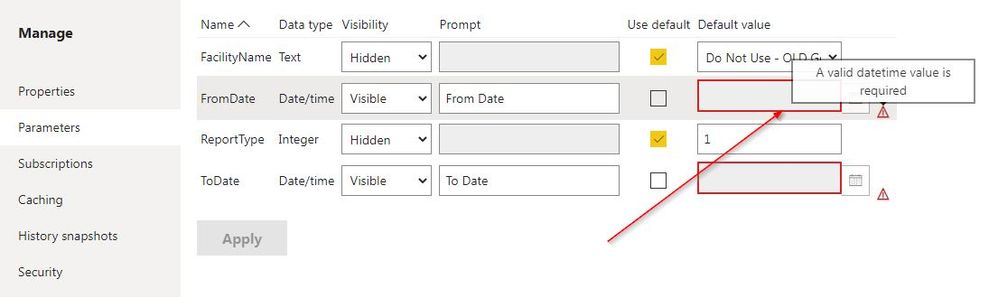
There is a problem that is occurring with SSRS linked reports. When attempting to set default parameters for a linked report, PBIRS will not allow you to "Apply" the changes if there are any date/time parameters on the report UNLESS you set values for those date/time parameters. The message "A valid datetime value is required" appears, even if the RDL in question does not mark these parameters as required in its design. In previous versions of SSRS, this was not necessary.
2022-03-03 10_27_49-Parameters - Power BI Report Server.jpg
Is this fixed in a later version? Or is this a bug.

1 ACCEPTED SOLUTION
v-henryk-mstf
Community Support
Community Support

Hi @Number_271 ,


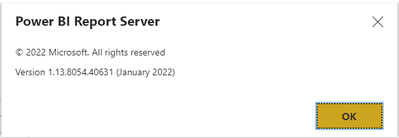
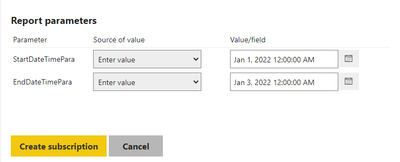
This issue has been fixed in Power BI Report Server January 2022. Here is my test:

vhenrykmstf_0-1646897318052.png

vhenrykmstf_1-1646897332859.png


related link as below:

Power BI Report Server January 2022 Feature Summary | Microsoft Power BI Blog | Microsoft Power BI


Best Regards,
Henry


If this post helps, then please consider Accept it as the solution to help the other members find it more quickly.

View solution in original post

3 REPLIES 3
v-henryk-mstf
Community Support
Community Support

Hi @Number_271 ,


This issue has been fixed in Power BI Report Server January 2022. Here is my test:

vhenrykmstf_0-1646897318052.png

vhenrykmstf_1-1646897332859.png


related link as below:

Power BI Report Server January 2022 Feature Summary | Microsoft Power BI Blog | Microsoft Power BI


Best Regards,
Henry


If this post helps, then please consider Accept it as the solution to help the other members find it more quickly.

d_gosbell
Super User
Super User

This looks like a bug in the Sep 21 release. I do not see this same issue in the Jan 22 release.

Thank you for this. I will review this information with the application vendor and follow up.

Helpful resources

Announcements
Power BI DataViz World Championships

Power BI Dataviz World Championships

The Power BI Data Visualization World Championships is back! Get ahead of the game and start preparing now!

December 2025 Power BI Update Carousel

Power BI Monthly Update - December 2025

Check out the December 2025 Power BI Holiday Recap!

FabCon Atlanta 2026 carousel

FabCon Atlanta 2026

Join us at FabCon Atlanta, March 16-20, for the ultimate Fabric, Power BI, AI and SQL community-led event. Save $200 with code FABCOMM.