Fabric Data Days starts November 4th!
Advance your Data & AI career with 50 days of live learning, dataviz contests, hands-on challenges, study groups & certifications and more!
Get registered- Power BI forums
- Get Help with Power BI
- Desktop
- Service
- Report Server
- Power Query
- Mobile Apps
- Developer
- DAX Commands and Tips
- Custom Visuals Development Discussion
- Health and Life Sciences
- Power BI Spanish forums
- Translated Spanish Desktop
- Training and Consulting
- Instructor Led Training
- Dashboard in a Day for Women, by Women
- Galleries
- Data Stories Gallery
- Themes Gallery
- Contests Gallery
- QuickViz Gallery
- Quick Measures Gallery
- Visual Calculations Gallery
- Notebook Gallery
- Translytical Task Flow Gallery
- TMDL Gallery
- R Script Showcase
- Webinars and Video Gallery
- Ideas
- Custom Visuals Ideas (read-only)
- Issues
- Issues
- Events
- Upcoming Events
Get Fabric Certified for FREE during Fabric Data Days. Don't miss your chance! Request now
- Power BI forums
- Forums
- Get Help with Power BI
- Power Query
- Re: Unable to get data from on-prem shareporint li...
- Subscribe to RSS Feed
- Mark Topic as New
- Mark Topic as Read
- Float this Topic for Current User
- Bookmark
- Subscribe
- Printer Friendly Page


- Mark as New
- Bookmark
- Subscribe
- Mute
- Subscribe to RSS Feed
- Permalink
- Report Inappropriate Content
Unable to get data from on-prem shareporint list
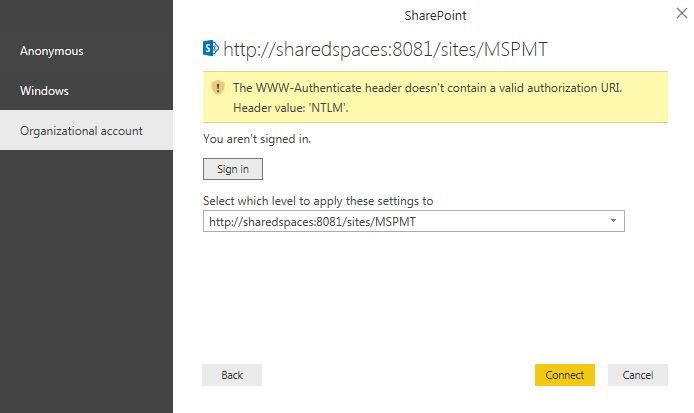
I have a custom list in on-prem shareporint in office. When I try to connect via organizational account (my office account) I get the error:
- Mark as New
- Bookmark
- Subscribe
- Mute
- Subscribe to RSS Feed
- Permalink
- Report Inappropriate Content
Dear MOds,
Please move this under - http://community.powerbi.com/t5/Integrations-with-Files-and/bd-p/power-bi-services


- Mark as New
- Bookmark
- Subscribe
- Mute
- Subscribe to RSS Feed
- Permalink
- Report Inappropriate Content
Hi @koshur,
Have you tried using Window Authentication? Does it work with Window Authentication?
Regards
- Mark as New
- Bookmark
- Subscribe
- Mute
- Subscribe to RSS Feed
- Permalink
- Report Inappropriate Content


- Mark as New
- Bookmark
- Subscribe
- Mute
- Subscribe to RSS Feed
- Permalink
- Report Inappropriate Content
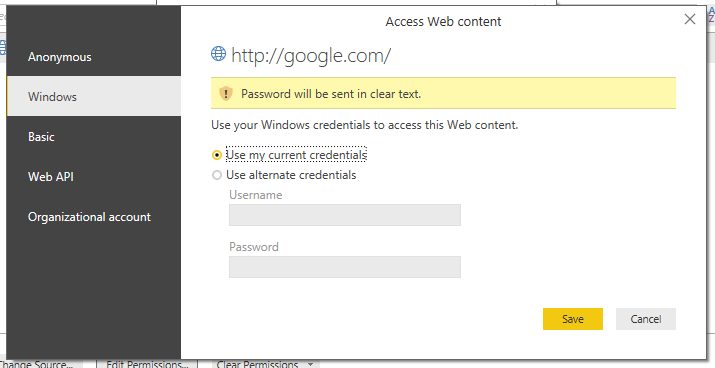
As @v-ljerr-msft has already been mentioned try using the Windows Authentication. You should be able to use your current credentials. If that fails try one of the credentials that you've mentioned.
- Mark as New
- Bookmark
- Subscribe
- Mute
- Subscribe to RSS Feed
- Permalink
- Report Inappropriate Content
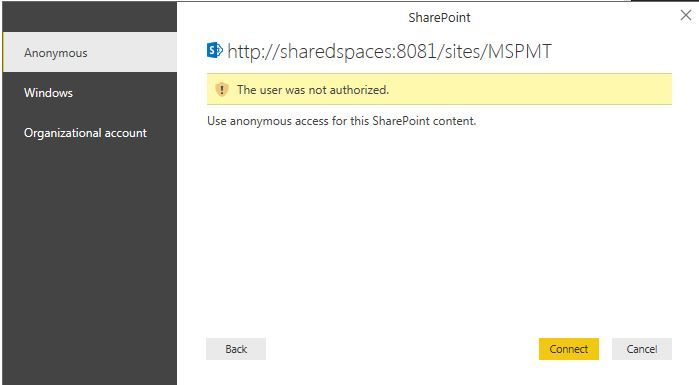
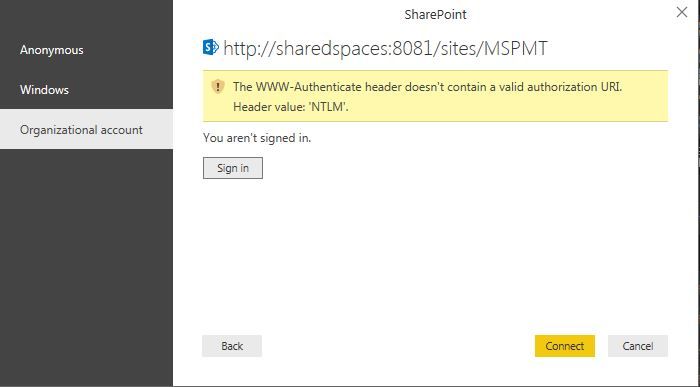
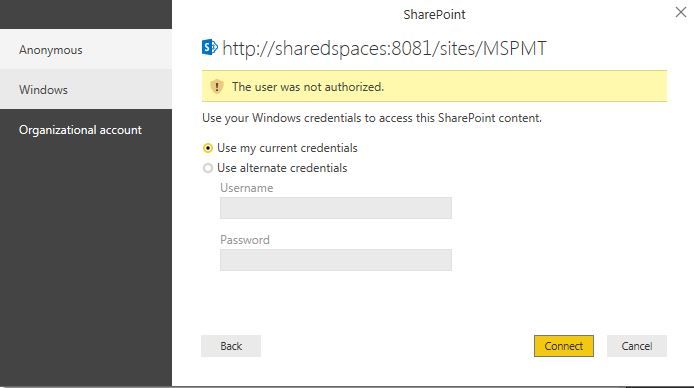
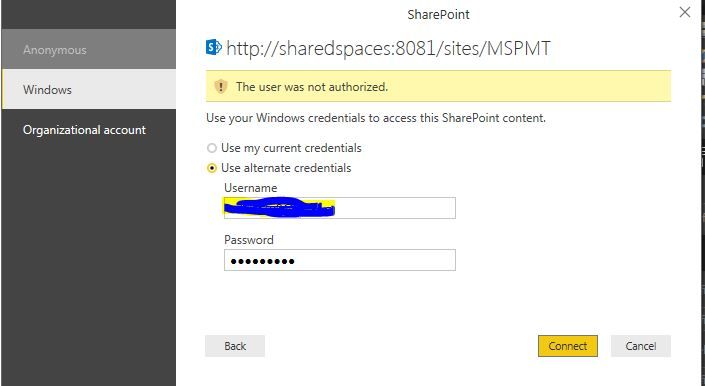
Let me rephrase my point with screensots for all senarios. Nothing works! (FYI - i am the owner of this sharepoint site with full access)
- Mark as New
- Bookmark
- Subscribe
- Mute
- Subscribe to RSS Feed
- Permalink
- Report Inappropriate Content
Have you tried the HTTPS link instead?
Actually the problem might be with your SharePoint installation. Is it possible to check if your current user is added to the site?
You might want to try to create a document in that sharepoint instance, and access the document via windows explorer. Then try to import the same document in Power BI by navigating to that shared location.
The shared location might look something like this:
\\sharedspaces\DavWWWRoot\somelibrary\document.xlsx
- Mark as New
- Bookmark
- Subscribe
- Mute
- Subscribe to RSS Feed
- Permalink
- Report Inappropriate Content
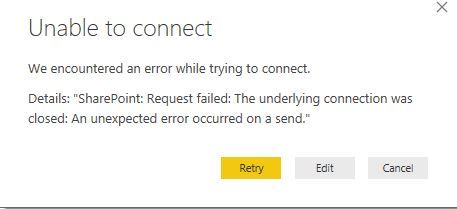
HTTPS did not work - unable to connect
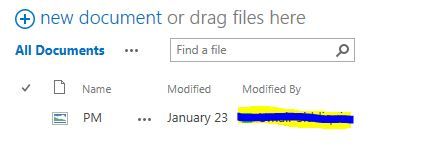
Uploaded a jpeg under documetns - I can't fetch this in BI either.

- Mark as New
- Bookmark
- Subscribe
- Mute
- Subscribe to RSS Feed
- Permalink
- Report Inappropriate Content
I tried, it doesnt work. Says unable to authenticate. SO here's what i have in office:
- Domain user id (i use this to unlock my office windows laptop) - cdhbe2u9 *(ABCCorp/cdhbe2u9)
- Password - sample@123
Domain - abccorp - On my iphone: cdhbe2u9@abc.com
- Password: sample@123
Domain: abccorp
(all office emails come here) - email: firstname.lastname@abc.com
- password:sample@123

Helpful resources

Power BI Monthly Update - November 2025
Check out the November 2025 Power BI update to learn about new features.

Fabric Data Days
Advance your Data & AI career with 50 days of live learning, contests, hands-on challenges, study groups & certifications and more!

FabCon Atlanta 2026
Join us at FabCon Atlanta, March 16-20, for the ultimate Fabric, Power BI, AI and SQL community-led event. Save $200 with code FABCOMM.

| User | Count |
|---|---|
| 7 | |
| 7 | |
| 7 | |
| 4 | |
| 4 |


| User | Count |
|---|---|
| 19 | |
| 14 | |
| 14 | |
| 10 | |
| 9 |


