Forum Discussion

 Kudo Commander
Personal Gateway Settings not appearing in PowerBI.com
 Kudo Commander
I had originally created the data connection using a different ID (which uses SQL connection). The ID running PowerBI is the administrator and has a windows credential. So I used the Windows Authentication method on the PowerBI.com configuration.
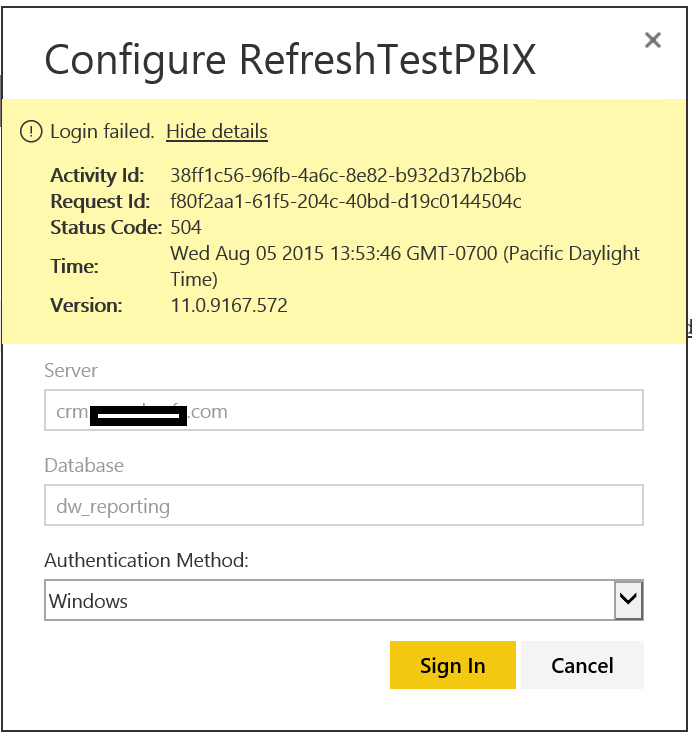
I just tried again and got this error. (still no gateway showing) .
Yes, the server, admin user and PowerBI user are on the same domain.

Interesting. Check out the very bottom of the support page here
The last image looks very similiar, except for the error code.
I wonder if you downloaded the preview version of the personal gateway somehow...
What would be interesting is if that gateway download is off some MS site, and needs to be updated...
See if downloading the personal gateway from the support site fixes things...
- Anonymous11 years agoNot applicable
I don't know if you are still having issues, but this may be another avenue for support for the client you are working with. Another great insights/assistance post by GuyInACube for Pro Users to get support.
- BraneyBI11 years ago
So, before I tried un-installing and re-installing the gateway, I checked its version number before the uninstall, and it was 1.5.5675.2. I re-installed from the support page, and the version is still the same. Still getting the same behavior - No Gateway showing up in PQ
- Anonymous11 years agoNot applicable
BraneyBI,
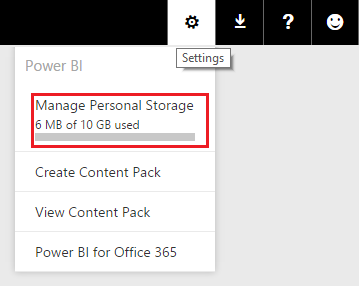
Can you confirm on the site that you see 10GB of data used when you click on the settings wheel?
I've been trying other ways to replicate this issue, and reading over the conversation... still haven't come up with anything.
- BraneyBI11 years ago
Yes, I show 3MB of 10 GB used.
- Anonymous11 years agoNot applicable
Braney,
Unless someone else chimes in, here's what I recommend.
Set up the power bi personal gateway on your machine, connect to the same data sets and check refresh. If that works, we know it has something to do with setting things up on the server.
- BraneyBI11 years ago
The server is currently the only machine that I have access to that is machine joined (I use Remote Desktop to access). This is a client installation. I will be onsite this afternoon and will have another user who is domain joined install the gateway and test it that way.
- BraneyBI11 years ago
So we tried to load the Personal Gateway on the client's laptop today. When it got to the point where it says "Please wait while we check a few more things" it spun and never resolved (3 hours and counting).
- Anonymous11 years agoNot applicable
yikes...
using the support articles, everything mentioned in them is set up correctly on their machine?
https://support.powerbi.com/knowledgebase/articles/649846-power-bi-personal-gateway
- BraneyBI11 years ago
Both myself and my client read, and re-read that article looking for anything wrong. I checked that the OS is 64bit, and it is on all the time.
The 2nd Desktop we tried never quit spinning. If I recall correctly, if it would have finished spinning, it would have been at the point to enable credentials.
- Anonymous11 years agoNot applicable
Braney,
Different idea after talking to some co-workers. What are they using for user administration? AD in Office365, password sync to O365 from on prem, or full ADFS? There may be issues that appear with connectors if the user set up isn't done correctly. Which would explain alot here...
- BraneyBI11 years ago
Active Directory DirSync with Office 365
- Anonymous11 years agoNot applicable
Check to make sure the office 365 user principle name (UPN) matches the on premise UPN.