cancel
Showing results for 
Search instead for 
Did you mean: 

Get Fabric Certified for FREE during Fabric Data Days. Don't miss your chance! Request now

Reply
gaofiore
Frequent Visitor

Issue pulling data from D365 Business Central - Couldn't load the data for this visual

Hello,


I am fairly new to Power BI and I am trying to connect our D365 Business Central to Power BI. I keep getting the following error:


Couldn't load the data for this visual
The expression referenced column 'LocalDateTable_6f7c8144-8b21-4724-b5d7-a4917f04e72e'[Year] which does not hold any data because it needs to be recalculated or refreshed.
Please try again later or contact support. If you contact support, please provide these details.
Activity ID: 7ed63e24-7f50-45c9-aa65-9643299b3874
Request ID: 114f08d4-51bb-a041-95c6-24a9abbe6c3e
Correlation ID: 0315b864-b9b1-bc08-7787-ae49d1b7783a
Time: Wed Apr 17 2019 12:29:33 GMT-0600 (Mountain Daylight Time)
Version: 13.0.9115.138


I was able to connect to our Customer engagement instance with no issues.


Thanks!
Cluster URI: https://wabi-canada-central-redirect.analysis.windows.net

3 REPLIES 3
v-juanli-msft
Community Support
Community Support

Hi @gaofiore 

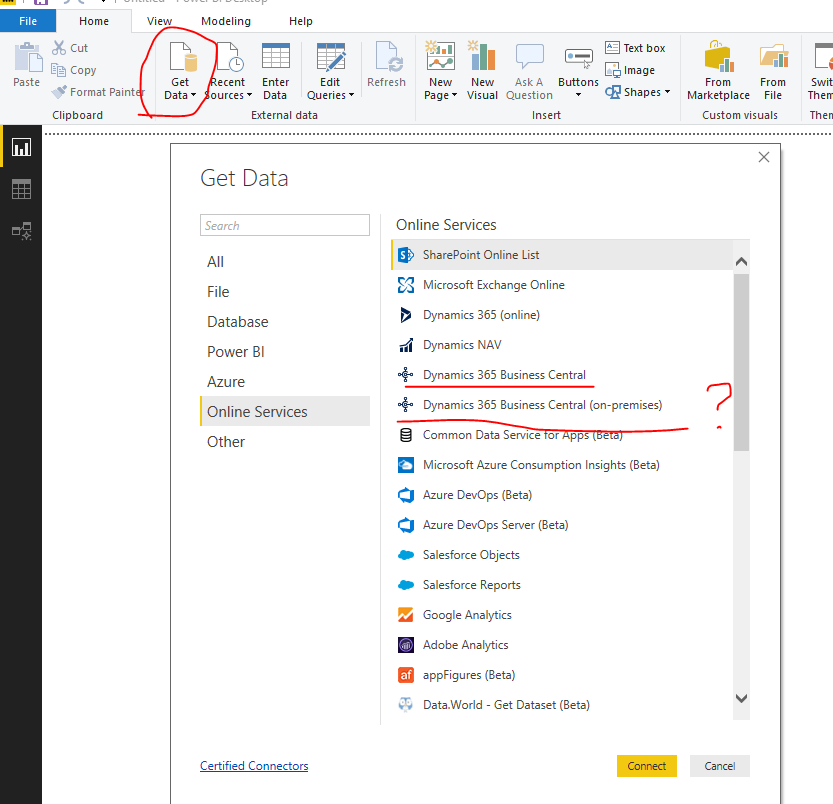
Do you connect to "D365 Business Central" on premise or online with Power BI Desktop?

It seems you connect to "D365 Business Central" on premise with Power BI Desktop, then publish report to Power BI Service.

the error you reveice is from a visual on Power BI Service.

Right?

4.png

If so, you need to download a on-premise gateway, add this data source under the gateway and set schedule refresh for the dataset.

Please refer to the following documents

Install a gateway for Power BI (on-premise, not personal mode)

Configuring scheduled refresh

Dynamics 365 Business Central (on-premises) Authentication


Best Regards
Maggie


Community Support Team _ Maggie Li
If this post helps, then please consider Accept it as the solution to help the other members find it more quickly.

Hi Maggie,


We have Business Central but not on Prem.


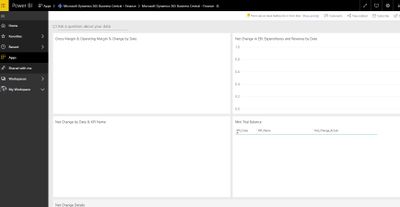
I am trying to connect using PowerBI online, using the Business Central App but get no data and that error. Are you saying I should use PowerBI for desktop? i was hoping to take advantage of the pre built views and charts and such...


powerbi.JPG


Thank you

@gaofiore 


I am having the same issue.  Did you have any luck working through this?

Helpful resources

Announcements
November Power BI Update Carousel

Power BI Monthly Update - November 2025

Check out the November 2025 Power BI update to learn about new features.

Fabric Data Days Carousel

Fabric Data Days

Advance your Data & AI career with 50 days of live learning, contests, hands-on challenges, study groups & certifications and more!

FabCon Atlanta 2026 carousel

FabCon Atlanta 2026

Join us at FabCon Atlanta, March 16-20, for the ultimate Fabric, Power BI, AI and SQL community-led event. Save $200 with code FABCOMM.