Forum Discussion

SQLWes
11 years agoNew Member
I am unable to schedule a data refresh. I have successfully configured the Personal Gateway.
I have created a Power BI Desktop file, and pushed it out to PowerBI.Microsoft.com with my Power BI Pro account. My Personal Gateway was successfully configured and is running. When I attempt to set...

meysun Resolver IV
11 years agoResolver IVAlso for schedule refresh settings to appear, please upload the pbix file using the browser Get Data. There is a known issue when publishing the file directly from the designer. This is fixed now and will be rolled out to the service prabably next week. so until then use the browser upload

pankaj
11 years agoRegular Visitor
I followed the below steps
1. Imported data from SQL Server 2012 to PBI Desktop
2. Changed Privacy setting of Database to Public
3. Saved the file and imported into PBI Web using Get Data
My PBI Personal Gateway ia also up and running.
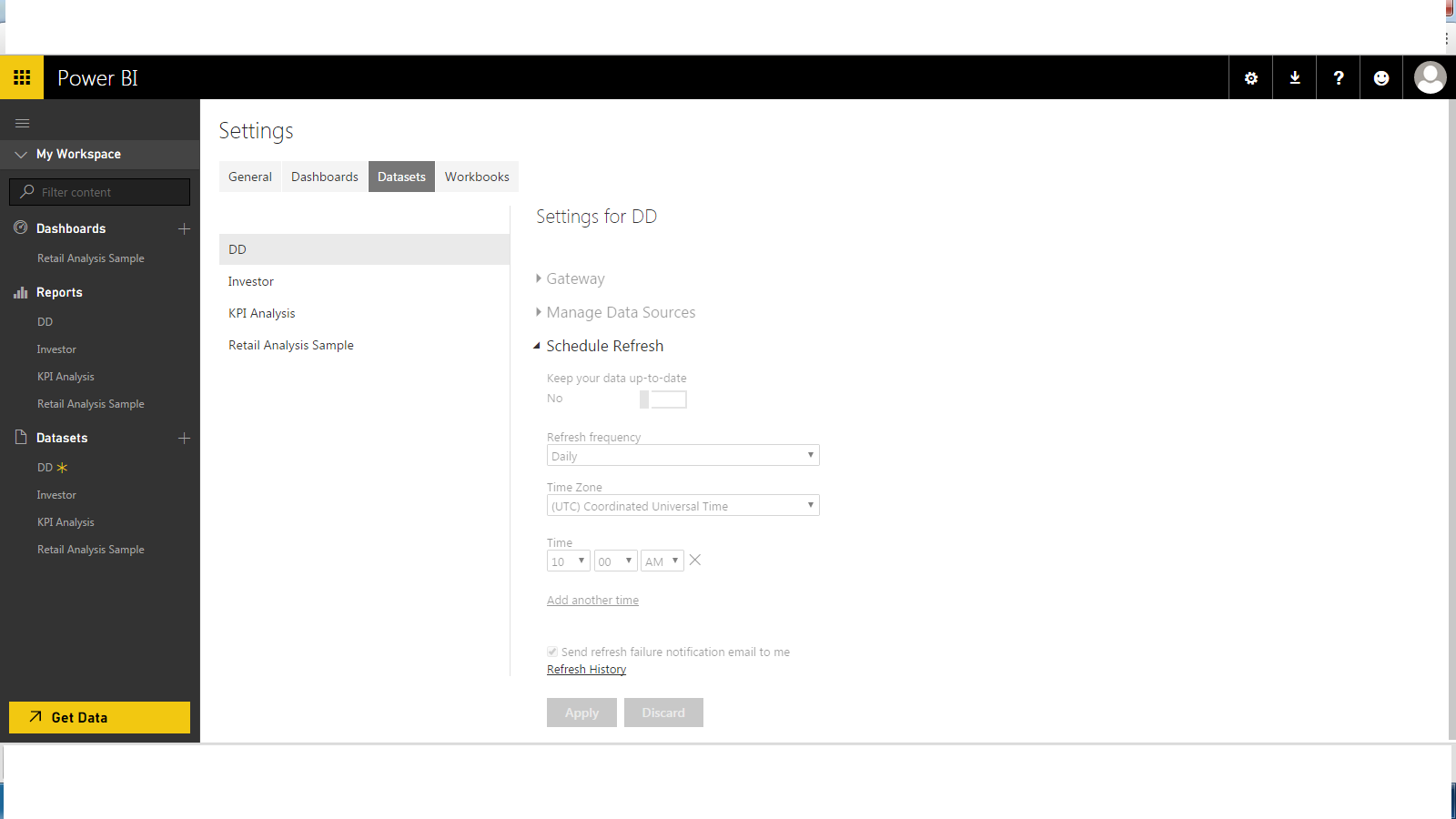
However, in PBI Web I am unable to schedule my imported dataset. All the settings below Schedule Refresh appear non editable. Same goes for Gateway and Manage Data Sources options. Please Help
- meysun11 years ago
Could you attach a screenshot ?