Join us at FabCon Atlanta from March 16 - 20, 2026, for the ultimate Fabric, Power BI, AI and SQL community-led event. Save $200 with code FABCOMM.
Register now!The Power BI Data Visualization World Championships is back! Get ahead of the game and start preparing now! Learn more
Hi experts,
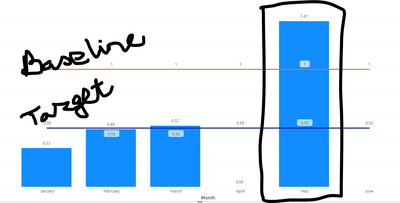
In a graphical (POWER BI) presentation, data is retreived from Excel sheet automatically. When a entered data point deviates Target/Goal how to highlight that dat (in graph) from others.
Can any body help me.
Solved! Go to Solution.
Hi @mrswa_56
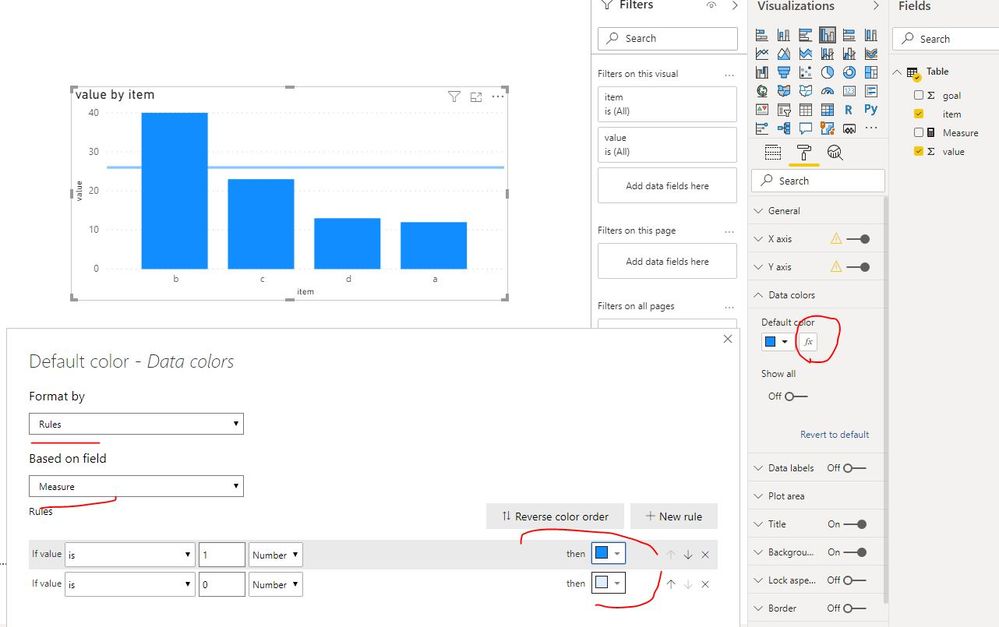
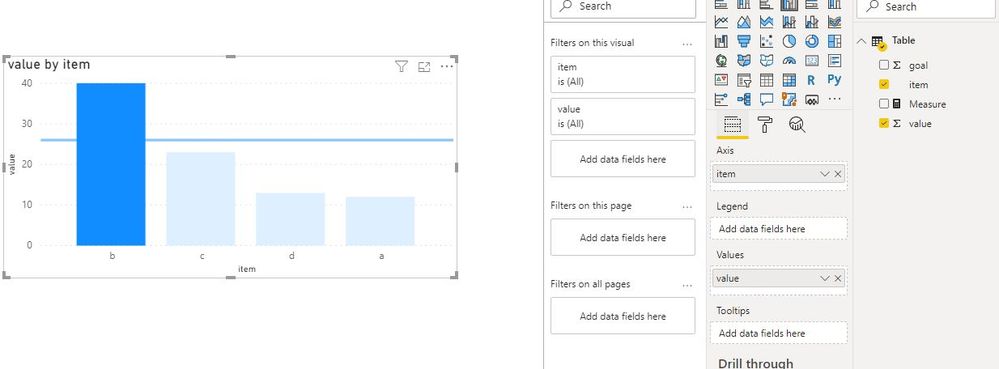
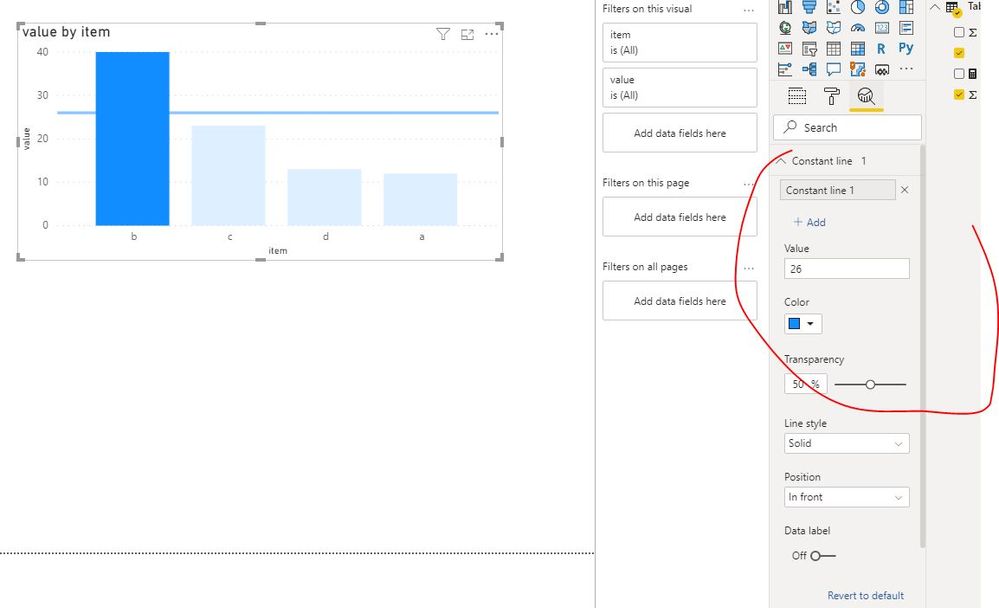
As Mariusz suggested, create a measure and apply it in conditional formatting.
Measure = IF(SUM('Table'[value])>=SUM('Table'[goal]),1,0)
Best Regards
Maggie
Community Support Team _ Maggie Li
If this post helps, then please consider Accept it as the solution to help the other members find it more quickly.
Hi @mrswa_56
As Mariusz suggested, create a measure and apply it in conditional formatting.
Measure = IF(SUM('Table'[value])>=SUM('Table'[goal]),1,0)
Best Regards
Maggie
Community Support Team _ Maggie Li
If this post helps, then please consider Accept it as the solution to help the other members find it more quickly.
The Power BI Data Visualization World Championships is back! Get ahead of the game and start preparing now!
| User | Count |
|---|---|
| 19 | |
| 9 | |
| 8 | |
| 7 | |
| 6 |