Forum Discussion

Has anyone successfully connected Power BI to a Business Objects Universe
- 11 years ago
Here is what you need to know at high level about the limitations of Business Objects Connector for Power BI.
http://businessintelligist.com/2014/03/12/what-is-the-microsoft-power-bi-connector-for-sap/
You should not need the Personal Gateway to be able to use the connector. The Personal Gateway's job is to enable refresh of datasets that have been already published to PowerBI.com
Also, right not these are the supported on premise data sources, and Business Objects is not on the list:
- SQL Server
- Oracle
- Teradata
- IBM DB2
- PostgreSQL
- Sybase
- MySQL
- SharePoint List (on-premises)
- File (CSV, XML, Text, Excel, Access)
- On-premises SQL Server Analysis Services Tabular models (uploaded data; not live connections)
- Folder
- Custom SQL/native SQL

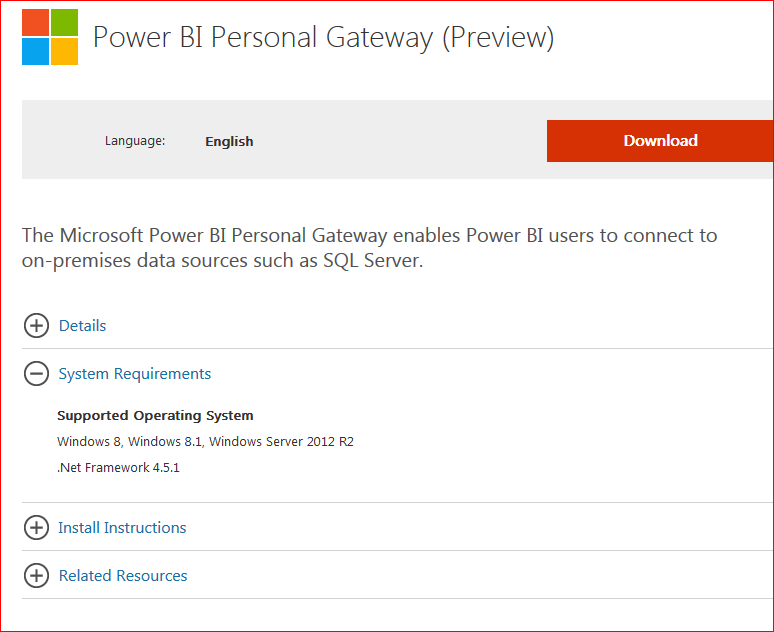
The Gateway will not install on my PC, I think it is Windows 8 onwards, I am on W7 pro.
Worth a try though

 Memorable Member
Here is what you need to know at high level about the limitations of Business Objects Connector for Power BI.
http://businessintelligist.com/2014/03/12/what-is-the-microsoft-power-bi-connector-for-sap/
You should not need the Personal Gateway to be able to use the connector. The Personal Gateway's job is to enable refresh of datasets that have been already published to PowerBI.com
Also, right not these are the supported on premise data sources, and Business Objects is not on the list:
- SQL Server
- Oracle
- Teradata
- IBM DB2
- PostgreSQL
- Sybase
- MySQL
- SharePoint List (on-premises)
- File (CSV, XML, Text, Excel, Access)
- On-premises SQL Server Analysis Services Tabular models (uploaded data; not live connections)
- Folder
- Custom SQL/native SQL