cancel
Showing results for 
Search instead for 
Did you mean: 

The Power BI Data Visualization World Championships is back! Get ahead of the game and start preparing now! Learn more

Reply
zenisekd
Super User
Super User

Google analytics - getting the Acconut name dimension to Power BI

Hi,

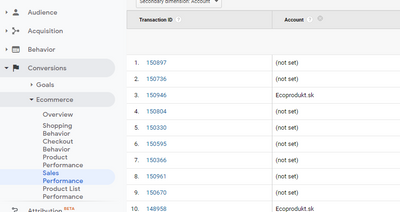
recently I got a task to connect GA to Power BI and create some dashboards. I started connecting and I found out, that I could not find the Account dimension... Am I blind or is there only Google Ads Customer ID that I can load in order to identify the Account the transaction belongs to? We have multiple websites and I am connecting to  of ALL. In GA I can set that I want to see the Account. But in power BI I could not find such a dimension. 

zenisekd_0-1614155003427.png

Of course, I can take the Google Ads Customer ID and replace the value accordingly or create a table with accounts and connect it via the ID... however I am surprised that it cannot be loaded. I thought everything I see in GA can be viewed also in PBI. Or am I wrong? 

1 ACCEPTED SOLUTION
Icey
Community Support
Community Support

Hi @zenisekd ,


The Google Analytics content pack and the connector in Power BI Desktop rely on the Google Analytics Core Reporting API.

Reference: Third-party service: Google Analytics connector - Power BI | Microsoft Docs


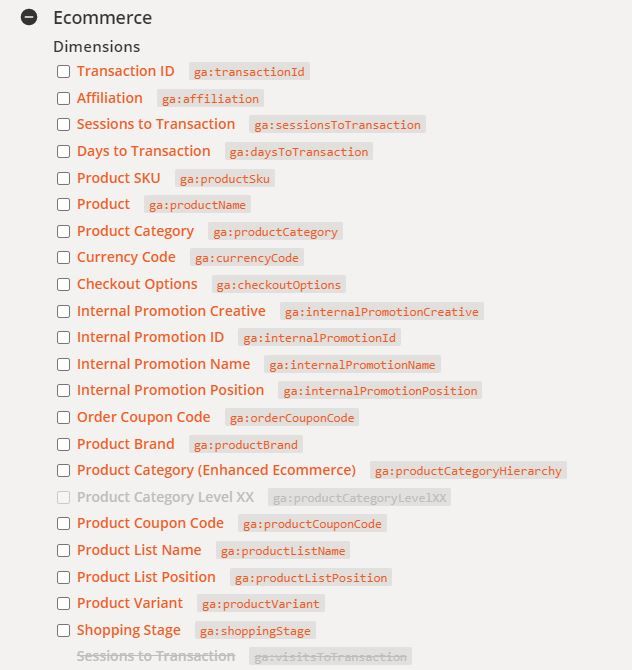
You can find all of the dimensions and metrics available through the Core Reporting API here. And "Account" dimension is not included.

ecommerce dimensions.JPG


Best regards

Icey


If this post helps, then consider Accepting it as the solution to help other members find it faster.

View solution in original post

2 REPLIES 2
ReportMaster
Post Patron
Post Patron

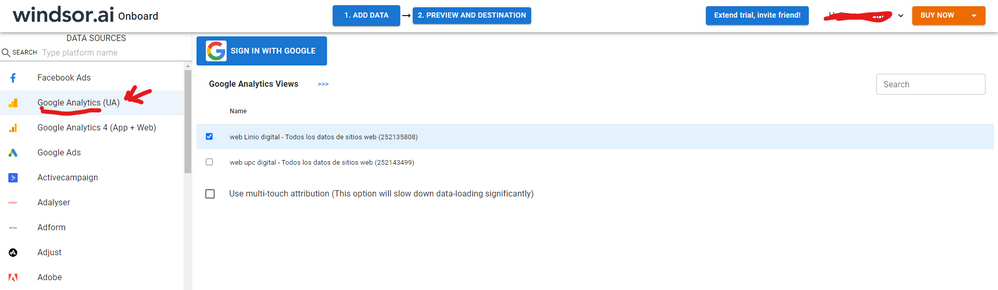
Hi @zenisekd As a workaround, maybe you can try to test your connection with a 3rd party connector. I've tried windsor.ai, supemetrics and funnel.io. I stayed with windsor because it is much cheaper so just to let you know other options. In case you wonder, to make the connection first search for the GA connector in the data sources list:


GA-1.png


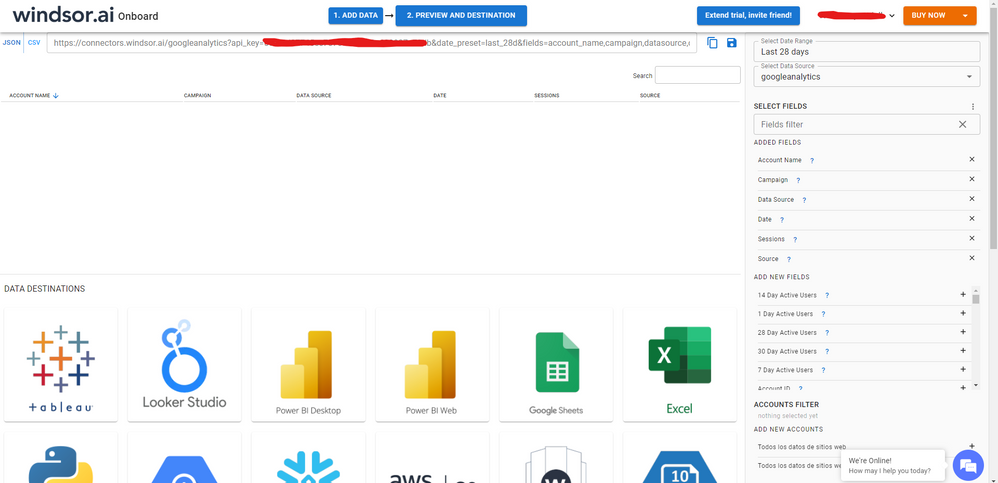
After that, just grant access to your GA account using your credentials, then on preview and destination page you will see a preview of your GA fields:


GA-2.png


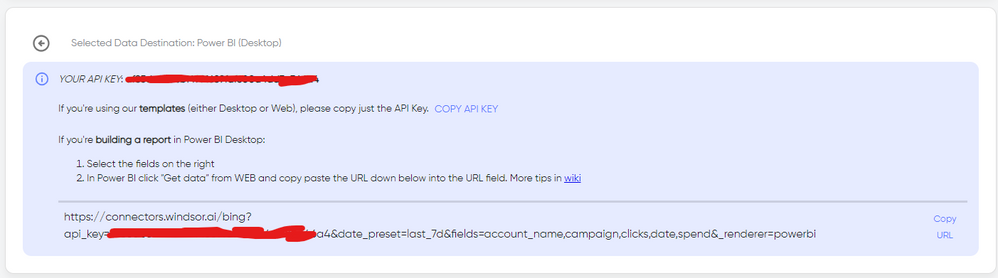
Account name field is available so you won't any problem to query that dimension. There just select the fields you need. Finally, just select PBI as your data destination and finally just copy and paste the url on PBI --> Get Data --> Web --> Paste the url.


SELECT_DESTINATION_NEW.png

Icey
Community Support
Community Support

Hi @zenisekd ,


The Google Analytics content pack and the connector in Power BI Desktop rely on the Google Analytics Core Reporting API.

Reference: Third-party service: Google Analytics connector - Power BI | Microsoft Docs


You can find all of the dimensions and metrics available through the Core Reporting API here. And "Account" dimension is not included.

ecommerce dimensions.JPG


Best regards

Icey


If this post helps, then consider Accepting it as the solution to help other members find it faster.

Helpful resources

Announcements
Power BI DataViz World Championships

Power BI Dataviz World Championships

The Power BI Data Visualization World Championships is back! Get ahead of the game and start preparing now!

November Power BI Update Carousel

Power BI Monthly Update - November 2025

Check out the November 2025 Power BI update to learn about new features.

FabCon Atlanta 2026 carousel

FabCon Atlanta 2026

Join us at FabCon Atlanta, March 16-20, for the ultimate Fabric, Power BI, AI and SQL community-led event. Save $200 with code FABCOMM.