Forum Discussion

Getting data from on-prem sharepoint into Power BI Desktop

 10 years ago
Okey, we have found the solution. Thanks to our internal pros! :-) We had the following behavior:
- Some URLs (SharePoint Site) worked, others not.
- With Fiddler we found out that the URL for the Webservice, which Power BI Deskotp calls in the background, are not always the same. Example: https://example.url.com/spsite1 called the Webservice /spsite1/_vti_bin/ListData.svc/$metadata and the other URL https://example.url.com/spsite2 called the Webserive /spsite2/_api/web/$metadata.
- The "spsite1" worked, "spsite2" not.
- We found out that one site was based on a upgraded SharePoint 2010 site template and the the other based on a SharePoint 2013 site template. So, thats the reason for the different calls of webservice URLs (old and new). The "old" one worked, the "new" one not.
- We found a workaround. Now all works fine. Go to the SharePoint Server and to the "_vti_pvt"-folder in your "inetpub" of IIS. Then look for the file "service.cnf" and delete it - or better rename it. Power BI takes the old OData service when he can not find this file. That's it.Hope it helps as a workaround.
philip
Mike, thanks very much for your help. But the thing is that I don't have the option to give the credentials to the connection. So first this screen:
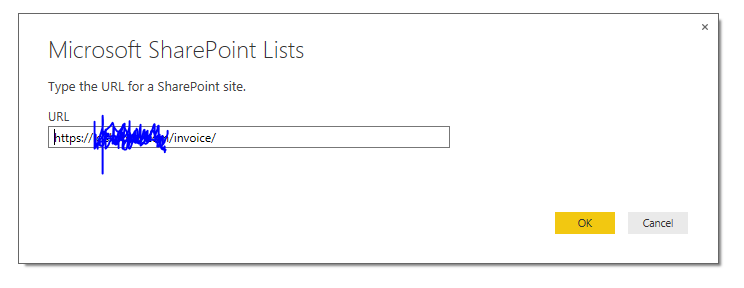
Then I press "Ok" and after one second it appears that screen:

Is there a possibility to apply to that URL credentials?
Thanks again.
philip

Weird. Try File->Options and Settings->Data Source Settings and then delete that data source.
Then try reconnecting to the SharePoint source - it should then ask you for a credential.
Mike
 stevencwong10 years agoNew Member
We have the same issue. Note that this DID not happen with the Power BI Desktop Preview from April 2015. So the secondary check for metadata must be new for the released version.
See this thread as it think its the same problem:
Scheduling a Refresh aslo errors out saying that the credentials are bad, but i suspect its related to this same issue where the metadata cannot be downloaded.
- pnussbaumer10 years agoFrequent Visitor
Okey, we have found the solution. Thanks to our internal pros! :-) We had the following behavior:
- Some URLs (SharePoint Site) worked, others not.
- With Fiddler we found out that the URL for the Webservice, which Power BI Deskotp calls in the background, are not always the same. Example: https://example.url.com/spsite1 called the Webservice /spsite1/_vti_bin/ListData.svc/$metadata and the other URL https://example.url.com/spsite2 called the Webserive /spsite2/_api/web/$metadata.
- The "spsite1" worked, "spsite2" not.
- We found out that one site was based on a upgraded SharePoint 2010 site template and the the other based on a SharePoint 2013 site template. So, thats the reason for the different calls of webservice URLs (old and new). The "old" one worked, the "new" one not.
- We found a workaround. Now all works fine. Go to the SharePoint Server and to the "_vti_pvt"-folder in your "inetpub" of IIS. Then look for the file "service.cnf" and delete it - or better rename it. Power BI takes the old OData service when he can not find this file. That's it.Hope it helps as a workaround.
philip
 andersarria10 years agoNew Member
Thanks, it works for me!!!, now the problem is that in some sites appear as not authorized user and others connect perfectly (I'm a full control user in all sites), so I don't know what could be happening in these sites that my user appear as a not authorized user. Any ideas??
 Jeilsoe10 years agoNew Member
Hi
Have you tried to connect via a Web data connection and then applying the url to the listview "Allitems" like this
http://<yoursite>/<subsite>/<listname>/allitems.aspx
regards
Per Jeilsoe
 Wally_West9 years agoNew Member
Jeilsoe I was actually getting a different error, "Internal Server Error (500)" trying to use the Sharepoint list and oData sources for my list, but this worked for me.
Thanks!
Wally West