Forum Discussion

Get data from web not showing table

 10 years ago
Yeah it was the Edit button sorry, wrong translation from me.
It seems that you have to find your table into the html code.
The steps are saved on the right ribbon, if the navigation step don't increment when you navigate, you can add a random step after each click (rename columns for example). Then you can back to the previous step easily. Otherwise, you can reveal the formula bar and edit them.

Do you mean the "Edit" button? (I only ask because I do not see a Modify option).
When I enter Edit mode, I see the following:

When I click on "Table", I get a little more:
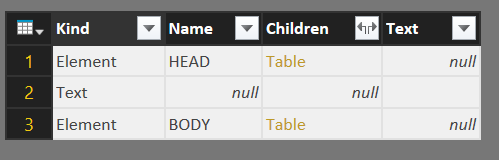
When I click on the "Table" link for the BODY, I get more of the same:
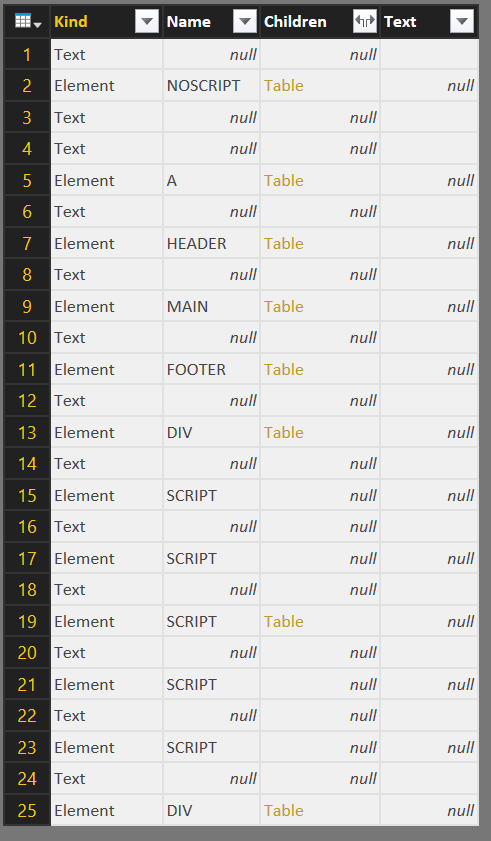
As you can see, there are more "Table" links, so I can keep going down this rabbit hole. I assume that I will eventually find my data, but it only works if I know the full HTML structure. The "Applied Steps" panel only lists "Source" and "Navigation" no matter how deep you click, and there is no back button, so if I choose the wrong link I basically have to start all over again.
Obviously, this effort is defeating the purpose of using the Web option. I eventually got to the data by highlighting the table in the web browser and pasting it into Excel, but I'd like to know for sure why this page isn't working as desired.
Yeah it was the Edit button sorry, wrong translation from me.
It seems that you have to find your table into the html code.
The steps are saved on the right ribbon, if the navigation step don't increment when you navigate, you can add a random step after each click (rename columns for example). Then you can back to the previous step easily. Otherwise, you can reveal the formula bar and edit them.