Forum Discussion

 Advocate IV
Error when refreshing: "There is no enough space for this row."
Hi,
When I try to refresh my data I get this error: "There is no enough space for this row." What does this mean? Is my data model too big?
11 Replies
 AnonymousNot applicable
 bloigge
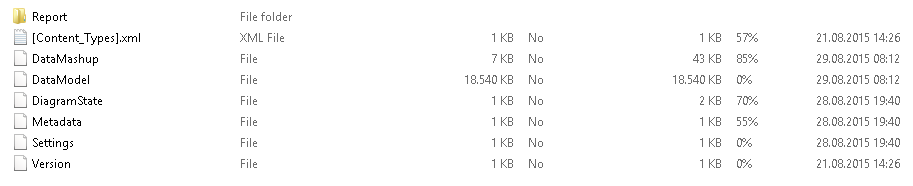
Anonymous - Thank you for your feedback. I zipped my powerBI desktop file and it seems that the size of my data model is small enough. Any thoughts why I stil get the error?
- AnonymousNot applicable
bloigge Let's back up a second. I posted based on the "Is my model to big" question.
Where and when are you getting the error specifically. Have you changed anything in your model recently?
- AnonymousNot applicable
Any news on this one. Getting the excact same error.
Extra Comments: Worked initially
- rodjarmanFrequent Visitor
Bumping this post as getting the same error.
It is quite a large file. Not sure how to measure it but it is around 95Mb as a .pbix file.
Other data sets update fine so could it be a capacity issue with the gateway?
- rodjarmanFrequent Visitor
Update: Data model is 101,540 Kb.
- AnonymousNot applicable
This is an issue for us too - refreshing data via R and Power BI gateway, I get the rather Scottish sounding - "There is no enough space for this row."
My file size is 101 MB, works fine on desktop of course.
What's strange is apparently Power BI increased their limits fairly recently ...
And we should therefore be good up to 1 GB .... but we're not.
Anybody have any ideas why it fails?
 hsumalNew MemberI am getting this error using the online refresh and scheduled refresh . My data model is very small (2mb). Has this been resolved ?
 mdollFrequent Visitor
Having this same issue. Not sure how I am supposed to decrease the size or get it to refresh.