cancel
Showing results for 
Search instead for 
Did you mean: 

The Power BI Data Visualization World Championships is back! Get ahead of the game and start preparing now! Learn more

Reply
Atinder
Helper III
Helper III

Date and time filter in ODATA URL

Hello, 


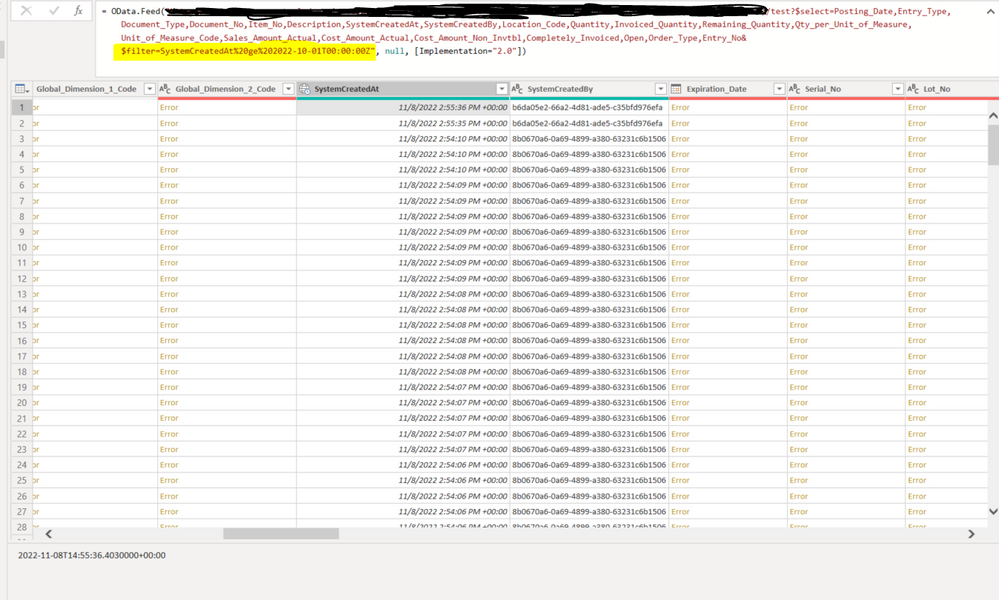
I want to use date and time filter on the ODATA URL. I want to see all the entries from 2022-10-01 and I used this filter:  $filter=SystemCreatedAt%20ge%202022-10-01T00:00:00Z" but it not working. What filter do i need to use here? 

Atinder_0-1667919636908.png


Thank you!

2 REPLIES 2
Anonymous
Not applicable

Hi @Atinder ,


Please refer to the solution in this thread and try adding 'datetime' to it:

Solved: Filter by DateTime in Odata


Best Regards,
Gao

Community Support Team


If there is any post helps, then please consider Accept it as the solution  to help the other members find it more quickly. If I misunderstand your needs or you still have problems on it, please feel free to let us know. Thanks a lot!

How to get your questions answered quickly -- How to provide sample data

Hi @Anonymous ,


That solution doesn't work for me. That solution is for the table  and I am using ODATA link and i cannot convert format in the link. I know i can filter out date after it loads the data but then there is too much data to filter from. 

Helpful resources

Announcements
Power BI DataViz World Championships

Power BI Dataviz World Championships

The Power BI Data Visualization World Championships is back! Get ahead of the game and start preparing now!

December 2025 Power BI Update Carousel

Power BI Monthly Update - December 2025

Check out the December 2025 Power BI Holiday Recap!

FabCon Atlanta 2026 carousel

FabCon Atlanta 2026

Join us at FabCon Atlanta, March 16-20, for the ultimate Fabric, Power BI, AI and SQL community-led event. Save $200 with code FABCOMM.