Forum Discussion

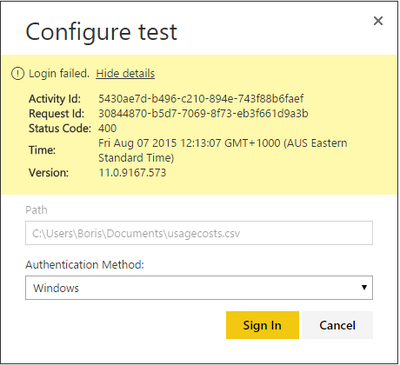
Data set refresh using Personal Gateway fails on Signing in
Hi,
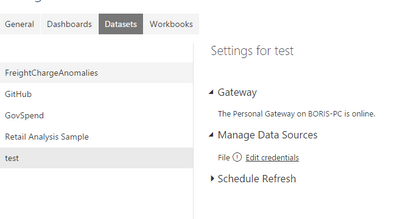
I installed Personal Gateway on my machine signed in and published a report linked to a local csv file to Power BI portal.
When I tried to schedule data refresh it fails to sign in to my machine... (why does it need to sign in to my machine???) I'm not on the same AD domain.
6 Replies
- Greg_DecklerCommunity Champion
I've had a lot of issues with refresh, including local files on the same domain (same local system) as my Power BI Gateway, I'm considering it a "work in progress" right now.
 borlipKudo Kingpin
And What kind of error message is that: 400?
Bad Request is meaningless for users. More details should be provided!
 luisrhResponsive Resident
I agree there should be another way other than AAD to connect thru the AS connector. One way is to allow for a different way of mapping identities or allow for connection to the http pump rather than a physical server - as it always has been supported. Vote for this if you Microsoft to lookl at an alternative.
 6ftNordicExportRegular Visitor
Hi
I'm having the same issue. When I tried installing the SSAS connector (on a different system) it complained about account names, specifically [email protected] VS [email protected] .
For various reasons, not having to ask IT about editing the DNS or similar, would be advantageous for user adoption. This is it's a great idea, senior people love the visuals!
Keep up the good work!
/Fredrik
 mgriffinFrequent Visitor
Borlip,
I have the same issue.
I have:
Recently installed Windows 10 (didn't have this issue before that)
Uninstalled and reinstalled the Personal Gateway to esnure I am not using a preview version.
I am going to:
uninstall my 32bit version of office and install the 64bit version based on this..
https://support.powerbi.com/knowledgebase/articles/666367-troubleshooting-power-bi-personal-gateway
It indicates that Personal Gateway is 64bit only and not compatible with 32bit data sources.
I'll let you know if this change works.
- mgriffinFrequent Visitor
Ensuring that my office/excel installation is 32bit did not fix anything.
I'm still having the same issue.
