cancel
Showing results for 
Search instead for 
Did you mean: 

The Power BI Data Visualization World Championships is back! Get ahead of the game and start preparing now! Learn more

Reply
marcenfaa
Frequent Visitor

SSRS Mobile - Dashboard does not refresh if dragging down (android) or pressing refresh (iOS)

Hi team,


This was not an issue in the past, I was able to drag down + drop a report and it would refresh the data within the tiles automatically. It doesn't work now.


Steps to replicate the issue:


- In the SSRS portal I created a dataset that calls a SQL Stored Procedure, the SP retrieves live data so each execution will pull different values. 

- I have created a Mobile Report.

- I added the Dataset previously mentioned to the Mobile Report. some tiles were added to the report, and they consume the fields of the dataset.  


- Within the browser: I open the Mobile Report, after a minute I attempt to refresh it, and... it refreshes the values through the tiles, woohoo.


- Within Power BI app I open the Mobile Report, after a minute I refresh it, and... it does not refresh the values, no wohoo.


The current annoying work around is: I go back to the parent folder, and open the mobile report again. It's not ideal as it wasn't an issue in the past. 


I hope you can help me solve this issue,


thanks!


1 ACCEPTED SOLUTION
v-sihou-msft
Microsoft Employee
Microsoft Employee

@marcenfaa


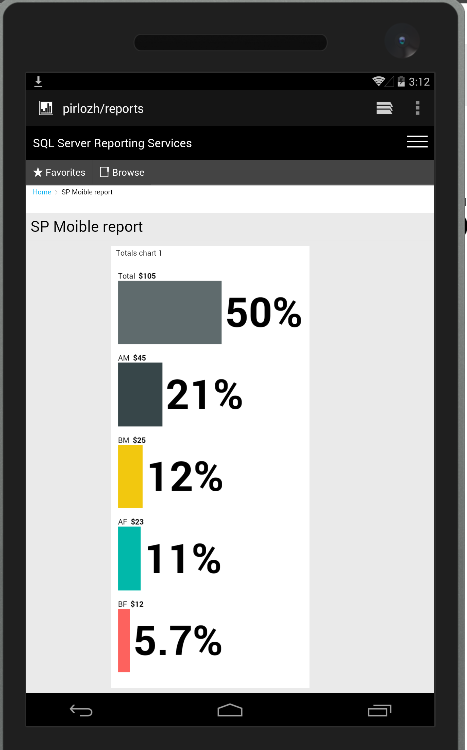
We reproduced same issue as yours. When refreshing a mobile report dataset created with a SQL stored procedure, it can be refreshed properly on Browser.

Capture4.PNG


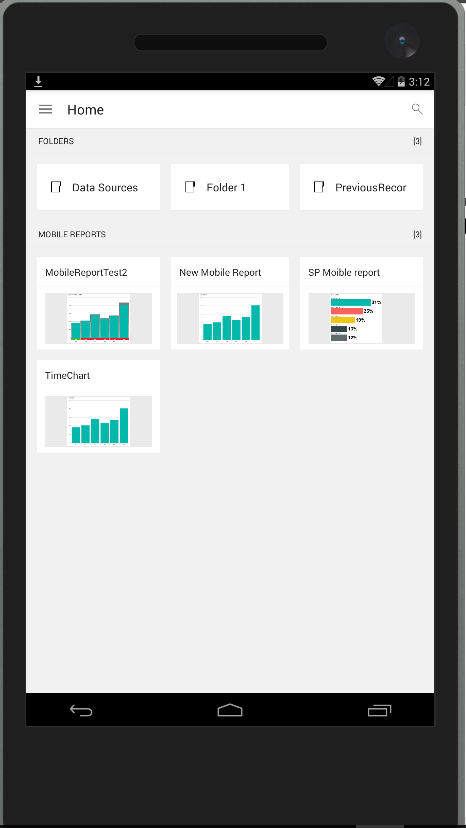
But we can make it on Power BI Mobile. We have reported this issue internally.


Capture5.PNGCapture2.PNG


Regards,

View solution in original post

5 REPLIES 5
v-sihou-msft
Microsoft Employee
Microsoft Employee

@marcenfaa


We reproduced same issue as yours. When refreshing a mobile report dataset created with a SQL stored procedure, it can be refreshed properly on Browser.

Capture4.PNG


But we can make it on Power BI Mobile. We have reported this issue internally.


Capture5.PNGCapture2.PNG


Regards,

@v-sihou-msft


Sorry to bother you again but, any estimated time to get this fixed?? 


Thanks!

@marcenfaa


It turns out a bug if we connect SSRS server with non-fully qualified domain name, this issue will be fixed in upcoming app release. Currently, you can work around this issue by connecting your SSRS server with fully qualified name, like: 


http://servername.domain.corp.microsoft.com/Reports


Regards,

Thanks Simon,


I think i have done what you suggested and still there is no solution. Will wait for that update. 


thank you. 

Thank you!!!

Helpful resources

Announcements
Power BI DataViz World Championships

Power BI Dataviz World Championships

The Power BI Data Visualization World Championships is back! Get ahead of the game and start preparing now!

December 2025 Power BI Update Carousel

Power BI Monthly Update - December 2025

Check out the December 2025 Power BI Holiday Recap!

FabCon Atlanta 2026 carousel

FabCon Atlanta 2026

Join us at FabCon Atlanta, March 16-20, for the ultimate Fabric, Power BI, AI and SQL community-led event. Save $200 with code FABCOMM.

Top Solution Authors
Top Kudoed Authors