cancel
Showing results for 
Search instead for 
Did you mean: 

The Power BI Data Visualization World Championships is back! Get ahead of the game and start preparing now! Learn more

Reply
dario59
New Member

Landscape mode and perfect resizing

Hi,

Corporate asked me to create a Report for iPhone. Can I ask how many pixel should I use in my canvas to design my report in a way in which the user should not scroll down to see it all in landscape view (when you take your phone in orizontal)?

Like this:


Image of a perfect report in landscape mode 


I don't have an iPhone (Android boy), and nobody in my office have one so I can't make any test. I tried with my android, and I had to leave some space on the bottom of the canvas to see it all in landscape without scrolling down:


My workaround for a perfect size landscape mode in android 


Maybe it's a problem that only Android users have (i tested it on a Realme7 and a Xiaomi something). Don't know if iPhone has a different resize method or if you guys have adapted the PBI app differently, in a way in which I can use all the canvas's real estate in landscape. Is it so? I use "Adapt to page" as a Page Visualization.

I'm interested only in how can I do this on an iPhone.


1 ACCEPTED SOLUTION
Anonymous
Not applicable

Hi @dario59 ,


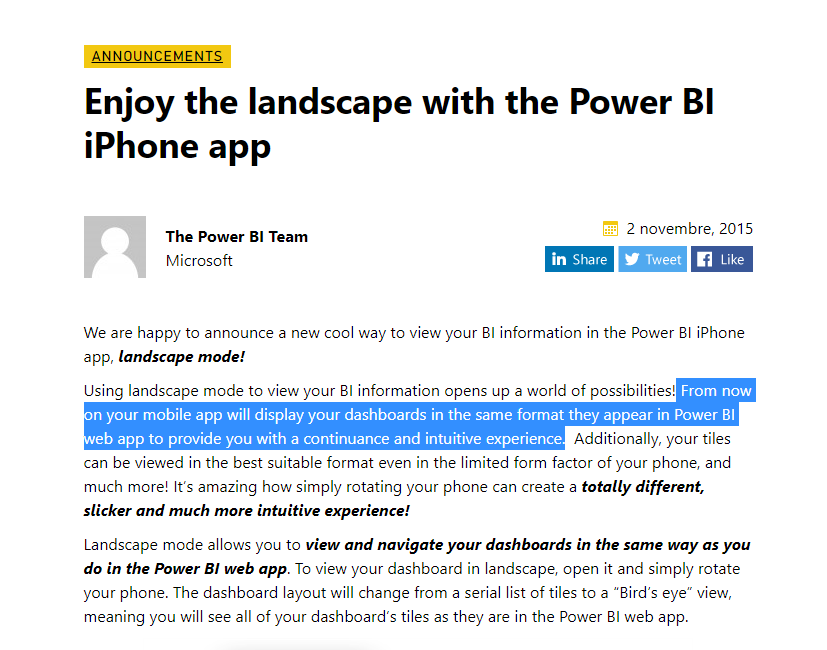
The following documentation mentions, the page size of your mobile apps in landscape is the same as they appear in the Power BI web app. Therefore, we only need to modify the page size of the report in the Power BI web app to be the same size as the iPhone.

vstephenmsft_0-1649124785406.png

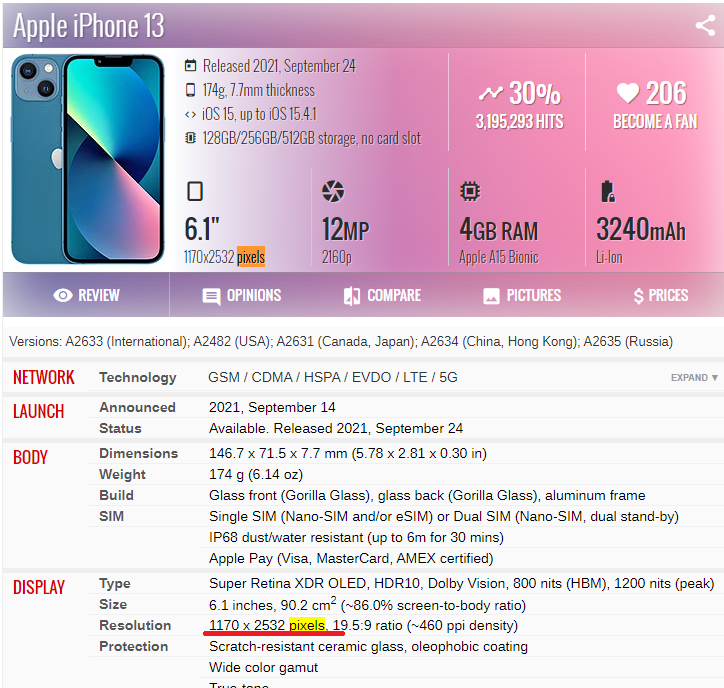
Take the iPhone 13 as an example, its page size is 1170x2532 pixels.

4.png

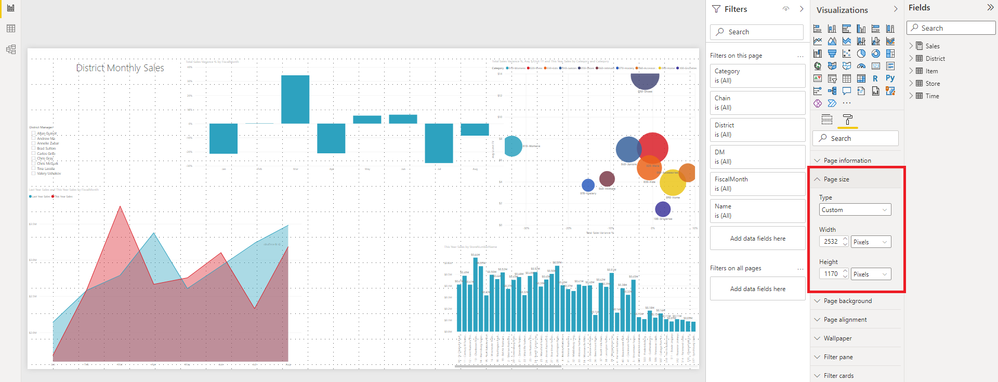
Set the page size hight to 1170 and width to 2532.

5.png


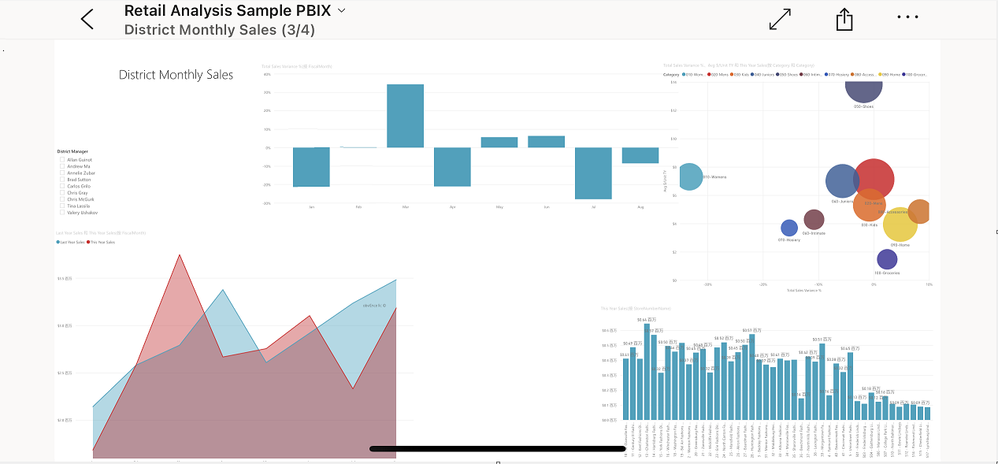
Mobile apps in landscape:

vstephenmsft_0-1649127960944.png


Best Regards,

Stephen Tao


If this post helps, then please consider Accept it as the solution to help the other members find it more quickly.

View solution in original post

1 REPLY 1
Anonymous
Not applicable

Hi @dario59 ,


The following documentation mentions, the page size of your mobile apps in landscape is the same as they appear in the Power BI web app. Therefore, we only need to modify the page size of the report in the Power BI web app to be the same size as the iPhone.

vstephenmsft_0-1649124785406.png

Take the iPhone 13 as an example, its page size is 1170x2532 pixels.

4.png

Set the page size hight to 1170 and width to 2532.

5.png


Mobile apps in landscape:

vstephenmsft_0-1649127960944.png


Best Regards,

Stephen Tao


If this post helps, then please consider Accept it as the solution to help the other members find it more quickly.

Helpful resources

Announcements
Power BI DataViz World Championships

Power BI Dataviz World Championships

The Power BI Data Visualization World Championships is back! Get ahead of the game and start preparing now!

December 2025 Power BI Update Carousel

Power BI Monthly Update - December 2025

Check out the December 2025 Power BI Holiday Recap!

FabCon Atlanta 2026 carousel

FabCon Atlanta 2026

Join us at FabCon Atlanta, March 16-20, for the ultimate Fabric, Power BI, AI and SQL community-led event. Save $200 with code FABCOMM.

Top Solution Authors
Top Kudoed Authors