Hi there,
I have encountered some weird formatting in the PBI Service, that is not occurring in the desktop application.
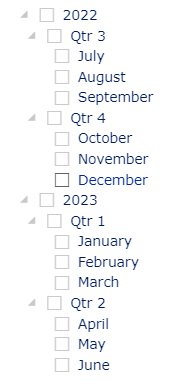
In one of my reports, I have a clustered column chart with date (type: continuous) along the X-Axis and a date list slicer for years, quarters and months. The date format on the chart when the slicer is unfiltered, or when a year or quarter is selected, is 'MMM YYYY' as expected.
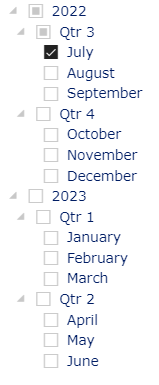
However, when I select a single month from the date list slicer, the format is inconsistent - sometimes it is 'MMM YYYY' but other times, it is 'DD MMM hh:mm', or sometimes 'YYYY' only.
Something appears to have gone awry with the interaction at the month level. Please may you investigate?
Default slicer & chart x-axis format:

Slicer month selection & updated x-axis (Service ONLY):



 on:
Issue with new card visual - reference labels spac...
on:
Issue with new card visual - reference labels spac...
 mattlee
on:
Issue with new card visual after publishing to PBI...
mattlee
on:
Issue with new card visual after publishing to PBI...
 on:
Issue with Card Visual Layout After November Power...
on:
Issue with Card Visual Layout After November Power...
 on:
Adding a measure or column as a tooltip to an Azur...
on:
Adding a measure or column as a tooltip to an Azur...