Hi All,
I've seen this issue posted a couple of times but I have found a solution (bug) in Power BI Service.
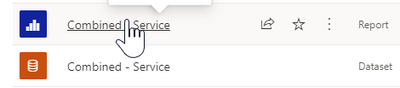
To download a report which is connected to a dataset (without downloading the dataset) I would go to the relevant workspace and click on the report to load it up.
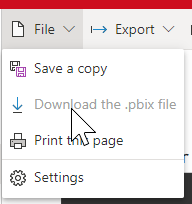
Then from the File tab, I'd select Download the .pbix file but initially, it is greyed out as in the image below
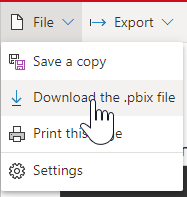
Now, by chance, I've noticed that when refreshing the page, the option is not greyed out anymore.
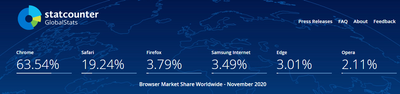
I'm using Google Chrome as the default browser as most people around the globe (about 63.54% to be exact according to https://gs.statcounter.com/)
I've tried replicating the behaviour on Internet Explorer and Edge and the option is available as soon as I load the report so that works fine.
Now I can live with this bug since I've found a way to work around it (refreshing the page after loading the report already), albeit somewhat annoying, but considering that such a high amount of consumers are using Chrome as their browser it would be great if we can have this bug fixed.

 on:
Issue with new card visual - reference labels spac...
on:
Issue with new card visual - reference labels spac...
 mattlee
on:
Issue with new card visual after publishing to PBI...
mattlee
on:
Issue with new card visual after publishing to PBI...