Hi, I have build a Power BI report for the Business Central (retrieve data from Business Central via API pages, process and show the data in report, and select this report in the "Power BI Report" section in Business Central system).
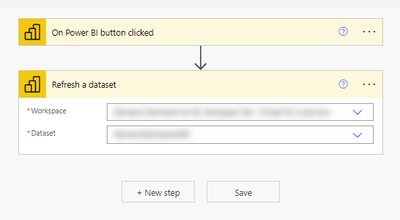
I am leveraging the "Power Automate for Power BI" visual to add a refresh button on to the report, which is to trigger a refresh to the dataset sits in Power BI Service. The implementation of the flow is very simple and straightforward, once the refresh button on the report got clicked, refresh the dataset.
Picture #1. Implementation of the refresh button flow
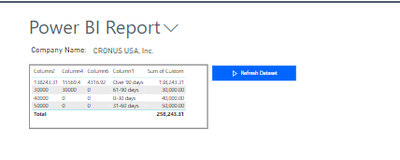
When testing on Power BI Service site, the refresh button worked as expected, however, when clicking the "refresh" button on the report embedded in the Business Central, it does not trigger the flow at all, either there is any log got recorded in the Power Automate flow run history page.
Picture #2. Power BI Report in Business Central system.
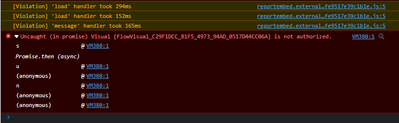
There is nowhere to inspect the situation or error information other than turning on the debug mode in the browser, which reveals the following error after the refresh button is clicked:
"Uncaught (in promise) Visual [FlowVisual_C29F1DCC_81F5_4973_94AD_0517D44CC06A] is not authorized."
The account I used has Power BI Pro license, and is the owner of the Power Automate flow to refresh the dataset. The accounbt also has sufficient access permission on Business Central and can run other Power Automate flows without issue.
Can someone please help to point out if anything I am missing anything here?
Or if this is a functional limitation, any supportive information will be highly appreciated.
Thank you!


