Forum Discussion

Step 4: Get a dataset to add rows into a Power BI table ( Example: Push a dataset into a dashboard)
Hi,
I got as far as the last step in this example: adding rows to the dataset.
Greated the token, created the dataset en got back the datasetID.
When adding the rows I got the error-message in Visual Studio on the code-line
var response = (HttpWebResponse)request.GetResponse();
:
"An unhandled exception of type 'System.Net.WebException' occurred in System.dll
Additional information: De externe server heeft een fout geretourneerd: (404) Niet gevonden."
Can someone help me out on this ?
Console-screenshot
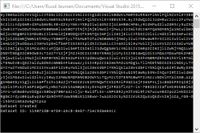
Regards, Ruud
If you're using the same code as the sample's, I guess that the the cause of the problem is in this line in the function GetDataset().
                    //Get the first id
                    datasetId = results["value"][0]["id"];
It would always return the first datasetId instead of the one created in the code if there're more datasets alreay existing.
Change the line to lines
                    //Get the first id
                    //datasetId = results["value"][0]["id"];

                    var datasets = results["value"];

                    foreach (var ds in datasets) {

                        //return the id of the first salesmarketing dataset
                        if (ds["name"] == "SalesMarketing") {
                            datasetId = ds["id"];
                            break;
                        }
                    }
2 Replies
 Eric_ZhangMicrosoft Employee
If you're using the same code as the sample's, I guess that the the cause of the problem is in this line in the function GetDataset().
                    //Get the first id
                    datasetId = results["value"][0]["id"];
It would always return the first datasetId instead of the one created in the code if there're more datasets alreay existing.
Change the line to lines
//Get the first id //datasetId = results["value"][0]["id"]; var datasets = results["value"]; foreach (var ds in datasets) { //return the id of the first salesmarketing dataset if (ds["name"] == "SalesMarketing") { datasetId = ds["id"]; break; } }- rajulshahResident Rockstar
Hello ,
I got exactly the same error with the same sample code as used in the mentioned link.
I changed the code as per the solution , but I'm still getting the same error.
Can anyone help me?
Thanks in advance.