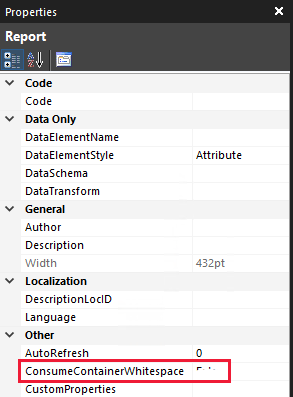
I'm using the latest Power BI Report Builder (v 15.7.1704.1) and I'm stumped.
I have a dataset where I want a page printed PER ROW. So each page represents a bunch of data for one row using a freeform tablix (list).
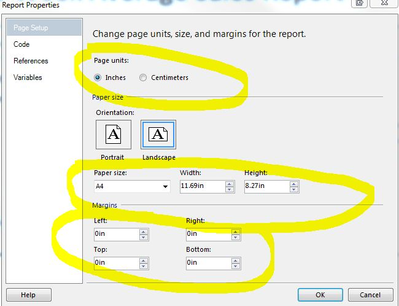
* Report: inches, landscape, 11 x 8.5, no margins
* Header: none
* Body: 11 x 7.5in
*Tablix: 11 x 7.5in; Location 0,0
*Tablix Rectangle: 11 x 7.5 in; Page Break Location: End
* Few elements inside the tablix rectangle that I'm positive does not exceed 11 x 7.5
* Footer: 0.5in
Zero margins on everything.
From this layout, the height of body and footer would equal 8 in. However, I want to use the remaining 0.5 inches of the height of the page that should be available. When I increase the Body, Tablix (and its rectange) to 8 inches in height, each page overflows into the next. I can't figure out what is using the remaining 0.5 inches of the page to cause this.
At one point during report design, I did have a header, but have deleted it and made sure the Tablix location was 0.0 in the body. I looked at the RDL markup thinking something might still remain of it or there was something that shouldn't be there, but everything I see has a name that I explicitly assigned to elements that should be there and I've done all the math on these.
Ideas? Is there something fundamental about limitations of the report page I don't understand? TIA for your help.