Forum Discussion

Azure AD oAuth request returns html page and not oAuth Code
 8 years ago
Replying to myself but will be useful for others too seeing the time I spent on the matter...
MS Support pointed me to this thread which solved my problem :
https://community.powerbi.com/t5/Developer/How-To-Get-embed-token-using-Get-Post-only/td-p/294475
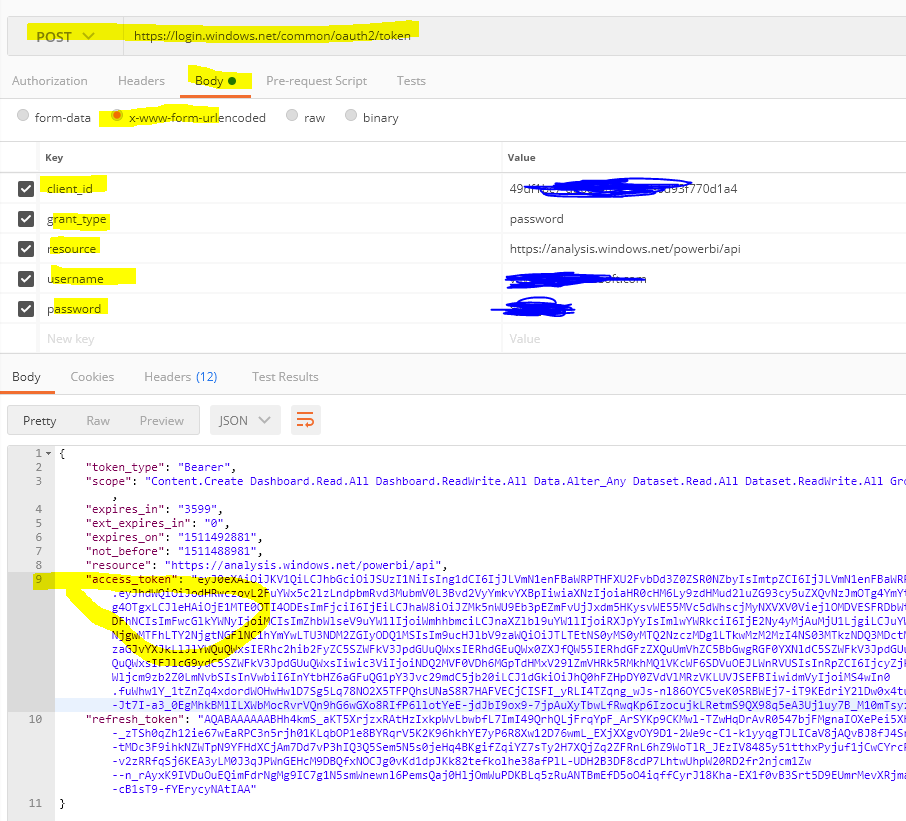
I used Postman to try everything, making sure to pass the body of the Get Embed Token API POST calls as Raw / JSON (application/json) ( cf radio buttons underneath the Authorization/Headers/Body/Pre-request Script/Test tabs). Doing otherwise would set this particular API calls off for passing form-data.
Hope this helps !
Thanks again v-ljerr-msft for your help !

Hi franckster,
Instead of using the Restlet Client Chrome extension, could you try using POSTMAN which is recommended for testing/debug purpose. For more details, you can refer to this similar thread. :smileyhappy:
Regards
Thanks a lot for reaching out !
I had a PBI Support engineer on the phone Friday and we managed to get a report embedded using the .NET App Owns Data Project on Github.
The trouble was that you need to pass Client credentials to get the AD oAuth Access Token in the first place even for an App Owns Data scenario. And even though I read the doc a few dozen times, I never came across it.
Adam Saxton indeed mentions the "Master account" in one of his videos and the code does create variables for a username & password to be passed to AD.
We couldn't find it in the API doc when we looked up for the raw API call url nor in the App Owns Data source code either.
The engineer said he would get in touch with the folks over in Redmond and email me went the answer came.
I'll post it back here once I have it !
- franckster8 years agoFrequent Visitor
Replying to myself but will be useful for others too seeing the time I spent on the matter...
MS Support pointed me to this thread which solved my problem :
https://community.powerbi.com/t5/Developer/How-To-Get-embed-token-using-Get-Post-only/td-p/294475
I used Postman to try everything, making sure to pass the body of the Get Embed Token API POST calls as Raw / JSON (application/json) ( cf radio buttons underneath the Authorization/Headers/Body/Pre-request Script/Test tabs). Doing otherwise would set this particular API calls off for passing form-data.
Hope this helps !
Thanks again v-ljerr-msft for your help !
 d_u_a8 years agoHelper I
v-ljerr-msft
When i try to get Embed Token by sending Access Token i'm taking 403 Forbidden (step 3). I'm sending data as raw and application/json .
Could you recommend something to me fix this problem ?