Join us at FabCon Atlanta from March 16 - 20, 2026, for the ultimate Fabric, Power BI, AI and SQL community-led event. Save $200 with code FABCOMM.
Register now!View all the Fabric Data Days sessions on demand. View schedule
Hi guys,
i have a revenue bar chart per day. On some days i don't have revenues but i still want to show the date data points:
For the 15. Apr it's fine but the dates go up until the 25.04.2020. How can i blend them in aswell?
Thank you!
Hi, @Anonymous
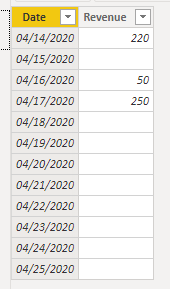
Based on your description, I created data to reproduce your scenario.
Table:
You may create a measure as below.
Revenue Measure =
IF(
ISBLANK(SUM('Table'[Revenue])),
0,
SUM('Table'[Revenue])
)
Result:
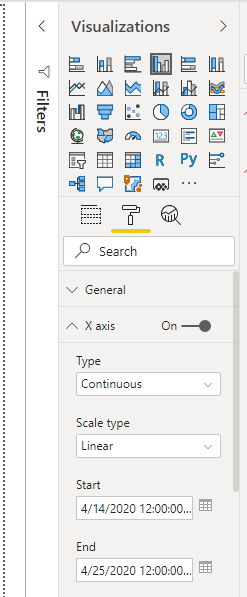
You may also try to click 'Visualizations'=>'Format'=>'X axis' and set as below.
Best Regards
Allan
If this post helps, then please consider Accept it as the solution to help the other members find it more quickly.
Thanks! Works perfectly
Hi @Anonymous
for this purpose you need to create a calendar table like
Calendar = CALENDARAUTO()
the create relationships between Calendar and your fact table by Date field, then put Calendar[Date] field to visual as X-axis
Check out the November 2025 Power BI update to learn about new features.
Advance your Data & AI career with 50 days of live learning, contests, hands-on challenges, study groups & certifications and more!