Join us at FabCon Atlanta from March 16 - 20, 2026, for the ultimate Fabric, Power BI, AI and SQL community-led event. Save $200 with code FABCOMM.
Register now!The Power BI Data Visualization World Championships is back! Get ahead of the game and start preparing now! Learn more
i have a picture URL which Can be show in slicer(old) and tables but can not be show in slicer(new),why?
i compared the URL failed to show with others , the failed url has a whitespace in it,is that a bug?
Solved! Go to Solution.
A URL must not contain a literal space. It must either be encoded using the percent-encoding or a different encoding that uses URL-safe characters (like application/x-www-form-urlencoded that uses + instead of %20 for spaces).
http - Spaces in URLs? - Stack Overflow
Hello @mia_xu ,
check how he did it in this video https://youtu.be/CcUV-9_z5uY?si=Ktj2qbdqyzZ0ql0L
Proud to be a Super User! | |
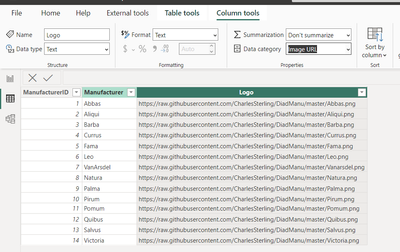
Hello have you checked the Data category of your column like below :
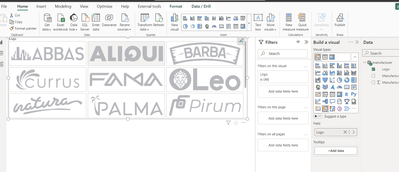
This is the display :
Yes,i choose the right cateory. And i find that only the URLs with whitesapce can not be shown in new button slicer.
A URL must not contain a literal space. It must either be encoded using the percent-encoding or a different encoding that uses URL-safe characters (like application/x-www-form-urlencoded that uses + instead of %20 for spaces).
http - Spaces in URLs? - Stack Overflow
Fine,but it can be shown in the table or slicer (old). So i think maybe the new one can do so.
The Power BI Data Visualization World Championships is back! Get ahead of the game and start preparing now!
| User | Count |
|---|---|
| 41 | |
| 38 | |
| 36 | |
| 31 | |
| 28 |
| User | Count |
|---|---|
| 129 | |
| 88 | |
| 79 | |
| 68 | |
| 63 |