Join us at FabCon Atlanta from March 16 - 20, 2026, for the ultimate Fabric, Power BI, AI and SQL community-led event. Save $200 with code FABCOMM.
Register now!The Power BI Data Visualization World Championships is back! Get ahead of the game and start preparing now! Learn more
I have a column with 11 possible status':
ColumnX
ReportStatus0
ReportStatus1
..
ReportStatus11
I pivot the column to create an extra 11 columns:
ReportStatus0 ReportStatus1 ... ReportStatus11
max max ... max
When I refresh the data, it is possible that all 11 status' are represented (ie I may not have any reportStatus6), and when pivoted, this column does not present itself.
This causes issues down stream, as a further calculation comparates the maximum value from each of the ReportStatus1...11, and my current workaround is to delete the non-represented columns (ie keeping columns 0 and 5 below):
Max = Table.AddColumn(#"Pivoted Column", "ReportMax", each List.Max({[Report Status ID 0],[Report Status ID 5]}))
Is there a way I can pivot the original column so that if a value is not present, it shows up as a zero for future computations?
To pivot, I currently use:
Table.Pivot(#"Removed Other Columns", List.Distinct(#"Removed Other Columns"[Custom]), "Custom", "SYSEventDate", List.Max)
Of is there a way to generate a specific list of values instead of list.distinct? If so, how would I proceed with that
Any suggestions are welcomed
Solved! Go to Solution.
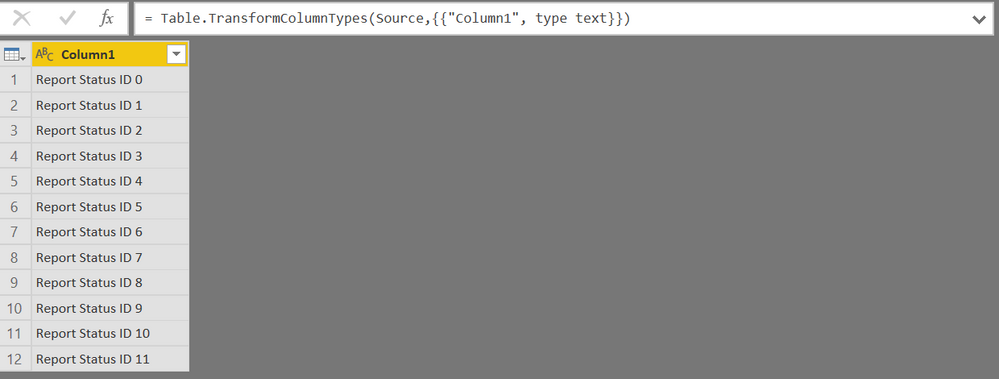
What I did was create a new table, Table1, of all of the possible report status' I needed. This was composed of a single column. Column1
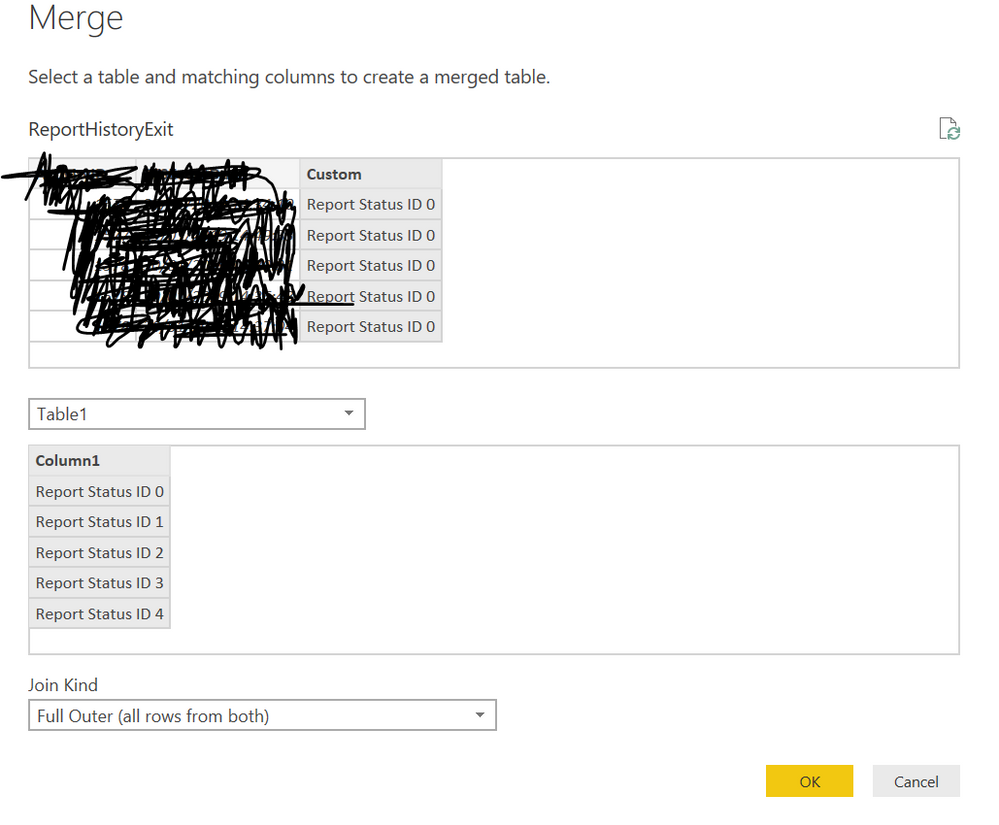
I merged the original table with the Table1 single column on a full join.
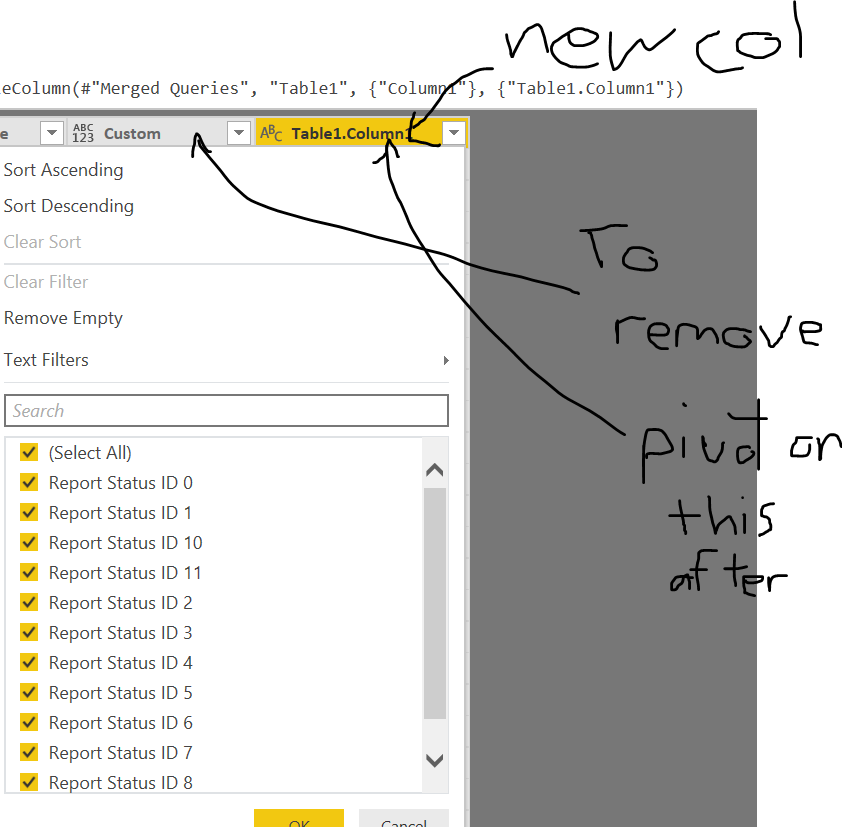
The new column, Table1.Column1, now has all of the possible values.
I removed the original column of status', and continued to pivot on Table1.Column1, and continued with remaining computations
This worked for me.
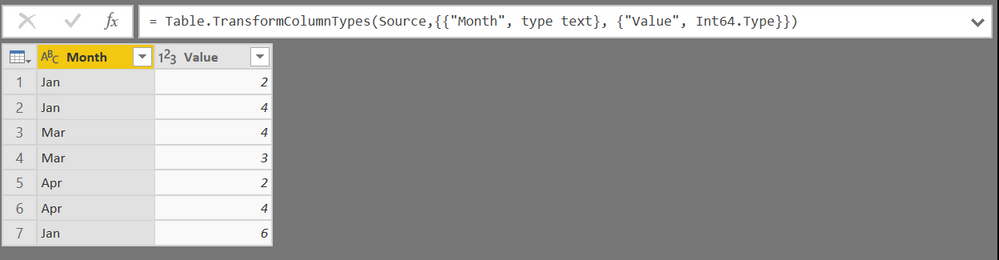
More concrete example, I want to be able to add/see a Feb column with value 0, as well in the following:
What I did was create a new table, Table1, of all of the possible report status' I needed. This was composed of a single column. Column1
I merged the original table with the Table1 single column on a full join.
The new column, Table1.Column1, now has all of the possible values.
I removed the original column of status', and continued to pivot on Table1.Column1, and continued with remaining computations
This worked for me.
The Power BI Data Visualization World Championships is back! Get ahead of the game and start preparing now!
Check out the November 2025 Power BI update to learn about new features.
| User | Count |
|---|---|
| 69 | |
| 46 | |
| 44 | |
| 28 | |
| 19 |
| User | Count |
|---|---|
| 199 | |
| 129 | |
| 102 | |
| 69 | |
| 55 |