Join us at FabCon Atlanta from March 16 - 20, 2026, for the ultimate Fabric, Power BI, AI and SQL community-led event. Save $200 with code FABCOMM.
Register now!View all the Fabric Data Days sessions on demand. View schedule
I clicked Download Power BI Desktop link on Power BI blog or PowerBI.com and then was redirected to below download url.
https://powerbi.microsoft.com/ko-kr/desktop/?WT.mc_id=Blog_Desktop_Update
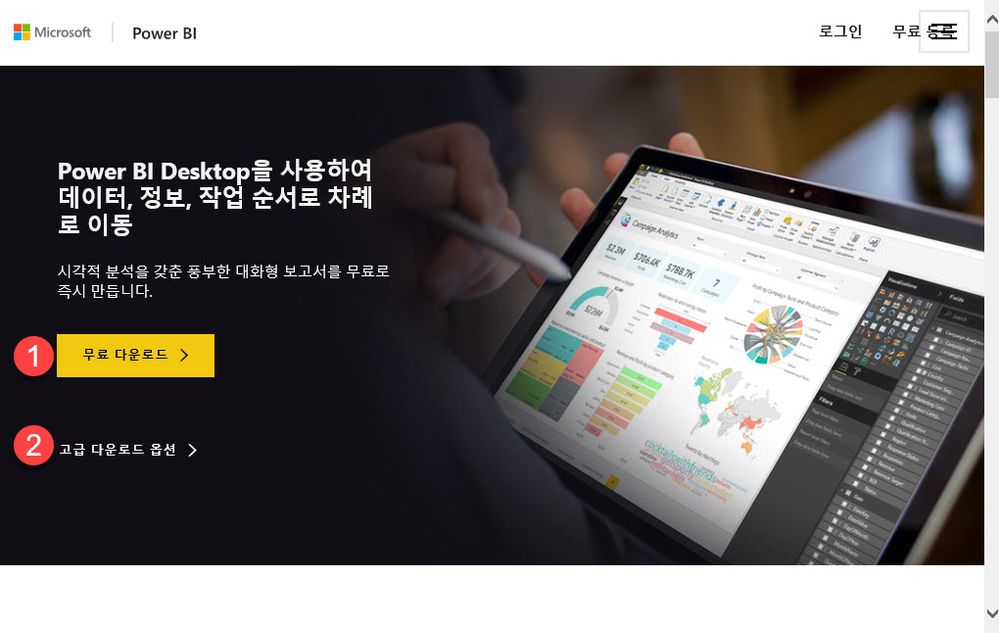
I clicked free download link(❶) and installed msi, but that was English version.
I clicked advanced download option link(❷) and was redirected to below download url.
https://www.microsoft.com/en-us/download/details.aspx?id=45331
I did download msi and installed, but that was also English version.
I changed manually url to https://www.microsoft.com/ko-kr/download/details.aspx?id=45331.
So, I got Korea version.
Solved! Go to Solution.
Hi @hongju,
From this article, we can know if we want to download and install Power BI desktop from download site, we need to choose the language manually, which you have done by modifying en-us in URL to ko-kr.
In your scenario, you can install Power BI desktop from Windows store which installs all the languages and shows the language that corresponds to the Windows default language.
Best Regards,
Qiuyun Yu
Hi @hongju,
From this article, we can know if we want to download and install Power BI desktop from download site, we need to choose the language manually, which you have done by modifying en-us in URL to ko-kr.
In your scenario, you can install Power BI desktop from Windows store which installs all the languages and shows the language that corresponds to the Windows default language.
Best Regards,
Qiuyun Yu
Check out the November 2025 Power BI update to learn about new features.
Advance your Data & AI career with 50 days of live learning, contests, hands-on challenges, study groups & certifications and more!