Join us at FabCon Atlanta from March 16 - 20, 2026, for the ultimate Fabric, Power BI, AI and SQL community-led event. Save $200 with code FABCOMM.
Register now!Get Fabric Certified for FREE during Fabric Data Days. Don't miss your chance! Request now
I have a existing salesforce tables in my data model. I am having difficulty to set up proper relationships between sales rep, account, contact and task tables as the ambigirous relationship
Sales rep->Account->Contact->task
Sales rep->account->Task
The workaround is to break one of the link and replaces with a related column in the task tables. illustrate like below
Sales rep->Account->Contact (broken link), Task has contact column
Sales rep->account->Task
My question is, without creating a new task table, how to enable the relationship column in existing task table? I just don't want to recreate 6 table and link up visual again, which could be two days works.
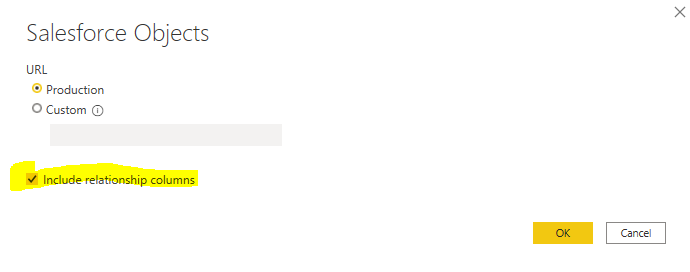
If in a new get source window, i click on the box.
The table i import has the relationship table.
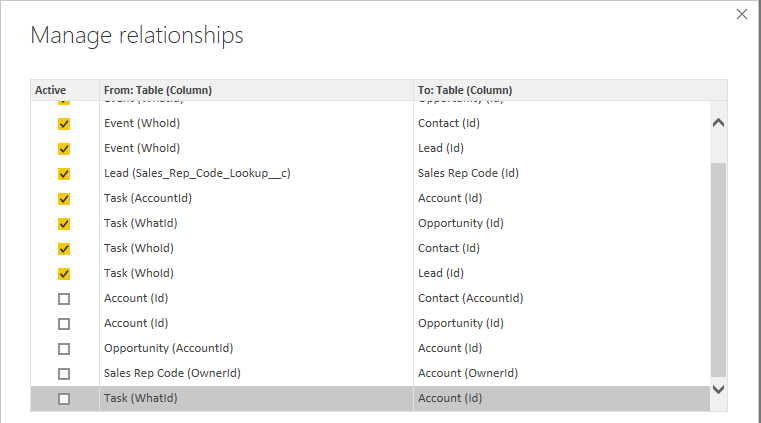
So my question is how to enable them in an EXISTING tables, or any suggestion i can use DAX to create a new column?
@gavin007 , I think first you need to explode those tables and make a table with only data.
If you can let us table structure, we can suggest joins
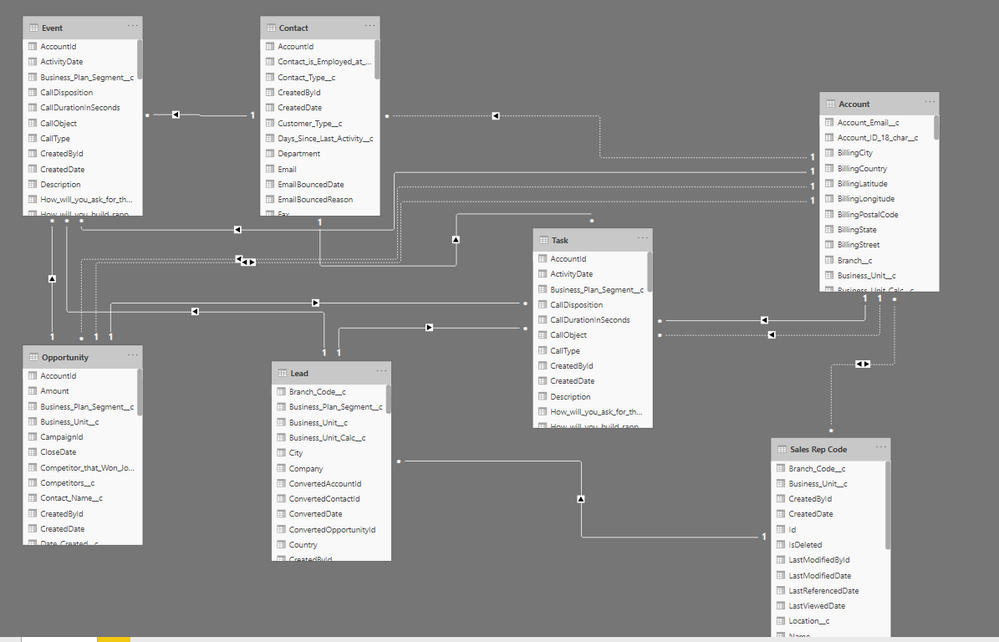
I have created a new file and here is the screen shot.
What i want to achieve is two things.
1. Set up relationship link with strong relationship requirement.
-sales rep<-> account,
-account->opportunity,
-account->contact,
-sales->lead
Weak relationship will acheived by relationship column like
-Task table has opportunity name, lead name, account name, and sales rep name
-Event is similar set up
2. if the above or any other suggested struture work, can it retro-fit to exisiting data model
Any update on this?
Check out the November 2025 Power BI update to learn about new features.
Advance your Data & AI career with 50 days of live learning, contests, hands-on challenges, study groups & certifications and more!