Forum Discussion

Working with time and duration values
Looking for assistance.
Description of issue:
When deducting duration from Time, after an hour 00.00 and before 00.45, the value is not deducted correctly.
Walkthrough:
Working with columns:
"OpenHoursTo" as text value, eg.
"DeliveryTime" as whole number eg. 15, 45, 0
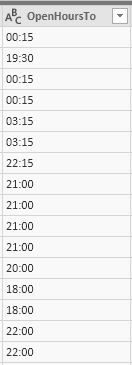
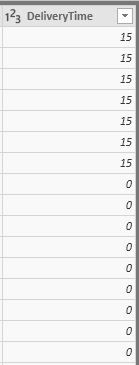
Purpouse - find the timestamp: OpenHoursTo - DeliveryTime
Step_1: Transform text value of column "OpenHoursTo" to Time, we get eg: 16:00
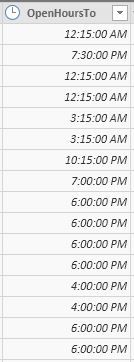
Step_2: Transform whole number of column "DeliveryTime" to Duration
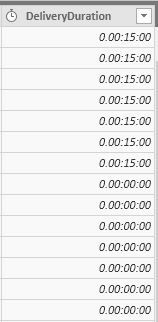
So if DeliveryTime is 15, transformed value is - 0.00:15:00
Formula used: DeliveryTime = #duration(0,0,0, [DeliveryTime]*60) (NOT SURE IF THIS IS CORRECT)
Result:
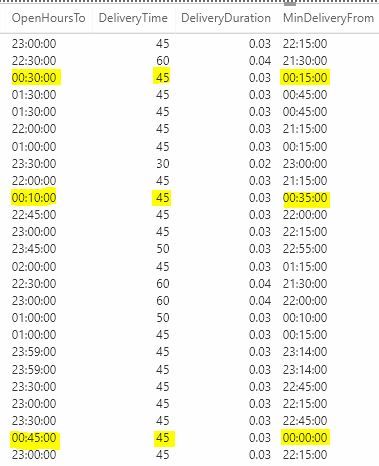
As can be seen highkighted values, except the last one, give an incorrect result. Once the clock hits between 00.00 & 00.45, the values are not deducted correctly.
Any ideas how can I fix this issue?
Thanks,
Ed
Hi Anonymous
You may create a custom column as below:
Custom=[OpenHoursTo]-#duration(0,0,[DeliveryTime],0)
Regards,
Cherie
2 Replies
 v-cherch-msft
Microsoft Employee
Hi Anonymous
You may create a custom column as below:
Custom=[OpenHoursTo]-#duration(0,0,[DeliveryTime],0)
Regards,
Cherie
- AnonymousNot applicable
Worked great, thanks for your help!