
Join us at FabCon Atlanta from March 16 - 20, 2026, for the ultimate Fabric, Power BI, AI and SQL community-led event. Save $200 with code FABCOMM.
Register now!Get Fabric certified for FREE! Don't miss your chance! Learn more
Hi,
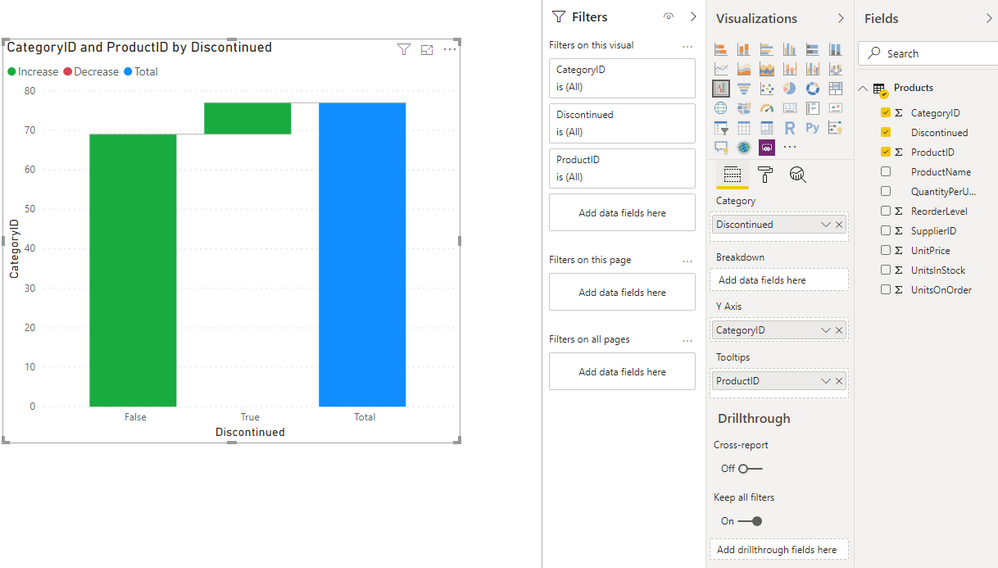
I created a waterfall chart - however, I would like to get rid of the 'Increase/Decrease' labels (image below) above my chart - how do I do so?
Solved! Go to Solution.
Hi, @Anonymous
Here is my sample.
You may go to 'Visualization', click 'Format', make sure the status of 'Legend' if off. Here is the result.
Best Regards
Allan
If this post helps, then please consider Accept it as the solution to help the other members find it more quickly.
Hi, @Anonymous
Here is my sample.
You may go to 'Visualization', click 'Format', make sure the status of 'Legend' if off. Here is the result.
Best Regards
Allan
If this post helps, then please consider Accept it as the solution to help the other members find it more quickly.
Switch off Legend in format section of visualization.
Appreciate your Kudos. In case, this is the solution you are looking for, mark it as the Solution.
In case it does not help, please provide additional information and mark me with @
Thanks. My Recent Blogs -Decoding Direct Query - Time Intelligence, Winner Coloring on MAP, HR Analytics, Power BI Working with Non-Standard TimeAnd Comparing Data Across Date Ranges
Connect on Linkedin
Share feedback directly with Fabric product managers, participate in targeted research studies and influence the Fabric roadmap.
Check out the January 2026 Power BI update to learn about new features.
| User | Count |
|---|---|
| 68 | |
| 59 | |
| 47 | |
| 20 | |
| 15 |
| User | Count |
|---|---|
| 106 | |
| 102 | |
| 38 | |
| 27 | |
| 27 |