Join us at FabCon Atlanta from March 16 - 20, 2026, for the ultimate Fabric, Power BI, AI and SQL community-led event. Save $200 with code FABCOMM.
Register now!The Power BI Data Visualization World Championships is back! Get ahead of the game and start preparing now! Learn more
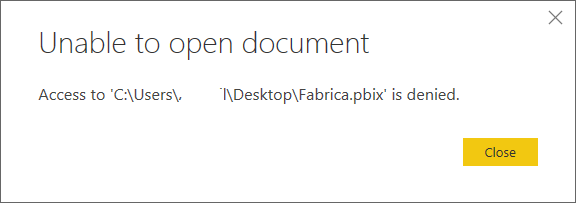
Im trying to open a report (and also deleting it) that's on my desktop and it doesn't let me. It shows the following message:
I've alredy read this posts solutions, and didn't work:
I've also tried by deleting it from my online workspace, and from my desktop and doesn´t work.
Thanks in advance.
Solved! Go to Solution.
I finally solved it by overwriting the .pbix file!
Hope this helps others who have same issue.
Hi @Anonymous ,
According to your description, you said you cannot open or delete the pbix file, do you mean right-clicking on the file, then deleting?
Which account did you login to Windows? Does it have permission on this file?
Best Regards,
Teige
Hi @TeigeGao ,
Yes, I am logged on the same account in which the file was created (my own account) and it has Admin. permission.
Thanks,
Anyone? 😞
I'm stucked with this unusable file on my desktop.
I finally solved it by overwriting the .pbix file!
Hope this helps others who have same issue.
Check out the November 2025 Power BI update to learn about new features.
Advance your Data & AI career with 50 days of live learning, contests, hands-on challenges, study groups & certifications and more!