Get certified for free when you join Fabric Data Days 2026 and dive into Fabric, Power BI, SQL, AI, and other essential data skills.
Join nowData Days is here! Join us now for 60+ days of learning, challenges, and connection. Learn more
Hi,
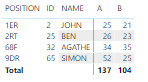
I've a matrix with this settings.
Stepped Layout = Off
+/- icons = Off
Per Row Level = On (only 'On' for the first column -Position-)
Great, but if I've more rows displayed than free space i don't see my total.
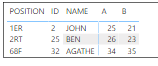
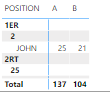
If I try Stepped Matrix, my total is always displayed.
Is it possible in a stepped matrix that the total is always displayed at the bottom of the table? Without having to scroll all down?
Hi @BigLo ,
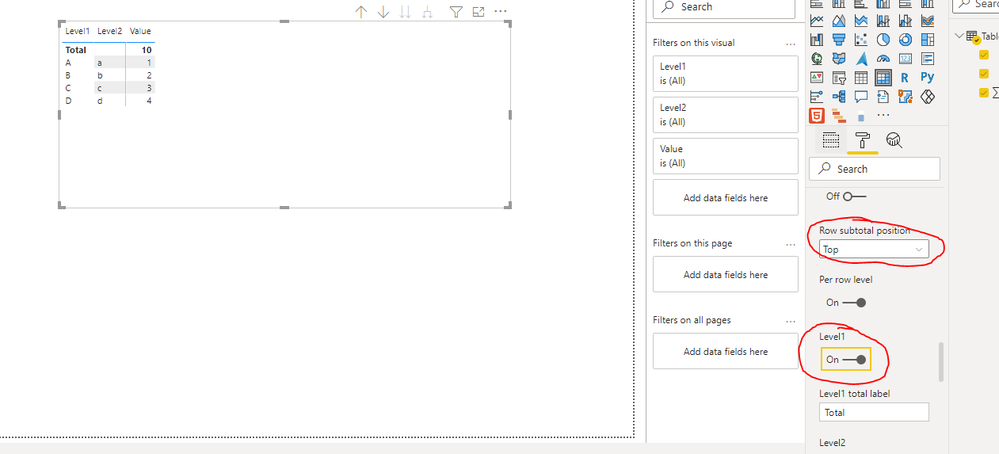
You can put the total on the top:
If this post helps, then please consider Accept it as the solution to help the other members find it more quickly.
Best Regards,
Dedmon Dai
yes, but when you scroll down, the total disappears.
It's frustrating but I think there is no solution currently.
https://ideas.powerbi.com/ideas/idea/?ideaid=d11acad6-f5a7-eb11-89ee-0003ff454c66
@BigLo , I checked, I do not see any quick option for that. Please log and idea or vote for the existing one https://ideas.powerbi.com/ideas/
Don't miss out on Data Days, June 15 through August 7. Learn Fabric, Power BI, SQL, AI and more.
Check out the May 2026 Power BI update to learn about new features.
| User | Count |
|---|---|
| 23 | |
| 23 | |
| 21 | |
| 17 | |
| 14 |
| User | Count |
|---|---|
| 58 | |
| 50 | |
| 37 | |
| 29 | |
| 24 |