FabCon is coming to Atlanta
Join us at FabCon Atlanta from March 16 - 20, 2026, for the ultimate Fabric, Power BI, AI and SQL community-led event. Save $200 with code FABCOMM.
Register now!- Power BI forums
- Get Help with Power BI
- Desktop
- Service
- Report Server
- Power Query
- Mobile Apps
- Developer
- DAX Commands and Tips
- Custom Visuals Development Discussion
- Health and Life Sciences
- Power BI Spanish forums
- Translated Spanish Desktop
- Training and Consulting
- Instructor Led Training
- Dashboard in a Day for Women, by Women
- Galleries
- Data Stories Gallery
- Themes Gallery
- Contests Gallery
- QuickViz Gallery
- Quick Measures Gallery
- Visual Calculations Gallery
- Notebook Gallery
- Translytical Task Flow Gallery
- TMDL Gallery
- R Script Showcase
- Webinars and Video Gallery
- Ideas
- Custom Visuals Ideas (read-only)
- Issues
- Issues
- Events
- Upcoming Events
The Power BI Data Visualization World Championships is back! Get ahead of the game and start preparing now! Learn more
- Power BI forums
- Forums
- Get Help with Power BI
- Desktop
- Re: Text Filter by Microsoft in Action is case sen...
- Subscribe to RSS Feed
- Mark Topic as New
- Mark Topic as Read
- Float this Topic for Current User
- Bookmark
- Subscribe
- Printer Friendly Page

- Mark as New
- Bookmark
- Subscribe
- Mute
- Subscribe to RSS Feed
- Permalink
- Report Inappropriate Content
Text Filter by Microsoft in Action is case sensitive
In my report, I have added Text Filter by Microsoft in Action to be able to filter on a message title. I've read documentation and everything says this visual is case insensitive. However, my filter is case sensitive. Searching for "Motor" I get results that include only Motor. If I search for "motor", I get results that show only motor.
I have created a new visual and deleted the old. I have created a new visual and linked it to a different dataset. I have tried using the same visual on a new blank report, all with the same results.
Should the Text Filter by Microsoft in Action be case insensitive as per the documentation and if so, how do I fix this?

- Mark as New
- Bookmark
- Subscribe
- Mute
- Subscribe to RSS Feed
- Permalink
- Report Inappropriate Content
Maybe because you're in direct query mode. I had the same issue, changed it to Import mode, and in works fine now.
Hope it'll help.
cheers


- Mark as New
- Bookmark
- Subscribe
- Mute
- Subscribe to RSS Feed
- Permalink
- Report Inappropriate Content
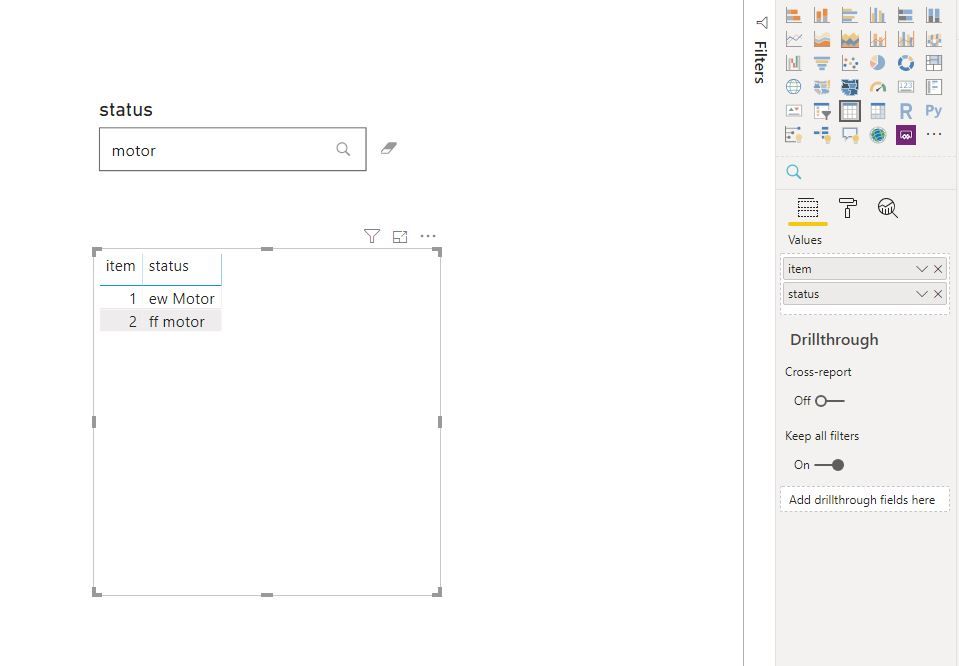
As tested, the "Text Filter" is case onsensitive on my side.
Power bi Desktop Version: 2.76.5678.782 64-bit (December 2019)
Text Filter from marketplace
Best Regards
Maggie
Community Support Team _ Maggie Li
If this post helps, then please consider Accept it as the solution to help the other members find it more quickly.
- Mark as New
- Bookmark
- Subscribe
- Mute
- Subscribe to RSS Feed
- Permalink
- Report Inappropriate Content
That's great, however it still doesn't work for me. Can you please suggest how to fix it? I'd include screenshots but I keep getting errors....
- Mark as New
- Bookmark
- Subscribe
- Mute
- Subscribe to RSS Feed
- Permalink
- Report Inappropriate Content
upload picture as below
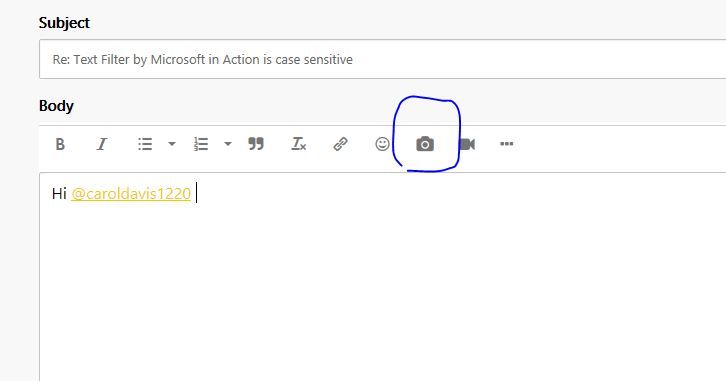
Or upload pictures on cloud like OneDrive, then share link here to access the pictures.
Make sure you are using the lastest version of Power BI desktop.
Best Regards
Maggie
Community Support Team _ Maggie Li
If this post helps, then please consider Accept it as the solution to help the other members find it more quickly.
- Mark as New
- Bookmark
- Subscribe
- Mute
- Subscribe to RSS Feed
- Permalink
- Report Inappropriate Content
I am running the same version of Power BI Desktop as you. My Text filters are still case sensitive. I have attached screenshots in my previous reply. Can you please tell me how to fix this?
- Mark as New
- Bookmark
- Subscribe
- Mute
- Subscribe to RSS Feed
- Permalink
- Report Inappropriate Content
Sorry for so late to reply you.
The link is invaild.
As tested, it may be problem with data.
In Power query, it is case sensitive.
But in Model view of Power BI, it is case insensitive.
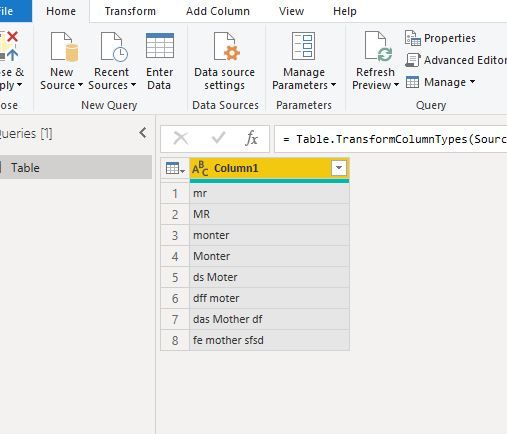

You could show your data so i can reproduce your problem.
Best Regards
Maggie
dd
- Mark as New
- Bookmark
- Subscribe
- Mute
- Subscribe to RSS Feed
- Permalink
- Report Inappropriate Content
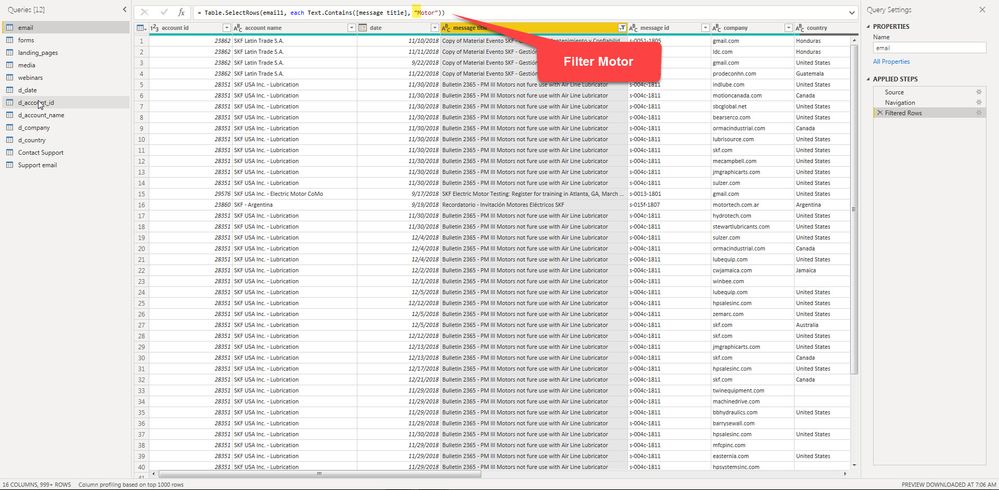
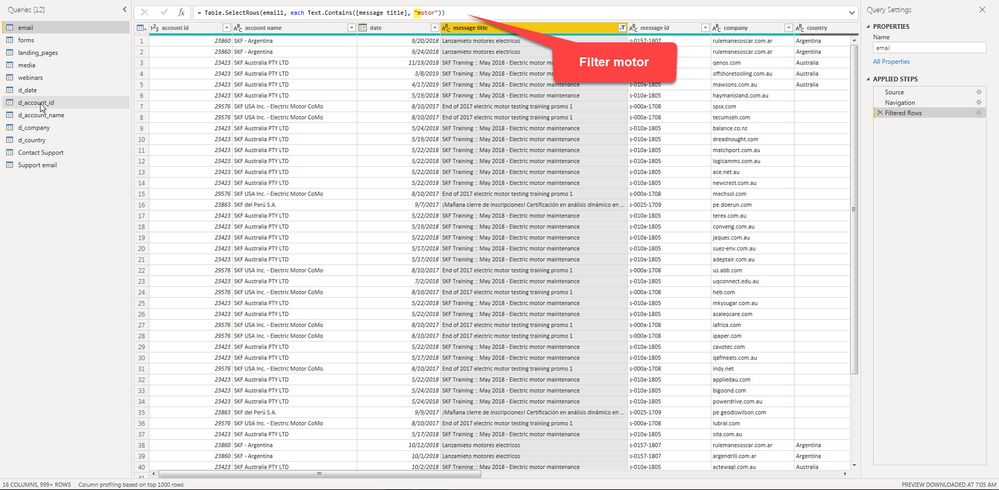
Thanks Maggie. There is a great deal of data, so I have filtered in query editor on Motor and motor so you can see. I'm not sure I understand how the filter can be case insensitive in desktop if the data is case sensitive in query editor. That just doesn't seem to rationalize for me.

- Mark as New
- Bookmark
- Subscribe
- Mute
- Subscribe to RSS Feed
- Permalink
- Report Inappropriate Content
Can you provide an update on this please?
- Mark as New
- Bookmark
- Subscribe
- Mute
- Subscribe to RSS Feed
- Permalink
- Report Inappropriate Content
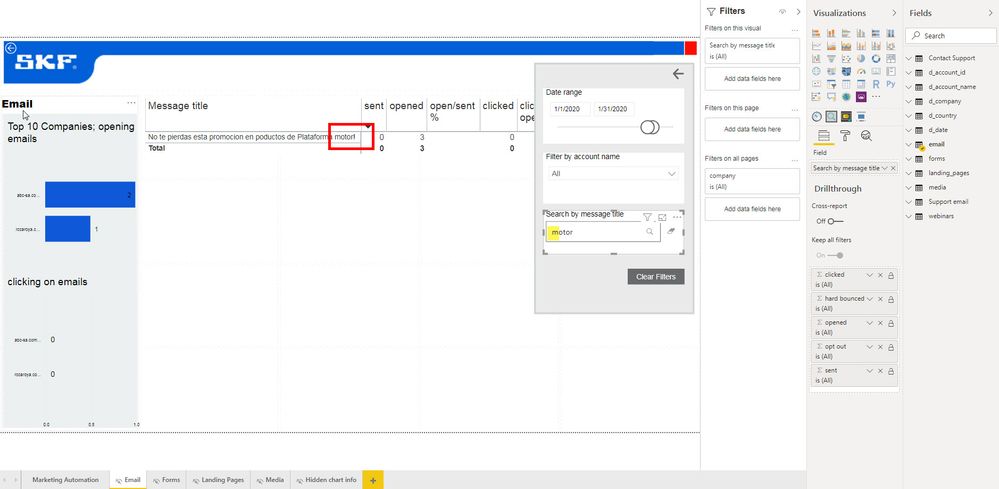
I am using the December 2019 version of PBI Desktop and get the same results with desktop and online
here are screenshots of results for upper case and lower case
- Mark as New
- Bookmark
- Subscribe
- Mute
- Subscribe to RSS Feed
- Permalink
- Report Inappropriate Content
Can you please provide me more support on this issue? I am using the latest version of PBI and my text filter is still case sensitive. Screenshots are included in my previous message.

Helpful resources

Power BI Monthly Update - November 2025
Check out the November 2025 Power BI update to learn about new features.

Fabric Data Days
Advance your Data & AI career with 50 days of live learning, contests, hands-on challenges, study groups & certifications and more!

FabCon Atlanta 2026
Join us at FabCon Atlanta, March 16-20, for the ultimate Fabric, Power BI, AI and SQL community-led event. Save $200 with code FABCOMM.

| User | Count |
|---|---|
| 58 | |
| 45 | |
| 42 | |
| 21 | |
| 18 |


