Forum Discussion

TFS anonymous access

Hi Anonymous ,
For the error message, I think you didn't choose Anonymous authentication for the web data source.
Please open Data Source Settings, then find the web data source, choose Anonymous like below:
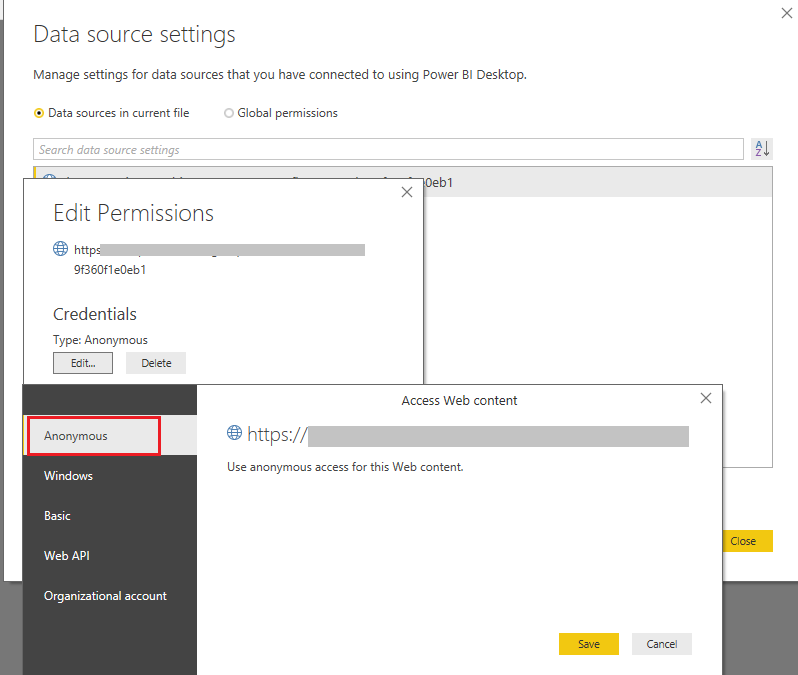
Best Regards,
Xue Ding
If this post helps, then please consider Accept it as the solution to help the other members find it more quickly.
Thank you v-xuding-msft
I already tried this solution, but it doesn't work:
I also tried a POST request which doesn't need authentication, and every thing is ok, I suppose that I need to include authentication parameters into my request.
- Anonymous6 years agoNot applicable
After several investigations I found the issue but I didn't find the solution yet ...
Using basic authentication, when I run the query I have following issue :
"Expression.Error: The 'Authorization' header is only supported when connecting anonymously. These headers can be used with all authentication types: Accept, Accept-Charset, Accept-Encoding, Accept-Language, Cache-Control, Content-Type, If-Modified-Since, Prefer, Referer"
So, I changed the connection setting but, when I try to connect with Anonymous access to TFS I have following issue:
I tried with the TFS2017 OnPrem version of my compagny, with my personal ADOS, still the same issue, I couldn't connect to TFS anonymously ... Any idea ?