Join us at FabCon Atlanta from March 16 - 20, 2026, for the ultimate Fabric, Power BI, AI and SQL community-led event. Save $200 with code FABCOMM.
Register now!The Power BI Data Visualization World Championships is back! Get ahead of the game and start preparing now! Learn more
Hi there,
I am trying to sync measures across pages. I have multiple slicers (across pages) that are feeding into a final measure output (that all works fine). Finally, I want to put the end result (i.e. the measure with the selected filters) back into the input pages so you can see the impact on the final output by making changes to the various feeder pages / slicers. In Excel, it would be the equivalent of calling a cell from another tab using "=", however obviously there is a layer of filters being applied here.
Any tips? I've been investigating cross-page filters, playing with different combinations of syncing but can't get it to work.
Thanks!
Solved! Go to Solution.
Hi @tlawson004
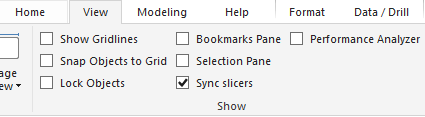
We can use the sync slicer feature to meet your requirement, firstly we need to turn on this feature in View tab. You can refer to the online document as below to find more details. https://docs.microsoft.com/en-us/power-bi/visuals/power-bi-visualization-slicers
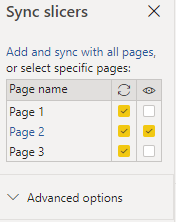
Select the slicer you want to sync, turn on the final page you want to effect for every slicer in the right pane called “Sync slicers”.
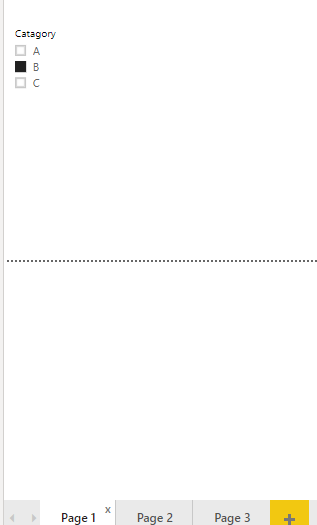
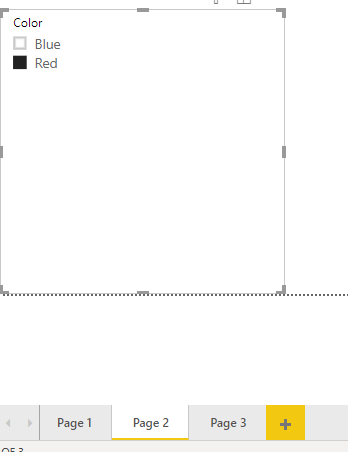
Then it should work fine in your scenario.
BTW, pbix as attached.
Community Support Team _ DongLi
If this post helps, then please consider Accept it as the solution to help the other members find it more
Great thanks for that. All sorted!
Hi @tlawson004
We can use the sync slicer feature to meet your requirement, firstly we need to turn on this feature in View tab. You can refer to the online document as below to find more details. https://docs.microsoft.com/en-us/power-bi/visuals/power-bi-visualization-slicers
Select the slicer you want to sync, turn on the final page you want to effect for every slicer in the right pane called “Sync slicers”.
Then it should work fine in your scenario.
BTW, pbix as attached.
Community Support Team _ DongLi
If this post helps, then please consider Accept it as the solution to help the other members find it more
Check out the November 2025 Power BI update to learn about new features.
Advance your Data & AI career with 50 days of live learning, contests, hands-on challenges, study groups & certifications and more!