Join us at FabCon Atlanta from March 16 - 20, 2026, for the ultimate Fabric, Power BI, AI and SQL community-led event. Save $200 with code FABCOMM.
Register now!Get Fabric Certified for FREE during Fabric Data Days. Don't miss your chance! Request now
Purpose: Synchronize slicer in bookmarks.
Background: I'd like my date segmentation to sync between bookmarks. In the following example I selected Q3 as my time frame in the "All" marker. However, when I go to the "Mountaineering" bookmark my time frame selection is deleted.
Can data slicers between bookmarks and pages be synchronized? Or just pages?
Solved! Go to Solution.
Hi @slc7456 ,
Amount, suddenly found that it can be achieved.
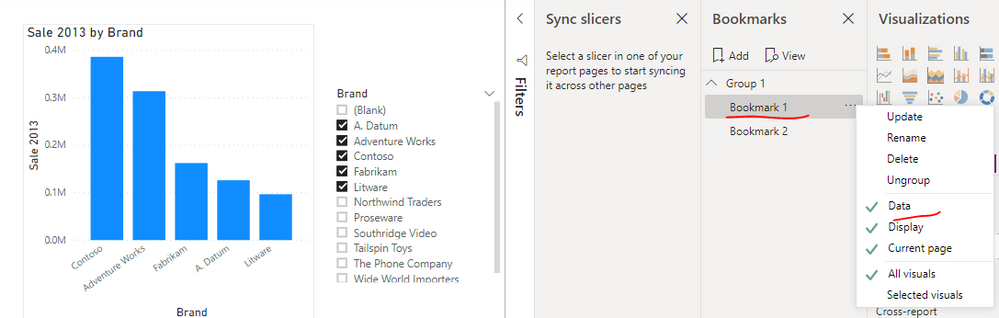
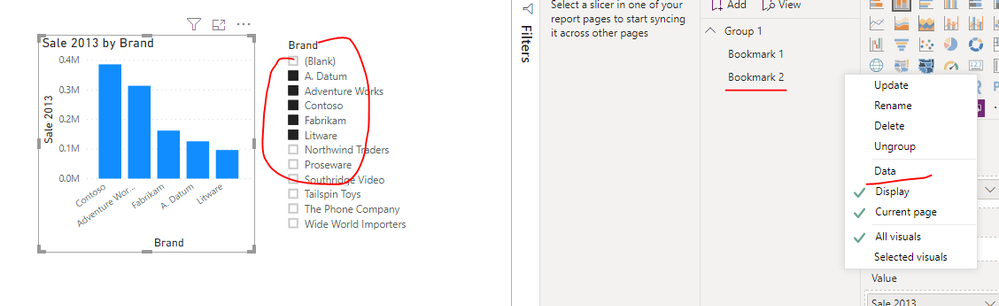
The Data option of Bookmark 2 is cancelled. When I update the slicer of Bookmark 1, the slicer of Bookmark 2 is also automatically updated.
Best regards,
Lionel Chen
If this post helps, then please consider Accept it as the solution to help the other members find it more quickly.
Hi @slc7456 ,
Amount, suddenly found that it can be achieved.
The Data option of Bookmark 2 is cancelled. When I update the slicer of Bookmark 1, the slicer of Bookmark 2 is also automatically updated.
Best regards,
Lionel Chen
If this post helps, then please consider Accept it as the solution to help the other members find it more quickly.
Thanks, that's what I need in my report -- to syhc slicers between bookmarks. Sometimes it's a real puzzle to find the proper option in Power BI.
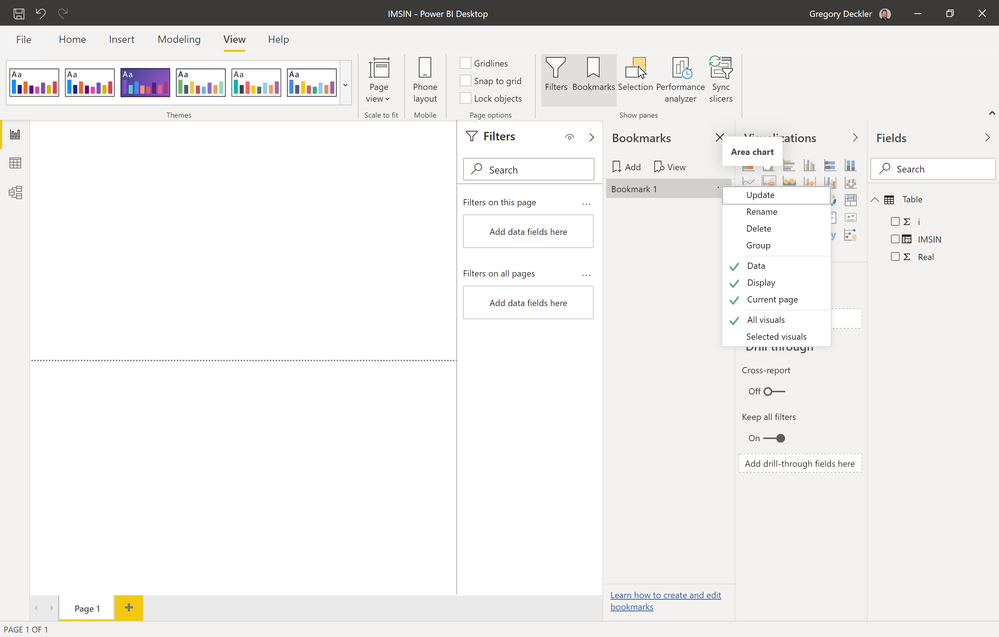
Well, a bookmark is going to save the current state of the report, that's kind of the purpose of a bookmark. Try playing with the Data, Display, Current page options. You might be able to create the bookmark without the Data flag checked and that may allow what you are trying to do:
Check out the November 2025 Power BI update to learn about new features.
Advance your Data & AI career with 50 days of live learning, contests, hands-on challenges, study groups & certifications and more!