Join us at FabCon Atlanta from March 16 - 20, 2026, for the ultimate Fabric, Power BI, AI and SQL community-led event. Save $200 with code FABCOMM.
Register now!The Power BI Data Visualization World Championships is back! Get ahead of the game and start preparing now! Learn more
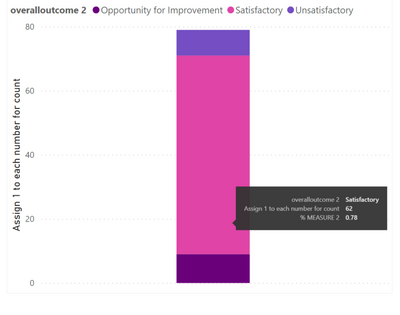
I have a stacked column graph with a tooltip that shows the % of the value compared to the total. This is created by a measure. In the graph you can see that the proportion of the pink is 0.78 (78%)
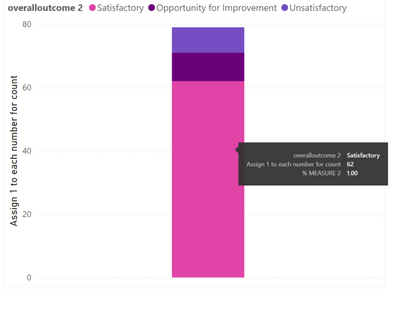
I also created a new table to order the graph so that the pink portion is on the bottom. However, once it got sorted, the % tooltip now shows 100% instead of 78%. Can anyone assist with this? Thanks
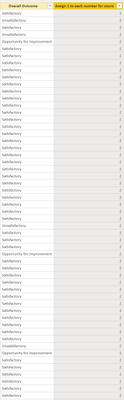
Below is the sample data:
The measure for % calculation for tooltip:
% MEASURE 2 =
DIVIDE(SUM('table1[Assign 1 to each number for count]),
CALCULATE(SUM(‘table1'[Assign 1 to each number for count]),ALL(‘table1’[overalloutcome 2])),0)
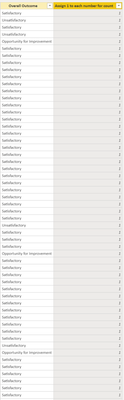
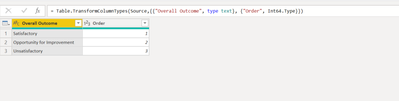
The table I created to order the graph:
Solved! Go to Solution.
Try update formula
% MEASURE 2 =
DIVIDE(SUM('table1[Assign 1 to each number for count]),
CALCULATE(SUM(‘table1'[Assign 1 to each number for count]),ALL(‘table1’)),0)
Proud to be a Super User!
Can you please share the sample data and dax of the measure that you are referencing.
Proud to be a Super User!
Sure.
Below is the sample data:
The measure for % calculation for tooltip:
% MEASURE 2 =
DIVIDE(SUM('table1[Assign 1 to each number for count]),
CALCULATE(SUM(‘table1'[Assign 1 to each number for count]),ALL(‘table1’[overalloutcome 2])),0)
The table I created to order the graph:
Try update formula
% MEASURE 2 =
DIVIDE(SUM('table1[Assign 1 to each number for count]),
CALCULATE(SUM(‘table1'[Assign 1 to each number for count]),ALL(‘table1’)),0)
Proud to be a Super User!
Yes this worked, thank you very much!
The Power BI Data Visualization World Championships is back! Get ahead of the game and start preparing now!
| User | Count |
|---|---|
| 61 | |
| 46 | |
| 40 | |
| 38 | |
| 22 |
| User | Count |
|---|---|
| 178 | |
| 133 | |
| 118 | |
| 82 | |
| 56 |