

Join us at FabCon Atlanta from March 16 - 20, 2026, for the ultimate Fabric, Power BI, AI and SQL community-led event. Save $200 with code FABCOMM.
Register now!Vote for your favorite vizzies from the Power BI Dataviz World Championship submissions. Vote now!
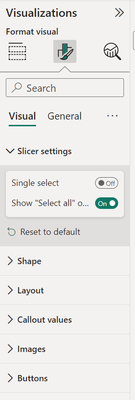
I tried adding a slicer for a text field and I want it to be a dropdown, but there is no option in the slicer settings. It looks like this:
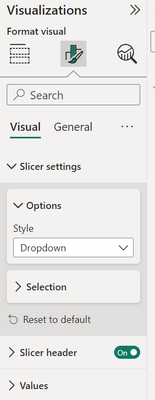
Other text slicers on the same page show this:
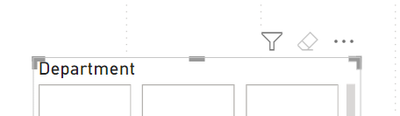
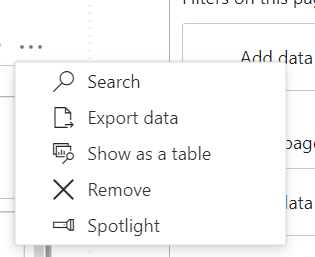
Other slicers also have a little arrow near the three dots I can use to change the type, but this one doesn't have the arrow:
That is Strange , Try the Following
1)Get the Table filter first put the department column and then convert it to slicer
2) create a new pbi with the same data and try to do the slicer, if it works try copy and paste to the Existing PBIX
3) Department column -> make sure it's text in both power query and power Bi
Or please try and give more details about the Dataset
Provide more details about the column. Example:
Here's the column info:
Can you show me what the data for department looks like?
The only time I have seen this is the actual data is wacky.
It's just text of department names. The only thing that may be unusual is that some of the departments have / in their name. Do you think it could be because it's a special character?
I just tried changing the slashes to commas and it still didn't work.
Vote for your favorite vizzies from the Power BI World Championship submissions!
If you love stickers, then you will definitely want to check out our Community Sticker Challenge!
Check out the January 2026 Power BI update to learn about new features.
| User | Count |
|---|---|
| 64 | |
| 51 | |
| 46 | |
| 23 | |
| 19 |
| User | Count |
|---|---|
| 136 | |
| 110 | |
| 50 | |
| 32 | |
| 29 |