Forum Discussion

Arnault_'s avatar
Arnault_
Icon for Resolver III rankResolver III
6 years ago
Solved

Slicer display settings

Hi All,


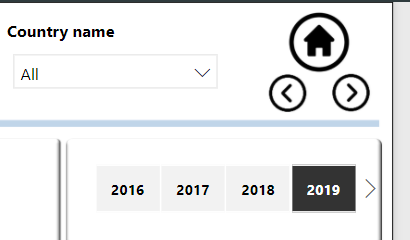
I have a question regarding the "slicer" visual. I have changed the default view to get the horizontal display. I have noticed than when I have two many values, some are not visible. A simple arrow appears on the left to allow the user to see these values. What I found annoying is that by default the values on the left are hidden and in my case the slicer is used to select different "years" which means the most recent years are not visible. I would prefer the most recent "year " to be visible and the less recent to be hidden. Is there a way to change that behaviour?


Here is a picture to illustrate. 2020 is hidden while I would like to see it by default and keep 2016 hidden. I don't want to change the size, the problem would remain the same in the future with more years.


Thank you for your answers.


  • Arnault_'s avatar
    Arnault_
    6 years ago

    Hi Greg_Deckler , you guess right. As explained in my initial message, I don't want to change the size. Anyway, no big deal, I will live with that and will probably find a workaround. I could create a slicer with "current year" value and publish my report with this default value selected. The users may change it but at least, it would be default selection for any new user.

    Cheers

4 Replies

    • Arnault_'s avatar
      Arnault_
      Icon for Resolver III rankResolver III

      Hi amitchandak ,

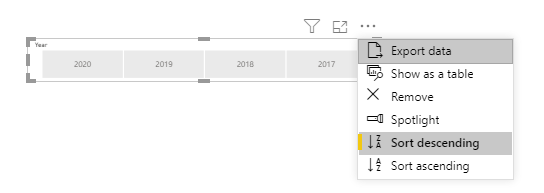
      I have considered doing this, but it looks weird. I would like to keep the chronological order. I guess the settings of the slicer does not allow me to have both. Thanks anyway for your suggestion.

      • Greg_Deckler's avatar
        Greg_Deckler
        Icon for Community Champion rankCommunity Champion

        Arnault_ Probably won't like this either but what about increasing the height? The values will wrap.