This time we’re going bigger than ever. Fabric, Power BI, SQL, AI and more. We're covering it all. You won't want to miss it.
Learn moreLevel up your Power BI skills this month - build one visual each week and tell better stories with data! Get started
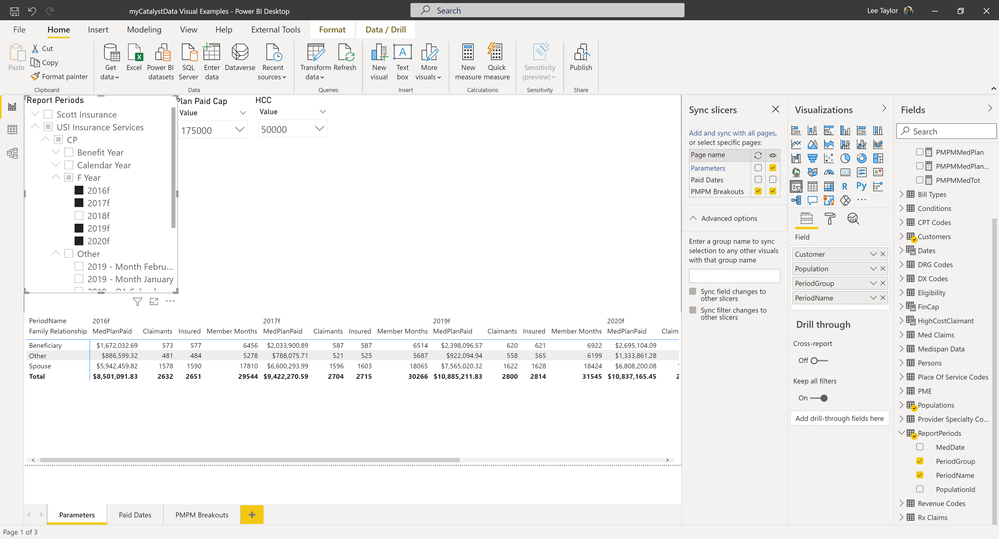
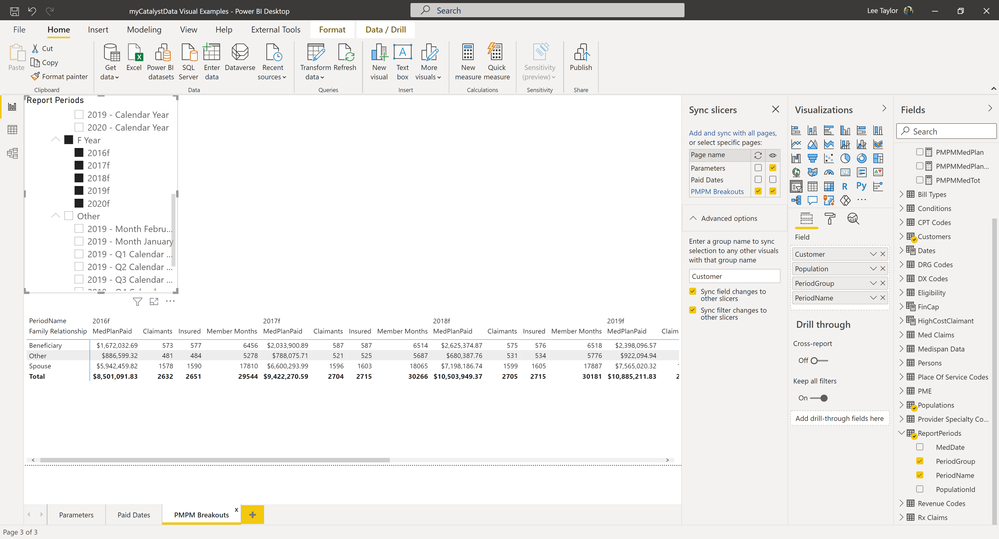
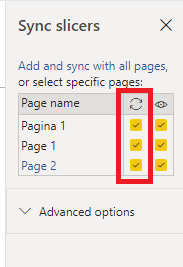
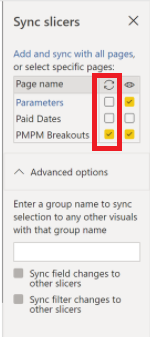
I have a Parameters page which contains the Slicers I wish to synch with other pages. I added another page and set the Report Period slicer to sync (Tried not visible and visible) and the values do not sync. I have not added any invisible slicers so if there are any I do not know how to locate them. Changes to the slicer on the parm page does not reflect on the other page. See Pics.
I know this is a bit late, but hopefuly it will help someone, as it took me a while to figure it out as well.
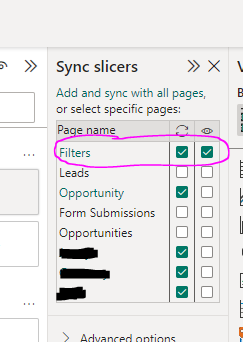
You need to have the filter tuned on on your main filters page (in this case Paramenters) otherwise it won't work
I am still having the same issue, filter sync is clearly not working.
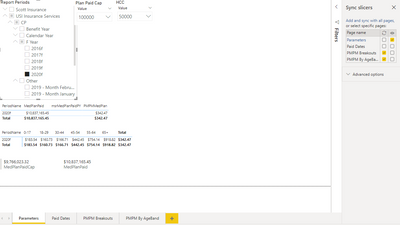
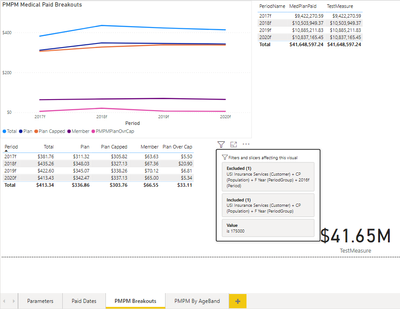
Filter Page "Parameters" clearly show the filters working on the parameters page, and to the right you can see filter synch is turned on (hidden) for the pages "PMPM Breakouts" and "PMPM By AgeBands"
However when I go to the page "PMPM Breakouts" you can see from the screen shot that the filters selected on the parameters page are NOT applied to this page infact it's unclear where they are coming from. Note the parameters page is the only page with slicers on it that coul be applied anywhere.
Hi @spartan27244 ,
The sync slicer will only work if you tick all the pages you want to sync.
Reference:Sync and use slicers on other pages
Best Regards,
Stephen Tao
If this post helps, then please consider Accept it as the solution to help the other members find it more quickly.
That is exacly what I did as you can see from my orginal post. When the sync decides to work seems random. one minute its working the next ime it's not.
AND now it's not working....
No idea what's going on here, it suddenly started working. I hope I do not have to do this will everything that sync's across pages.
Check out the April 2026 Power BI update to learn about new features.
Sign up to receive a private message when registration opens and key events begin.
If you have recently started exploring Fabric, we'd love to hear how it's going. Your feedback can help with product improvements.
| User | Count |
|---|---|
| 30 | |
| 23 | |
| 22 | |
| 16 | |
| 15 |
| User | Count |
|---|---|
| 61 | |
| 35 | |
| 28 | |
| 22 | |
| 21 |