cancel
Showing results for 
Search instead for 
Did you mean: 

The Power BI Data Visualization World Championships is back! Get ahead of the game and start preparing now! Learn more

Reply
calgary_raptor
Frequent Visitor

Showing items with no data not working as expected?

Hi everyone,


This is my first post and I have benefitted quite a bit by these forums so it's my turn to return the favor for others.


For context there are forms that are filled out by users in SharePoint and I am connected to that SharePoint data which is where this information in my chart is coming from. Of course it is only a sample and I can provide more information if anyone requires it to help with answering this question. It's likely me here but it almost seems like this function does not always work as intended. I hope I am wrong.


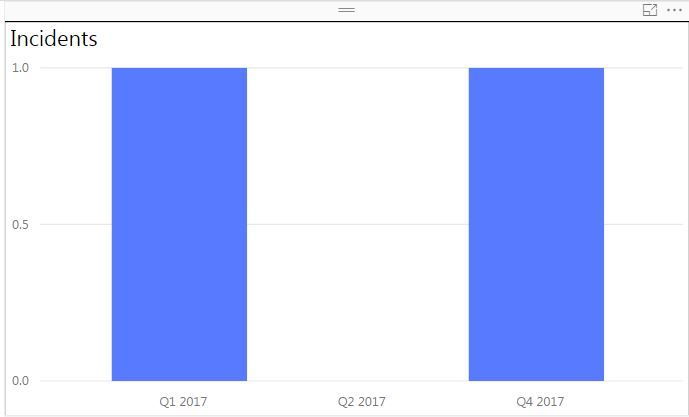
I am having some issues where I have made sure that all my slicers on the canvas have the "Show items with no data" piece selected but yet I am not receiving data for Q3? Here is an example below:


Incident Data.JPG


Q3 is not displaying for some unknown reason?


Does anyone have any idea what I could be doing wrong?


Any help is much appreciated!


Thanks

0 REPLIES 0

Helpful resources

Announcements
November Power BI Update Carousel

Power BI Monthly Update - November 2025

Check out the November 2025 Power BI update to learn about new features.

Fabric Data Days Carousel

Fabric Data Days

Advance your Data & AI career with 50 days of live learning, contests, hands-on challenges, study groups & certifications and more!

FabCon Atlanta 2026 carousel

FabCon Atlanta 2026

Join us at FabCon Atlanta, March 16-20, for the ultimate Fabric, Power BI, AI and SQL community-led event. Save $200 with code FABCOMM.

Top Kudoed Authors