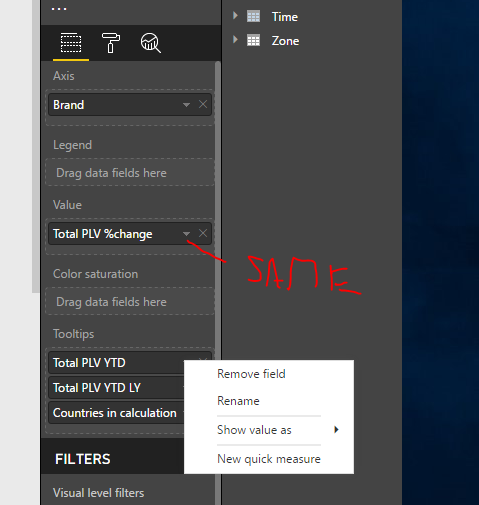
Hello Experts,
I would like to show indicators in my TILES.
- Indicators should be arrrows - like UNICHAR ( 9650 ) and UNICHAR ( 9660 ) / UNICHAR ( 128317 )
- Indicators should be colored GREEN and RED
- Indicators should be colored based on MEASURES - e.g. comparion vs YTD and YTD LY - measures - not columns (if the YTD > YTD LY = arrow up and vice versa)
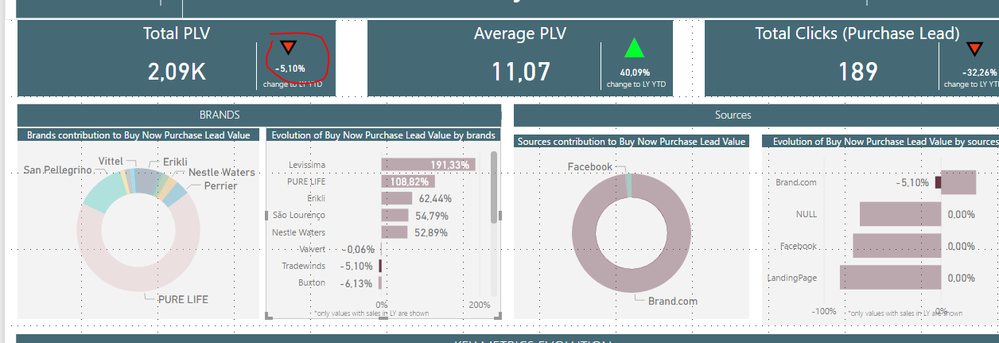
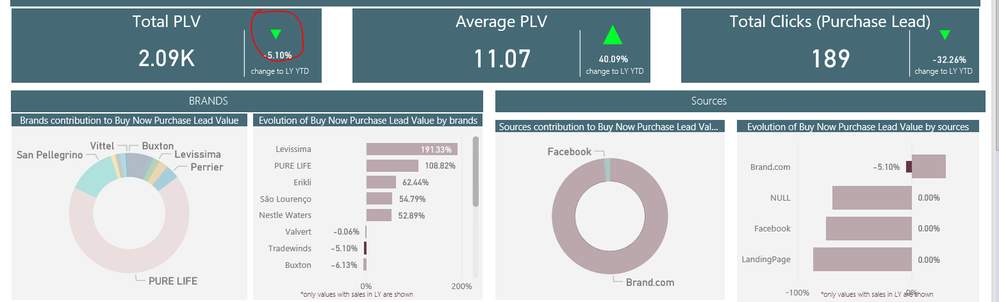
I was trying to use UNICHAR ( 128317 ) as red colored arrow - works in PBI Desktop but not in Power BI Service.
PBI Desktop - works (image 1) , PBI Service - does not work (image 2)
I am using a measure like this to achieve this result.
Total PLV %change arrow =
SWITCH (
    TRUE ();
    ISBLANK ( [Total PLV YOY YTD] ); "";
    ISBLANK ( [Total PLV YTD LY] ); "";
    [Total PLV YOY YTD] <= 0; "";
    [Total PLV YOY YTD] >= [Total PLV YTD LY]; UNICHAR ( 9650 );
    [Total PLV YOY YTD] <= [Total PLV YTD LY];  UNICHAR ( 9660 ) ;
    BLANK ()
)
What would you recomend to me? I would like to just avoid installing custom visuals.
Thanks,
Martin-Prague