cancel
Showing results for 
Search instead for 
Did you mean: 

The Power BI Data Visualization World Championships is back! Get ahead of the game and start preparing now! Learn more

Reply
Anonymous
Not applicable

Selected "Don't Summarize, Then PowerBI counts the values instead of displaying them.

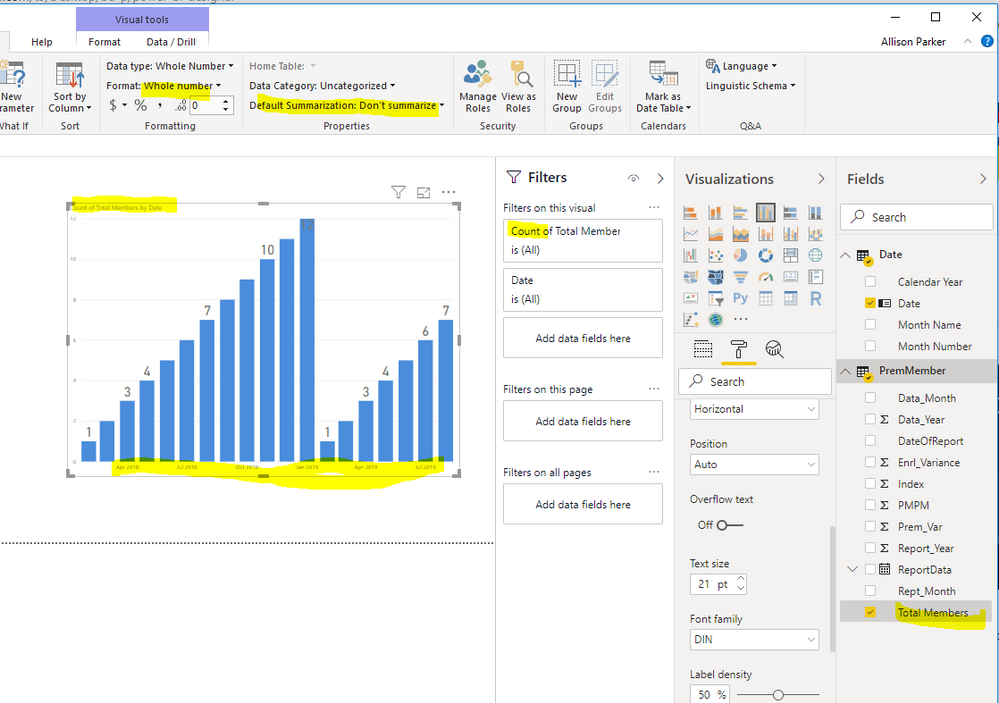
I want to show values (field name "Total Members") by month over 2 years. On inital data load, the field was set by default to be summarized. I selected 'don't summarize'. Now, when I use this field in a Card, or column viz, it showes as counts "Count of Total Members".   I cannot understand why this keeps happeneing? I have developed many other BI files and this wasn't an issue. Do you have any ideas why this is? Any help is appreciated.

Screenshot below:CountExample.PNG

1 ACCEPTED SOLUTION

Hi @Anonymous 

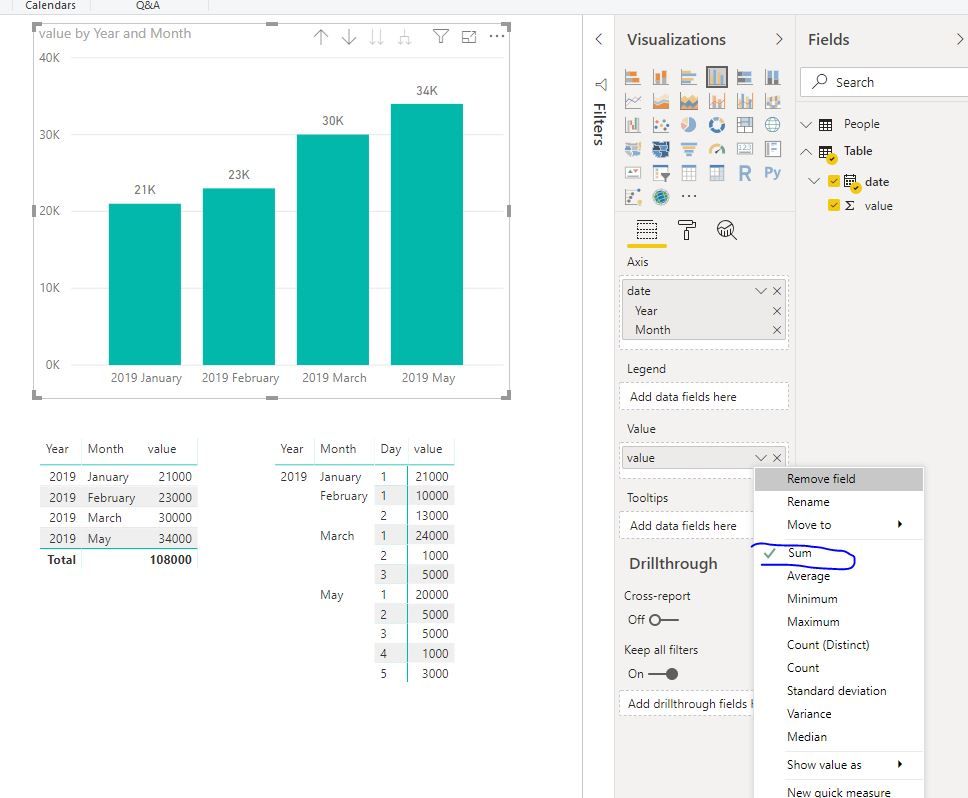
You could get the correct results as shown

Capture19.JPG

Best Regards
Maggie


Community Support Team _ Maggie Li
If this post helps, then please consider Accept it as the solution to help the other members find it more quickly.

View solution in original post

3 REPLIES 3
v-juanli-msft
Community Support
Community Support

Hi @Anonymous 

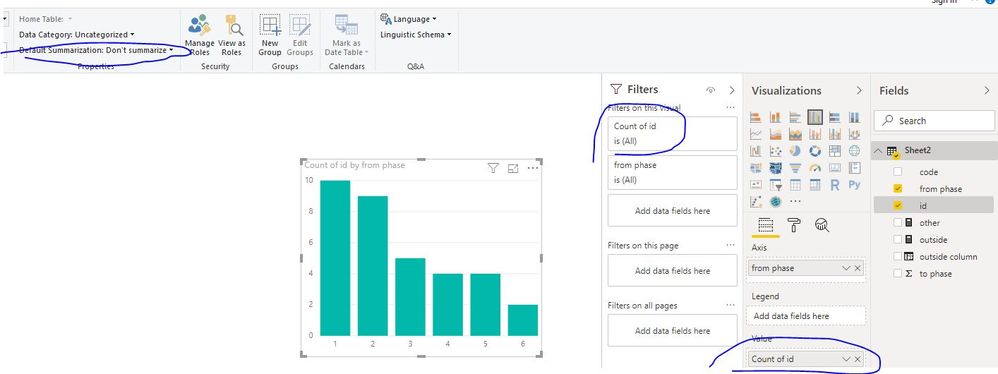
I can reproduce your problem.

Capture3.JPG


As tested, when you use columns in such visuals in Power BI,

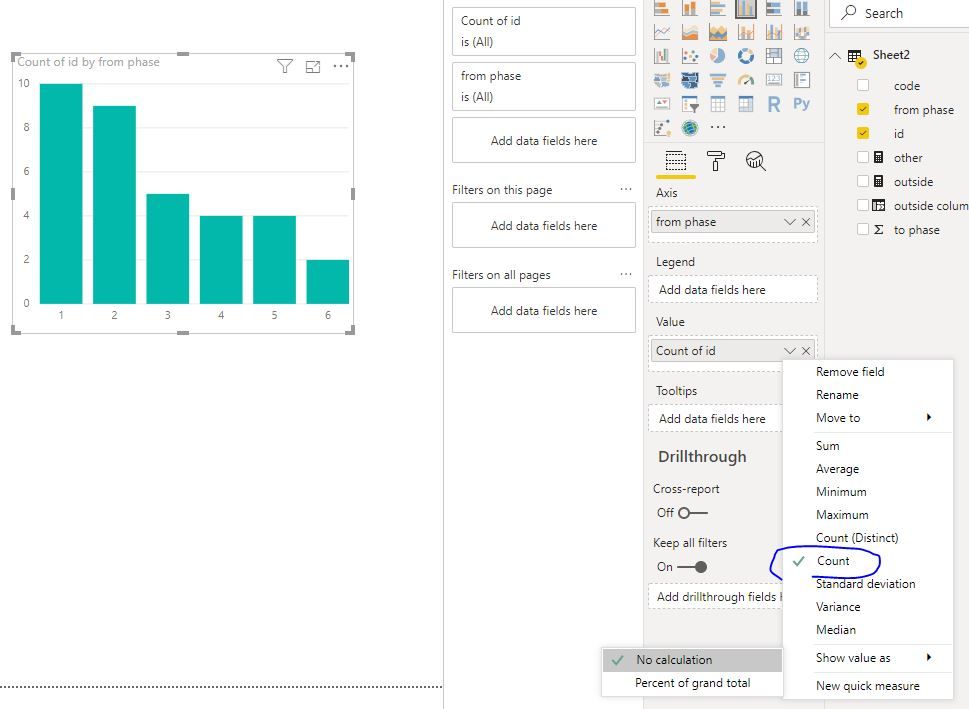
the Value field would be summarized automatically by the Axis field when you add columns in Value field.

It a default behavior.

You could select "down" icon next to select which aggregation you need.

Capture4.JPG

Best Regards
Maggie


Community Support Team _ Maggie Li
If this post helps, then please consider Accept it as the solution to help the other members find it more quickly.

Anonymous
Not applicable

hggie,


Thank you for replying.


However, I do not want any calculation to show. The table already holds the values I want. 

For example: If january 2019 has 21,000 enrollees, I want the vertical bar to reflect 21K

Hi @Anonymous 

You could get the correct results as shown

Capture19.JPG

Best Regards
Maggie


Community Support Team _ Maggie Li
If this post helps, then please consider Accept it as the solution to help the other members find it more quickly.

Helpful resources

Announcements
Power BI DataViz World Championships

Power BI Dataviz World Championships

The Power BI Data Visualization World Championships is back! Get ahead of the game and start preparing now!

December 2025 Power BI Update Carousel

Power BI Monthly Update - December 2025

Check out the December 2025 Power BI Holiday Recap!

FabCon Atlanta 2026 carousel

FabCon Atlanta 2026

Join us at FabCon Atlanta, March 16-20, for the ultimate Fabric, Power BI, AI and SQL community-led event. Save $200 with code FABCOMM.