Join us at FabCon Atlanta from March 16 - 20, 2026, for the ultimate Fabric, Power BI, AI and SQL community-led event. Save $200 with code FABCOMM.
Register now!Get Fabric Certified for FREE during Fabric Data Days. Don't miss your chance! Request now
Hi all
I would like to show data only for 2016.
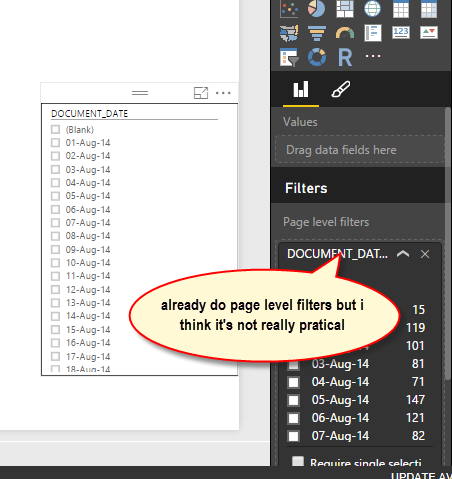
But my data have record from 2014. I dont prefer to filter using Page level filters as the date from 2014 is more than 500++ and it's not really practical.
Kindly advise how can I filter my data to shown only date from 2016
Solved! Go to Solution.
Hi @aanmi,
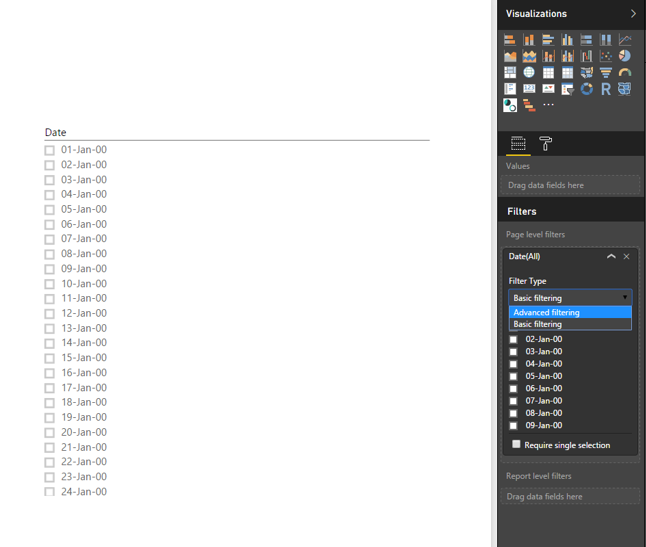
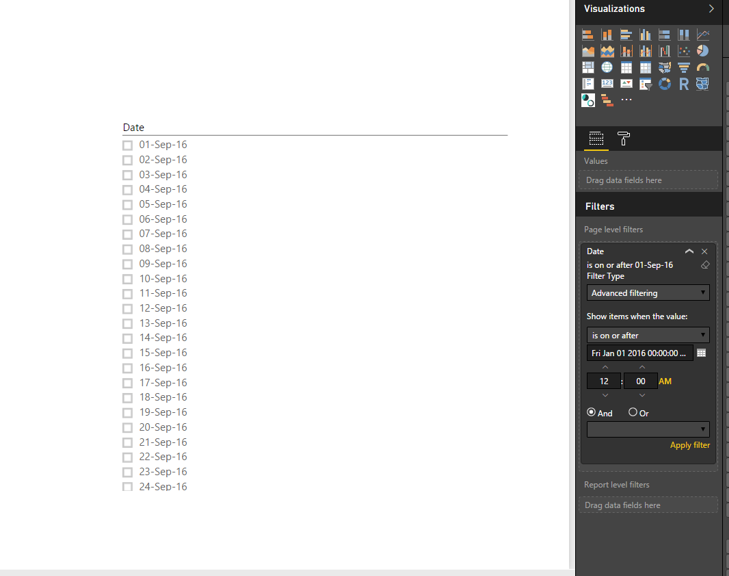
Why not use Advanced filtering of the Page level filters? As shown in the following screenshots, you are able to set date value to 2016 and later.
Thanks,
Lydia Zhang
Hi @aanmi,
Why not use Advanced filtering of the Page level filters? As shown in the following screenshots, you are able to set date value to 2016 and later.
Thanks,
Lydia Zhang
1. If you will never be displaying data from 2014 till 2015 Dec, it would be easier to skip those records while loading in the query.
Alternatively
2. Do you have a calendar or date table in the data model?
3. If so create a column called Show as
Show = If ( CalendarTable[Year] >= 2016 , 1 , 0 )
what this means is if the CalendarTable Year is >= 2016 then set Show as 1 else set Show as Zero.
4. In your chart , set the visual filter as Show Equals 1.
Try it out.
If this solves your issue please accept it as a Solution and also give KUDOS.
Cheers
CheenuSing
Check out the November 2025 Power BI update to learn about new features.
Advance your Data & AI career with 50 days of live learning, contests, hands-on challenges, study groups & certifications and more!