Join us at FabCon Atlanta from March 16 - 20, 2026, for the ultimate Fabric, Power BI, AI and SQL community-led event. Save $200 with code FABCOMM.
Register now!The Power BI Data Visualization World Championships is back! Get ahead of the game and start preparing now! Learn more
Hello,
I've two tables Masterdata and Regions. Masterdata has a column called 'consolidated Region' and Region table has only one column 'Regions'. This table contains unique values of region.
sample of data is like:
Masterdata==>
| offer | Consolidated Region |
| 1 | AMN EUS EUN |
| 2 | AMN EUS,EUN |
| 3 | EUS |
| 4 | AMN |
| 5 | AMN |
| 6 | AMN |
| 7 | EUN UK DACH |
| 8 | EUS, EUN, CHN |
| 9 | EUS, EUN, AMN |
| 10 | EUS, EUN, AMN |
| 11 | EUS IB |
Region Table==>
| Regions |
| EUS |
| EUN |
| EUC |
| AMN |
| AMC |
| AMS |
| E2A |
| AIM |
CHN |
I want to create a new column in Region table. The value of corresponding 'consolidated Region' should get mapped with 'Regions' if the 'Regions' value exist in the string of 'Consolidated Region'.
sample of Desired Result ==>
| Regions | Calculated column |
| EUS | AMN EUS EUN |
| EUS | AMN EUS,EUN |
| EUS | EUS |
| EUS | EUS, EUN, CHN |
| EUS | EUS, EUN, AMN |
| EUS | EUS, EUN, AMN |
| EUS | EUS IB |
| EUN | AMN EUS EUN |
| EUN | AMN EUS,EUN |
| EUN | EUS, EUN, CHN |
| EUN | EUS, EUN, AMN |
| EUN | EUS, EUN, AMN |
| EUC | Null |
| AMN | AMN EUS EUN |
Could anyone help with the same?
Solved! Go to Solution.
Thank You so much. This is exactly what I was looking for. Thanks a lot😇
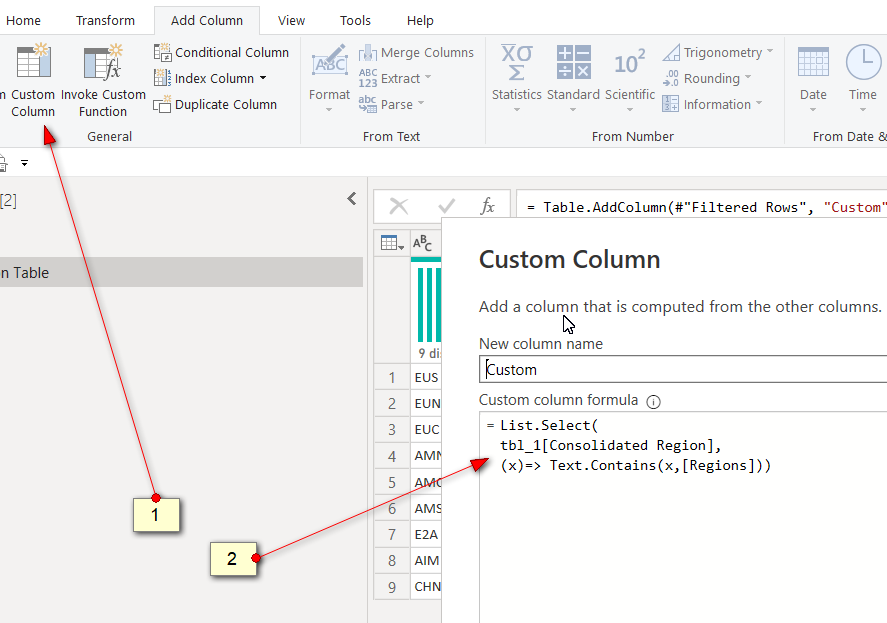
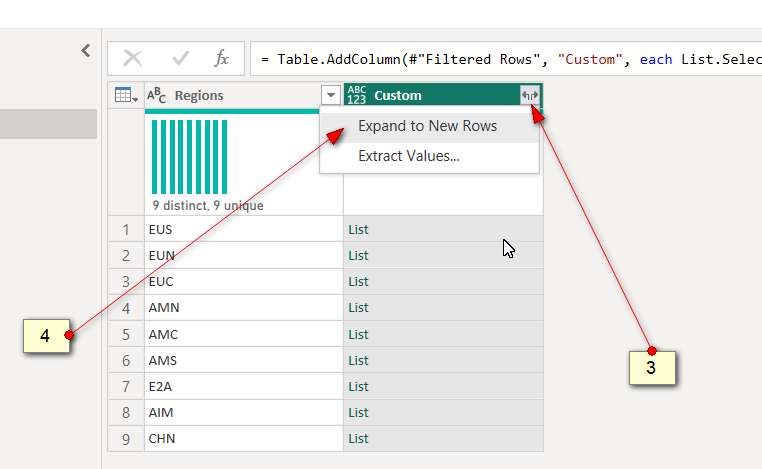
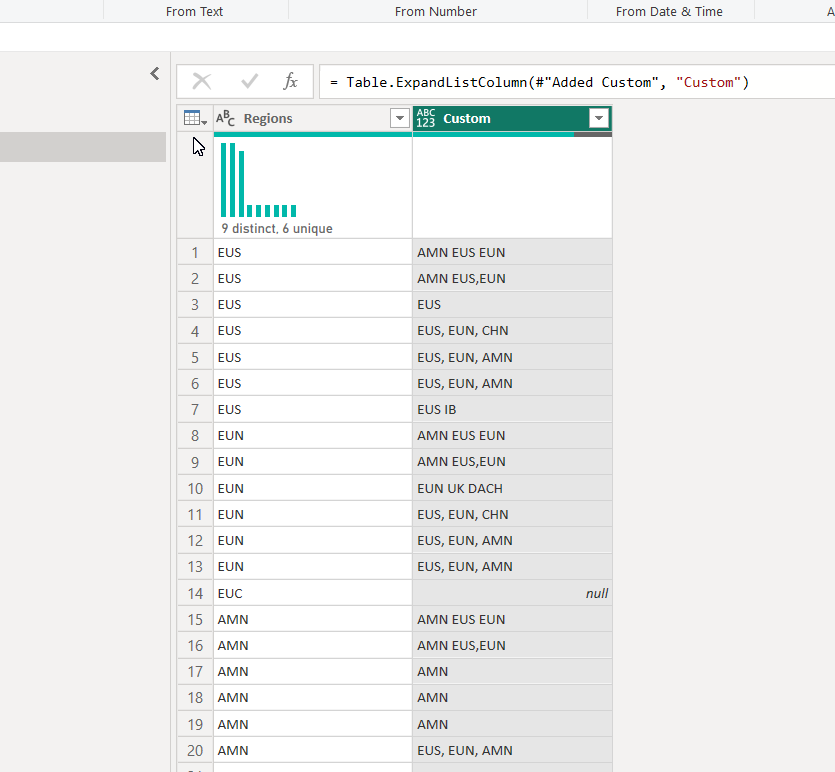
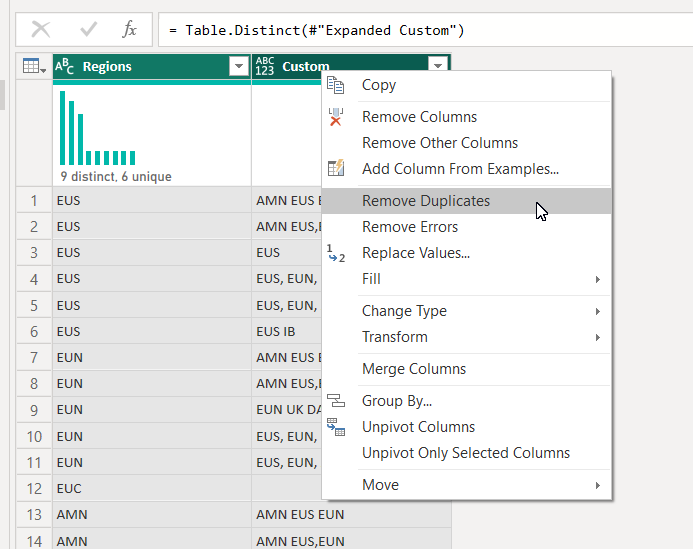
I forgot to delete duplicates,
https://1drv.ms/u/s!AiUZ0Ws7G26RhitooctztWrtuoOZ?e=PHUmzt
Hi @DikshaT
The desired output seems a bit ambiguous.
Eg: For EUS, there are 4 different values how is it derived? Also you mentioned "Region" table is unique then why do you have 4 rows of EUS?
| Regions | Calculated column |
| EUS | AMN EUS EUN |
| EUS | EUS |
| EUS | EUS, EUN, CHN |
| EUS | EUS IB |
Can you confirm if this is what you want?
Hello,
Region will not be unique in the result. The Idea is to pick a value from 'Region' table and check in 'Consolidated Region', If this Region value is present in Consolidated value then Map consolidated value in front of Region value.
And this process should iterate over all the rows of 'Consolidated Region' column for each row of 'Regions' Column.
Yes at last we will have some duplicate rows in output table, but I'll remove it.
Check out the November 2025 Power BI update to learn about new features.
Advance your Data & AI career with 50 days of live learning, contests, hands-on challenges, study groups & certifications and more!