Get certified for free when you join Fabric Data Days 2026 and dive into Fabric, Power BI, SQL, AI, and other essential data skills.
Join nowData Days is here! Join us now for 60+ days of learning, challenges, and connection. Learn more
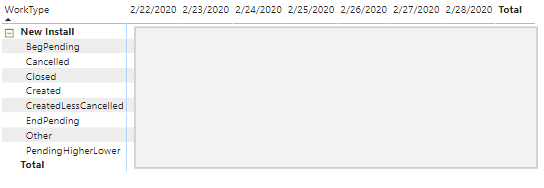
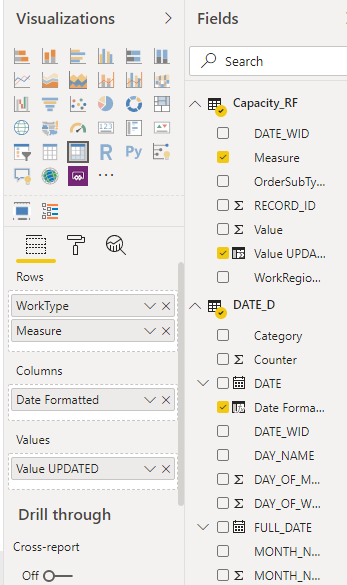
I have a table with several values that appear (see image) based on a field called "Measure" - e.g., BegPending, Cancelled, Closed, etc. The values appear in alphabetical order, but I need to specify the order. What's the best way to do that. If I create a sort field, how do I indicate that I want the values to appear based on that field? Thanks!
Solved! Go to Solution.
Hi @ConnieMaldonado @,
First you need to create a simple dimension table based on the worktype.
Then you assign the order to each worktype.
Create a 1-1 relationship between two tables and put the worktype in the new table into the matrix.
Sort the worktype by the Custom sort.
Best Regards,
Liang
If this post helps, then please consider Accept it as the solution to help the other members find it more quickly.
Hi @ConnieMaldonado @,
First you need to create a simple dimension table based on the worktype.
Then you assign the order to each worktype.
Create a 1-1 relationship between two tables and put the worktype in the new table into the matrix.
Sort the worktype by the Custom sort.
Best Regards,
Liang
If this post helps, then please consider Accept it as the solution to help the other members find it more quickly.
Try this video.
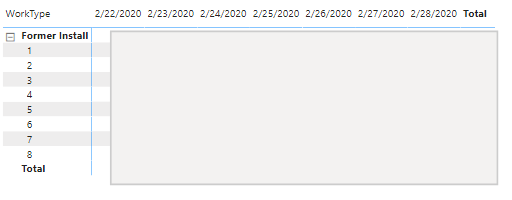
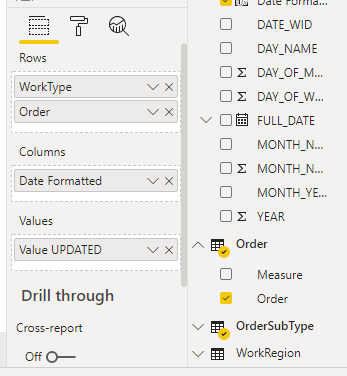
The video helped as I learned something new, but it didn't solve the problem. I created the table with the "Order" field, but unless I add it to the table, I can't sort by it. If I add "Order", of course it shows the numeric ordering rather than the name. I could rename the measures to the 1 BegPending, 2 Created, 3 Closed and so on, but I was trying to avoid that.
Don't miss out on Data Days, June 15 through August 7. Learn Fabric, Power BI, SQL, AI and more.
Check out the May 2026 Power BI update to learn about new features.
| User | Count |
|---|---|
| 23 | |
| 23 | |
| 21 | |
| 20 | |
| 15 |
| User | Count |
|---|---|
| 58 | |
| 55 | |
| 43 | |
| 30 | |
| 24 |