Join us at FabCon Atlanta from March 16 - 20, 2026, for the ultimate Fabric, Power BI, AI and SQL community-led event. Save $200 with code FABCOMM.
Register now!Get Fabric Certified for FREE during Fabric Data Days. Don't miss your chance! Request now
I have published my report to web, and embedded it as an iframe in a website.
I am unable to set the background of the iframe to either transparent, or white. Instead, the standard PowerBI grey background surrounds the iframe, making it look a little less than ideal.
Is there any way around this?
Thanks all in advance 🙂
Solved! Go to Solution.
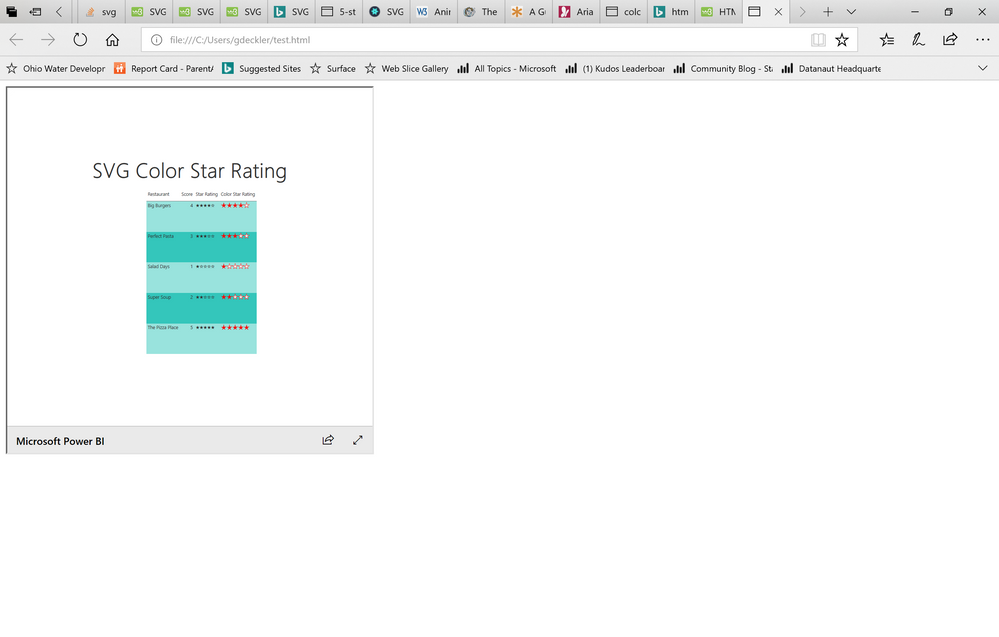
Can you post a picture of what you are seeing? Here is what I am seeing using this code:
<html> <head></head> <body> <iframe src="https://app.powerbi.com/view?r=eyJrIjoiNTc0YjZlZmMtOTUzMC00OWRiLWFjZTYtMmU0ZmQ1MGFhNDFlIiwidCI6IjRhMDQyNzQzLTM3M2EtNDNkMi04MjdiLTAwM2Y0YzdiYTFlNSIsImMiOjN9" height="500" width="500"></iframe> </body> </html>
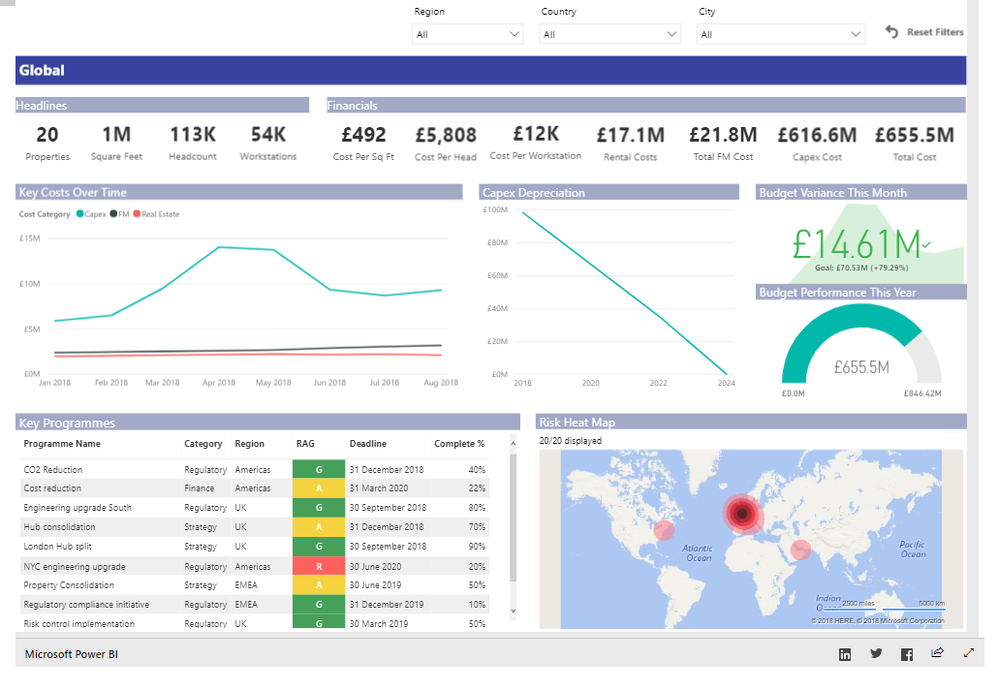
Sure, please see screenshot below. Code is:
<iframe width="1250" height="880" src="https://app.powerbi.com/view?r=eyJrIjoiNzM0YWU2MjgtYTNlNC00MTJmLWJmYzAtMTlkMWJkNzE1OGZkIiwidCI6Ijg1MGI4NjhiLTUyNjAtNDE4NC05NzczLTI1NDc1MDMyZDViMCJ9" frameborder="0" allowfullscreen="true"></iframe>
Very strange, I don't get that with my file:
<html>
<head></head>
<body>
<iframe width="1230" height="880" src="https://app.powerbi.com/view?r=eyJrIjoiNTc0YjZlZmMtOTUzMC00OWRiLWFjZTYtMmU0ZmQ1MGFhNDFlIiwidCI6IjRhM..." frameborder="0" allowfullscreen="true"></iframe>
</body>
</html>
What version of Power BI Desktop are you on? Are you on the version that lets you set your canvas color/background? I think it was August?
Check out the November 2025 Power BI update to learn about new features.
Advance your Data & AI career with 50 days of live learning, contests, hands-on challenges, study groups & certifications and more!