I'm attempting to calculate the previous month's total spent for individual items on a table. The formula I'm currently using to create a new column is:
PreviousTotalSpent = CALCULATE(SUM('Item Sales'[Total Spent]),DATEADD('Item Sales'[Date],-1,MONTH))I've used this formula on a Google Analytics dashboard I created in Power BI and it worked just fine. However, when using it now I'm receiving blank values on my table. I have no idea why this is occuring. I thought maybe it was my column data types that were interfering with the calculation, however when I use SUM on the TotalSpent column, it sums up correctly. DATEADD also works on the date column. It's only when I include both in the calculation formula above that the results do not appear.
Here is what I am seeing:
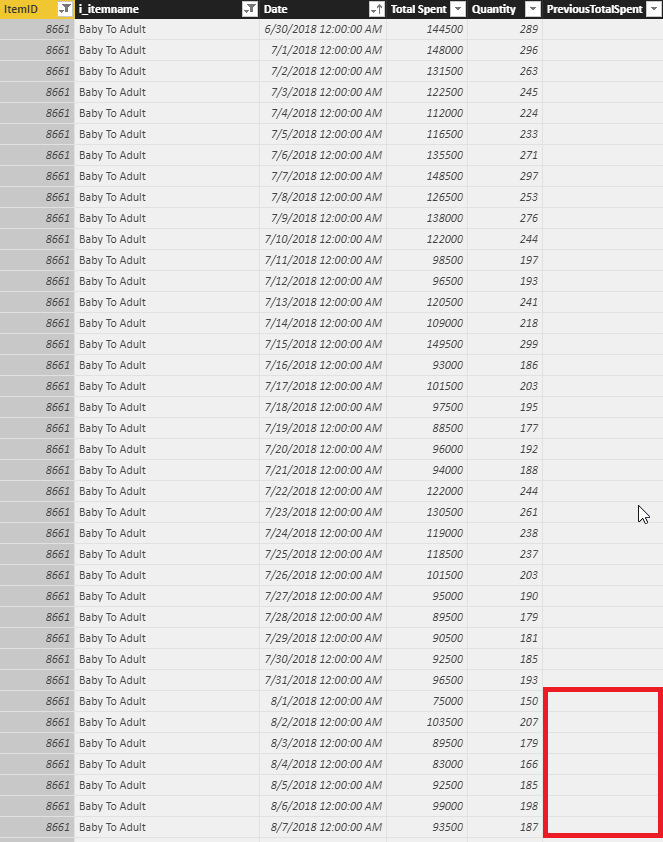
Any idea what is going on?


